


Autodesk EAGLE
Deployment
Best for
Overview
About Autodesk EAGLE
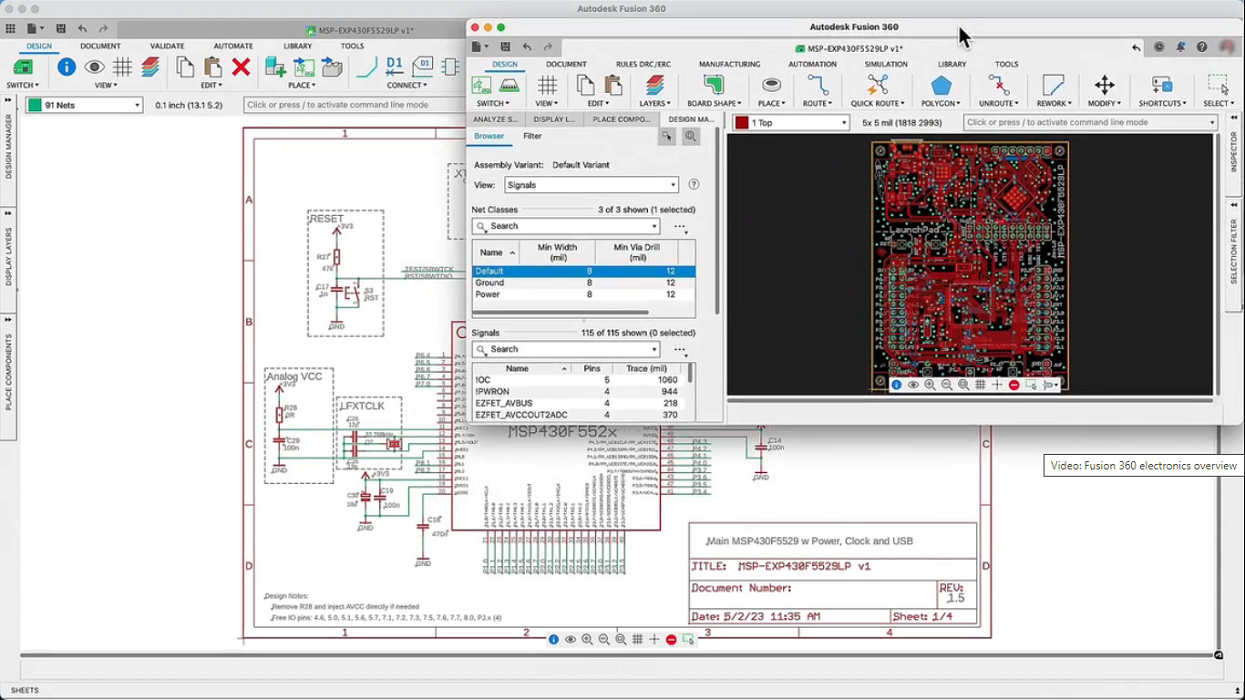
The PCB design process begins by converting a schematic diagram into a physical circuit board layout. Then it’s time to put your problem solving skills to the test by placing components within a tightly constrained space. The PCB routeing process is both an art and a science. Using physical wires, you’ll define electrical connectivity between components on a PCB layout. No two circuit boards are the same, the routeing is what makes your design unique. Nearly every electronics design exists within a mechanical product.
Using ECAD-MCAD integration (US site) between EAGLE and Fusion 360 makes it easy to share your PCB design with a mechanical engineer and verify fit in a physical enclosure.
At a glance
Software information
Industries served, licensing and the support Autodesk EAGLE provides.
Industries
- Electrical-electronic-manufacturing
Licensing
- Proprietary
- Monthly Payment
- Annual Subscription
- Free trial
Support
- Phone
- 24x7 Support
Knowledge Base
- Help Guide
- Blog
Capabilities
Autodesk EAGLE features
The full feature set, grouped by module.
Plans
Autodesk EAGLE pricing
Media
Screenshots & video
This profile is not fully claimed
Do you own or represent Autodesk EAGLE? Verify your business email to claim and manage this Goodfirms profile.