Calibration Studio
Deployment
Best for
Overview
About Calibration Studio
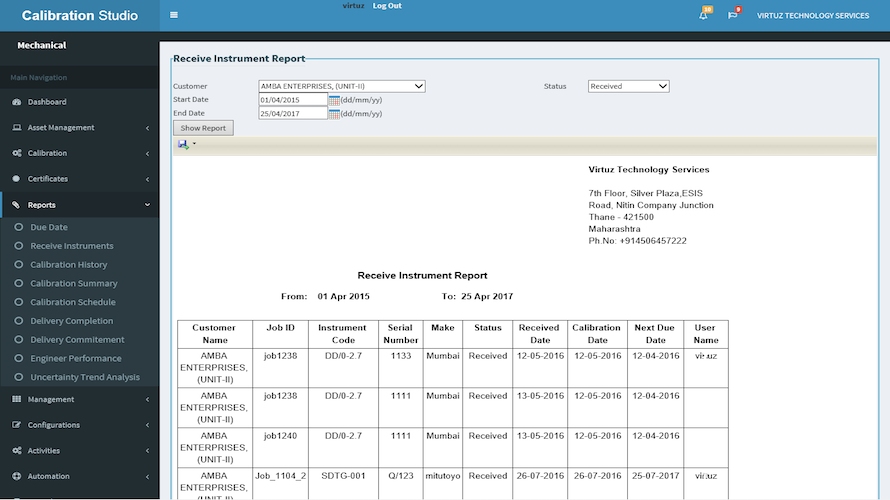
Calibration Studio has a work flow based approach to calibration and inspection.Master management, Instrument management, Receive Instrument, Inspect Instrument, Generate Certificate are the key functionalities. Type A and Type B uncertainty calculations and certificate display and printing are functions finally carried out. The Auditor can view the measurement results, uncertainty values and other certificate information based on which he/she can accept or reject the instrument under inspection.
Rejected instruments are sent back for recalibration or repairs. The accepted ones are issued to the related department for future use. The Meta data configuration functionality provides administrators to configure Customer Information, Units, Master Category, Instrument Category/sub category, Measurement methodology, and Certificate fields/notes/remarks. Reporting facility is provided in order to view and analyze the past measurement statistics for various instruments and customers.
At a glance
Software information
Industries served, licensing and the support Calibration Studio provides.
Licensing
- Quote Based
Support
- Phone
- Online (Ticket)
Training
- Help Guides
- Blogs
- Webinars
- On-Site Training
Knowledge Base
- Help Guides
- Blogs
- Webinars
- On-Site Training
Capabilities
Calibration Studio features
The full feature set, grouped by module.
Plans
Calibration Studio pricing
Media
Screenshots & video