



MaxCut
Cutlist optimizer & cutlist calculator software for cabinetry
Running a cabinet shop means managing materials carefully. Every offcut in the bin is money already paid for. MaxCut fixes that.
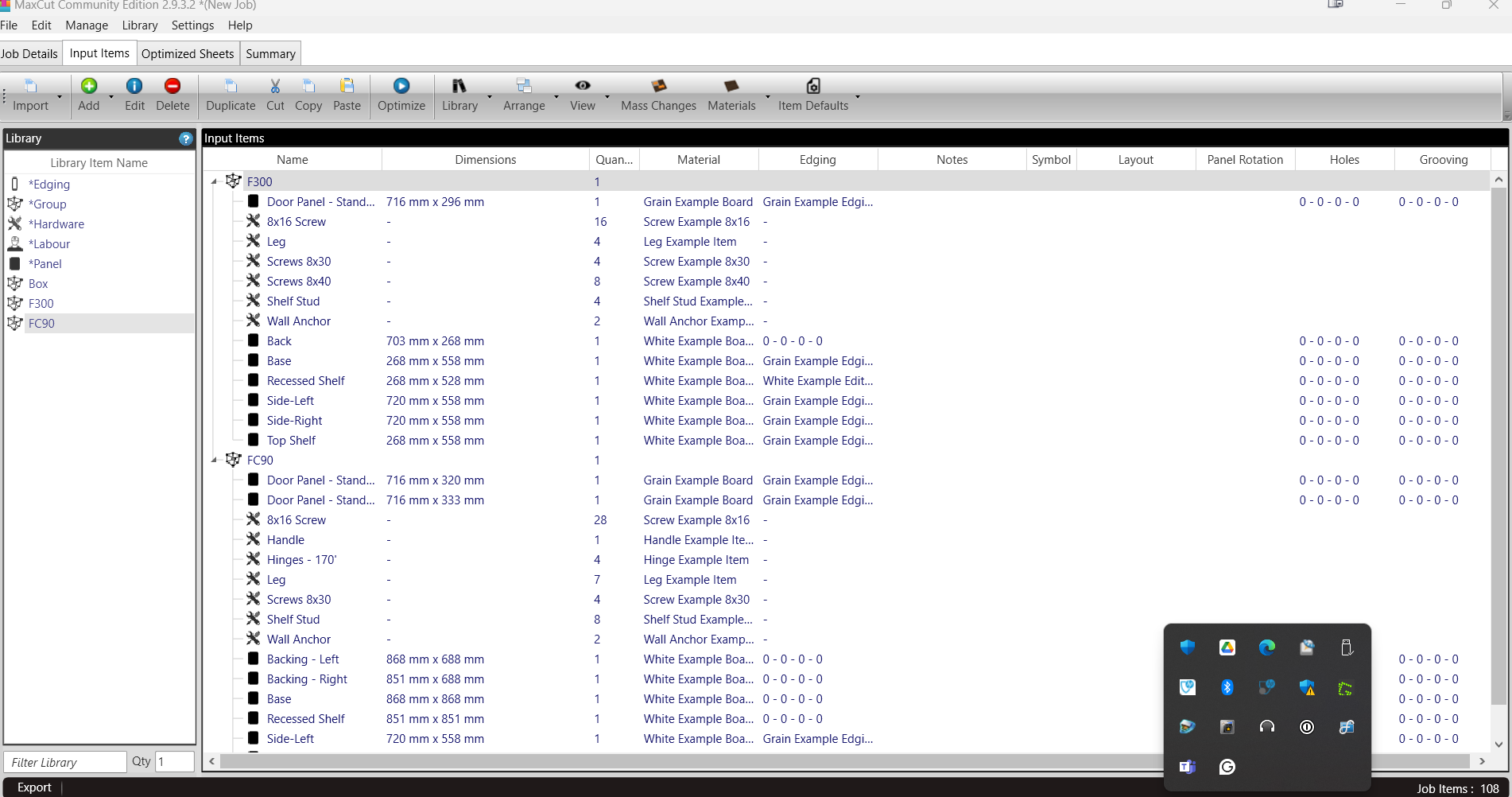
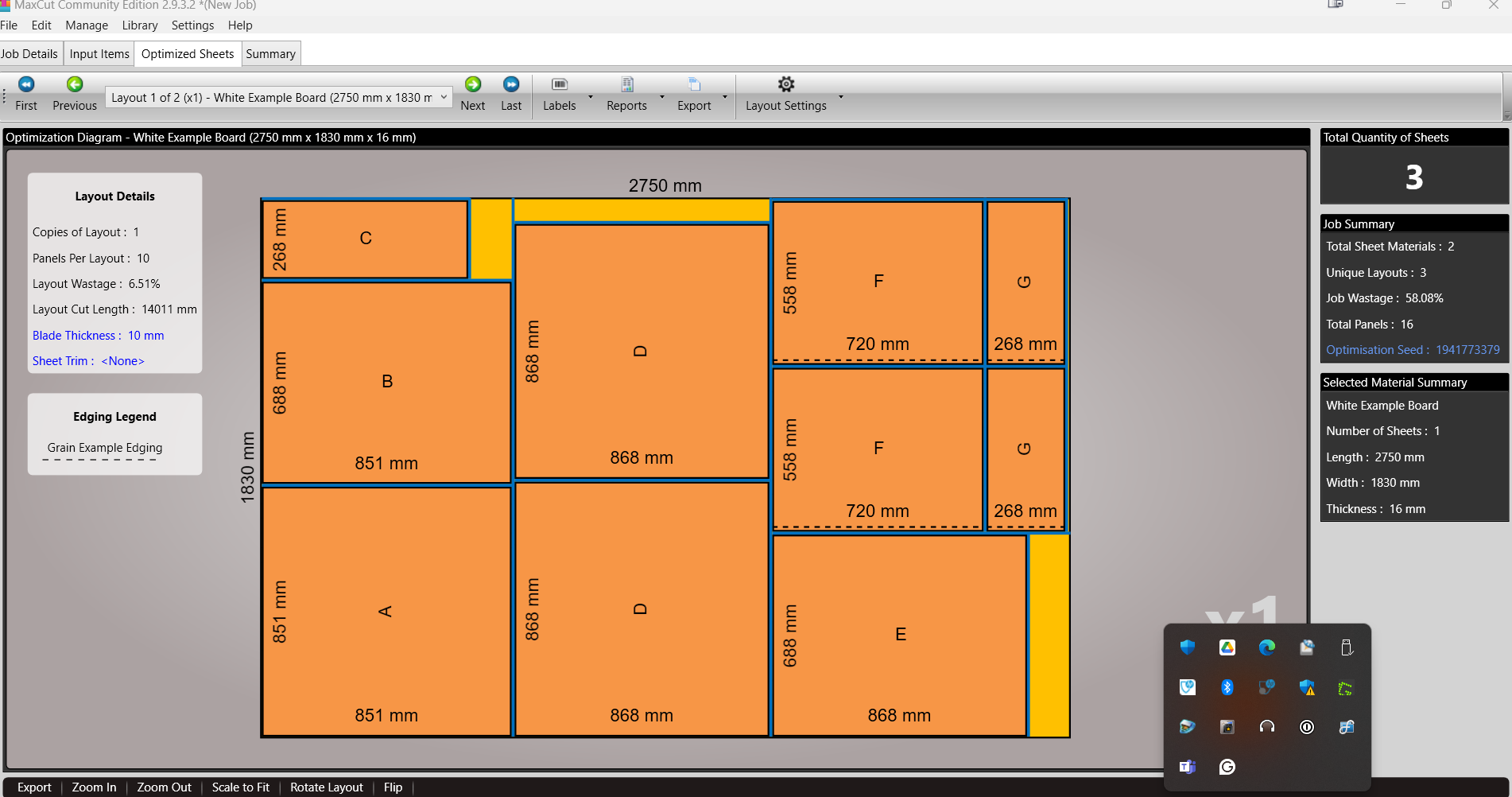
Enter your required panel dimensions, set your sheet materials, and MaxCut generates an optimized cutting layout that gets the most from every board. Less waste per job means lower material costs over time.
Built for manual workshops using panel saws, sliding table saws, or cabinet table saws. No CNC required. No steep learning curve.
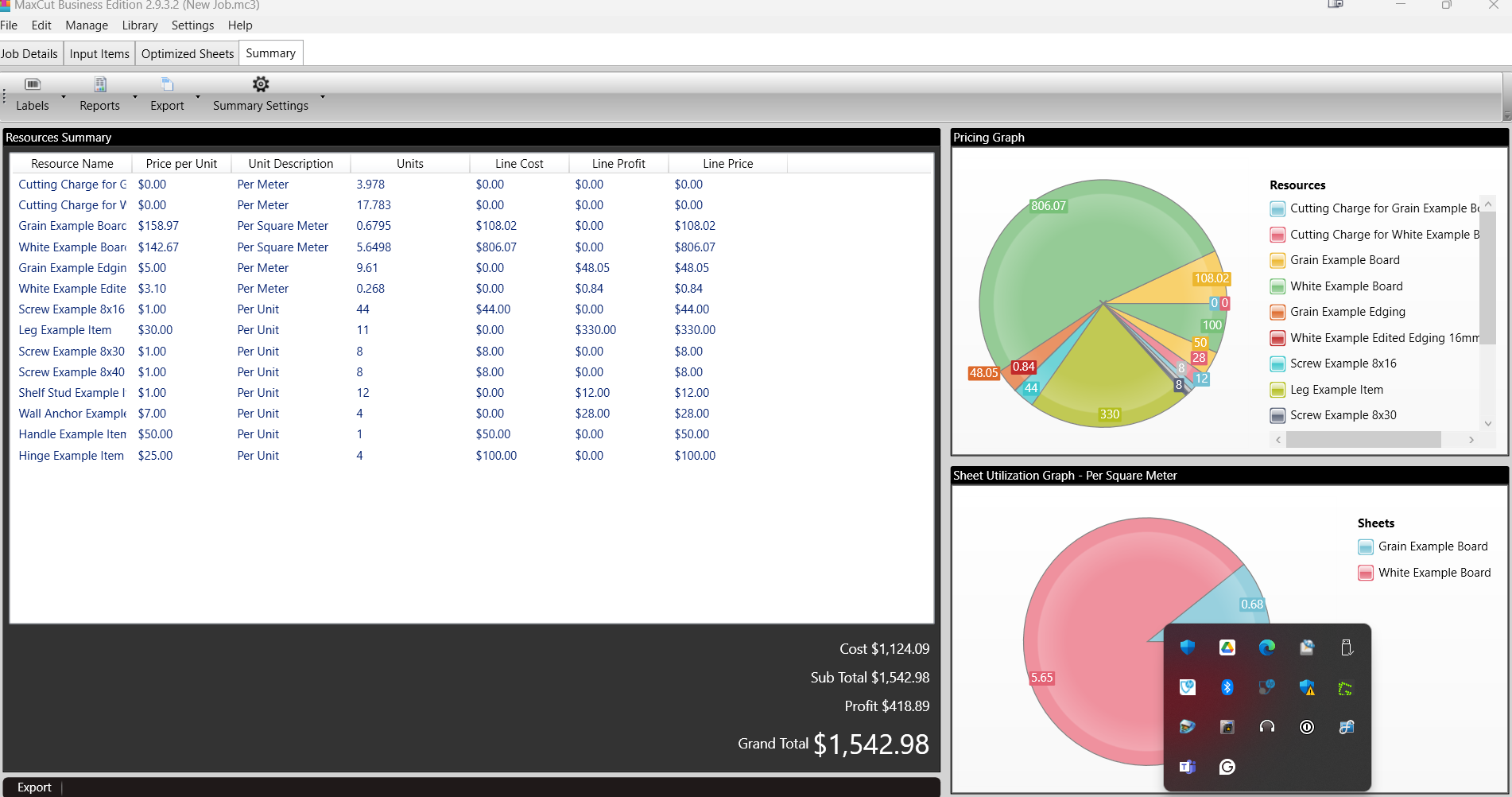
MaxCut also handles job costing, professional client quotations, panel labels, and detailed workshop reports, so your office and workshop floor stay organized.
Available as a free Community Edition, or a paid Business Edition with advanced cost tracking, quotations, and reporting for growing shops.
Windows desktop application. Download and get started today at maxcutsoftware.com
Enter your required panel dimensions, set your sheet materials, and MaxCut generates an optimized cutting layout that gets the most from every board. Less waste per job means lower material costs over time.
Built for manual workshops using panel saws, sliding table saws, or cabinet table saws. No CNC required. No steep learning curve.
MaxCut also handles job costing, professional client quotations, panel labels, and detailed workshop reports, so your office and workshop floor stay organized.
Available as a free Community Edition, or a paid Business Edition with advanced cost tracking, quotations, and reporting for growing shops.
Windows desktop application. Download and get started today at maxcutsoftware.com
2019
New Zealand
- Construction
- Furniture
- Glass-ceramics-concrete
- Plastics
- Afrikaans
- Arabic
- Bulgarian
- Chinese
- Czech
- Danish
- Dutch
- English
- French
- German
- Hebrew
- Hungarian
- Italian
- Japanese
- Polish
- Portuguese
- Russian
- Serbian
- Slovenian
- Turkish
- Ukrainian
Industries
- Construction
- Furniture
- Glass-ceramics-concrete
- Plastics
Licensing & Deployment
- Proprietary
- On Premises
- Windows
Support
- Email
- 24x7 Support
Training
- Documentation
Knowledge Base
Media

MaxCut Core Features
Focus of Construction Estimating Feature
- Accounting
- Reporting & Analysis
MaxCut Pricing
Pricing Type
- Per User
Preferred Currency
- USD ($)
Free Version
- Yes
Payment Frequency
- Monthly Payment
- Annual Subscription
Pricing Description
For businesses that need advanced productivity tools, professional reporting, and detailed job costing, MaxCut Business Edition is available as a monthly or annual subscription, priced per device.
The Business Edition removes all restrictions present in the Community Edition and unlocks the full feature set including tension-free cuts, grain alignment across panels, saw kerf and sheet trim settings per material, and more.
The Business Edition removes all restrictions present in the Community Edition and unlocks the full feature set including tension-free cuts, grain alignment across panels, saw kerf and sheet trim settings per material, and more.
Plans & Packages
Monthly Subscription
$20 Per Month
Full access to all Business Edition features with no long-term commitment. Pay month to month and cancel any time. Ideal for shops trialing Business Edition or managing variable workloads.
Features
- Optimization tailored to your workshop through different nesting methods
- Tension free cuts through sheet trim and panel expansion
- Accurate holes & grooving details
- Easy reuse of common cabinets by creating library items
- Faster input through Excel/CSV part import
- Cost vs selling price comparisons
Yearly Subscription
$200 Per Year
Full access to all Business Edition features at the best rate, equivalent to two months free compared to monthly billing. Best suited to shops that rely on MaxCut year-round.
Features
- This plan includes all the features from Monthly Subscription plan
