Distant Desktop
Deployment
Best for
Overview
About Distant Desktop
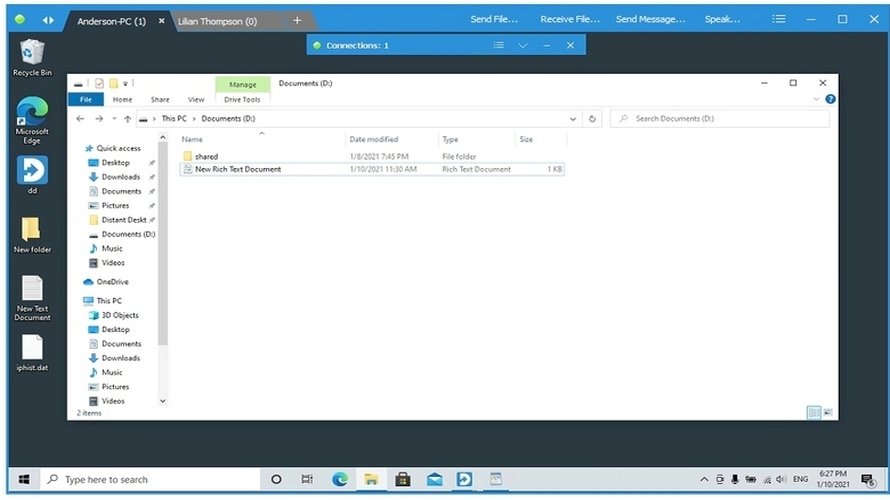
The free remote desktop software for business and personal use. With Distant Desktop you can access and manage computers from anywhere in the world. No installation or registration required. Everything is extremely simple: download the application to your computer and to the computer you intend to control. Write down your unique ID and password and use this data to establish a remote desktop connection.
Key features:
- Remote desktop control with mouse and keyboard.
- Possibility of several connections at the same time. This applies to both the managing and the controlled side.
- File transfer between connected computers.
- Text chat. Send your messages to your partners using integrated chat.
- Voice communication with a remote user.
- Demo mode. When enabled, the incoming connections are allowed, but remote control of your pc is blocked. This mode is designed for presentations and online lessons.
- Free for commercial and personal use. No hidden limitations.
At a glance
Software information
Industries served, licensing and the support Distant Desktop provides.
Licensing
- Free
- Free version
Support
Training
- Help Guides
- On-Site Training
Knowledge Base
- Help Guides
- On-Site Training
Capabilities
Distant Desktop features
The full feature set, grouped by module.
Remote Desktop Software
- File Sharing
- Real Time Chat
- Remote Access
- Screen Sharing
- Security
Plans
Distant Desktop pricing
Media
Screenshots & video