Document Naming Manager
Deployment
Best for
Overview
About Document Naming Manager
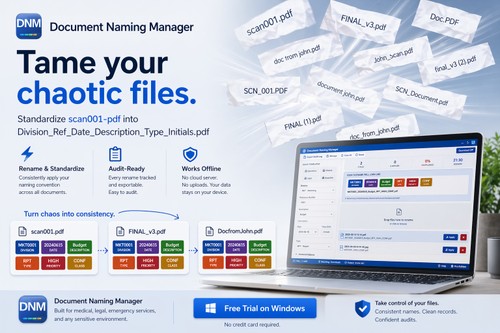
Document Naming Manager (DNM) helps offices apply consistent naming standards to Windows files. Choose a naming profile, select documents and review proposed names before saving.
Local OCR can extract text for naming suggestions. Watch folders bring new files into the naming workflow, while a preview lets you check the result before changes are applied.
Flags files for GPS and AI metadata. File sorting and file name standardization.
File naming and OCR processing run on the PC. Internet access is used for activation, licensing and updates. DNM runs on Windows 10/11 64-bit and is commercial software with a 14-day trial.
DNM suits legal and administrative document workflows where staff need repeatable file names and control over each change.
At a glance
Software information
Industries served, licensing and the support Document Naming Manager provides.
Industries
- Legal-services
Licensing
- Proprietary
- Monthly Payment
- Annual Subscription
- One-Time Payment
- Free trial
Support
- Live Chat
- Support daysMondayTuesdayWednesdayThursdayFridaySupport time09:00 to 21:00 (PST)
Training
- Webinar
Capabilities
Document Naming Manager features
The full feature set, grouped by module.
Plans
Document Naming Manager pricing
Media
Screenshots & video