Org Chart Studio
Deployment
Best for
Overview
About Org Chart Studio
Stop fighting with your org chart and create one in minutes.
Org Chart Studio builds an org chart three ways. Start from a spreadsheet: import an Excel or CSV roster - a Google Sheets export works the same way. Map the columns you have and review the result before anything is committed.
Start from a template: the library ships 12 templates across 30 picker variants, searchable and grouped by industry, each showing how many roles it holds.
Or start blank and add people by hand, on the canvas or in the table editor.
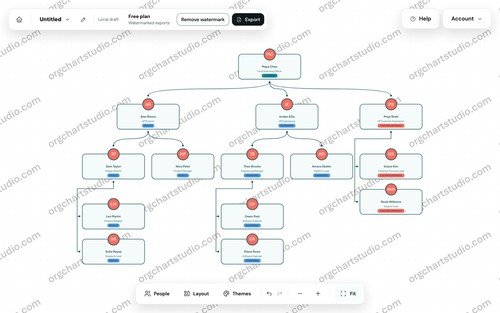
From there, edit on the canvas or in a table, arrange wide teams, apply a theme, and export. Starting and editing need no account. CSV export is always free and round-trips for re-import. A watermarked PNG is free; clean PNG, PDF and editable PowerPoint need a pass or a subscription.
Pay for an export when you need it. A subscription is optional, never required. There are no per-seat fees.
At a glance
Software information
Industries served, licensing and the support Org Chart Studio provides.
Industries
- Human-resources
Licensing
- Proprietary
- Monthly Payment
- Annual Subscription
- One-Time Payment
- Free version
Support
- Support daysMondayTuesdayWednesdayThursdayFridaySupport time09:00 to 17:00 (EST)
Capabilities
Org Chart Studio features
The full feature set, grouped by module.
Plans
Org Chart Studio pricing
Media
Screenshots & video