PDF Converter

5.0 (1 Review)|Write a Review|Claimed profile
Singapore HQFounded 2025

Deployment

Overview

About PDF Converter

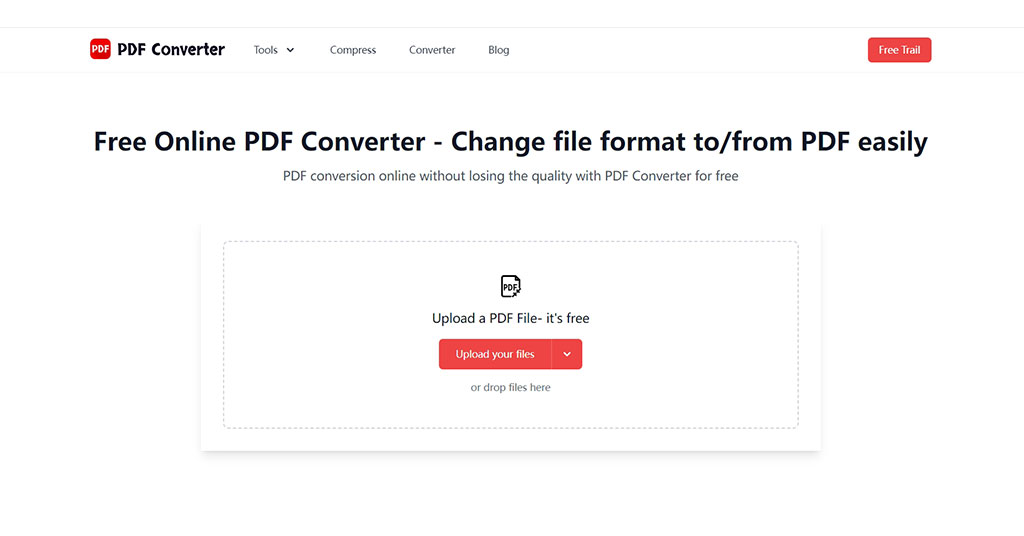
PDF Converter is a free online PDF file conversion tool that can be used on any device with an Internet connection through a browser.

With PDF Converter, you can get high-quality PDF files or other popular documents such as Excel, PowerPoint, Word, JPG, PNG, etc. that meet your needs in seconds.

In addition to converting PDF files, PDF Converter also provides various editing functions, such as merging multiple PDF files into one, extracting specific pages, and reducing the size without affecting the quality.

This PDF converter is very popular due to its intuitive design and ease of use. Even if you are a beginner, you can quickly convert PDF files by following the guide.

At a glance

Software information

Industries served, licensing and the support PDF Converter provides.

Industries

  • Computer-software
  • Information-technology-services
  • Internet

Licensing

  • Proprietary
  • Monthly Payment
  • Annual Subscription
  • Free trial
  • Free version

Support

  • Email
  • 24x7 Support
Languages (8)
ChineseEnglishEstonianFrenchGermanItalianJapaneseKorean

Review analytics

What customers report

5.0
Based on 1 verified review
Ease of use5.0
Features & functionality4.0
Customer support5.0

What users like the most

  • The functions are easy to use. The interface is beautiful and intuitive. The customer service support is timely and polite.

What users like the least

  • It would be better if the speed could be faster

What users say

Review Analytics of PDF Converter

Every review is verified through Goodfirms before it's published.

5.01 Verified Review
Ease of use5.0
Features & functionality4.0
Customer support5.0
Review Summary
Drawn from 1 verified reviews
The functions are easy to use. The interface is beautiful and intuitive. The customer service support is timely and polite.
Detailed Reviews of PDF Converter
Sort ByWrite a Review
Helene XiangVerified Review
Posted on Aug 28, 2025

“Easy & affordable”

Overall rating5.0
Ease of use5.0
Features & functionality4.0
Customer support5.0
It's pretty good, the conversion and editing functions are very easy to use, even without a dedicated HEIC to PDF tool, it can still be used, which is really a big surprise.
Capabilities

PDF Converter features

The full feature set, grouped by module.

PDF Software

  • Content Editing
  • Convert to PDF
  • Merge/Append
  • PDF Reader
  • Watermarking
  • AI Features

Plans

PDF Converter pricing

Free Version
Yes
Payment Frequency
Monthly Payment, Annual Subscription
Preferred Currency
USD ($)
Free Trial
available Days

Media

Screenshots & video