Secure PDF
Deployment
Best for
Overview
About Secure PDF
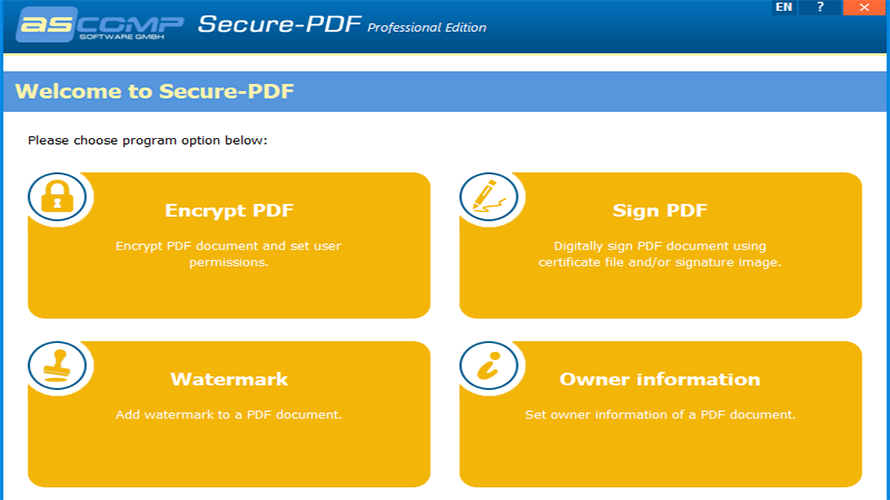
The PDF format is used worldwide to distribute graphically processed documents. However, editing the documents is usually associated with high costs because good PDF editors are quite expensive. The cheaper alternatives on the other hand, lack the important functions to make PDFs secure, for example by encrypting, digitally signing or adding watermarks.
Secure-PDF puts an end to this: Encrypt your own or other people's PDF documents with up to 256 bit key strength (AES). Add a password to open it so that users can only view the encrypted document by entering the correct password.
To guarantee the recipients of your PDF documents that the corresponding document is original and has not been manipulated afterwards, a feature for digital signing is available in Secure-PDF. With a PKCS#12 certificate you can assign your digital signature to the document. Or just sign a PDF file by a signature image.
Secure-PDF can set watermarks as well as the owner information of a PDF document - even without previous knowledge of how to use PDF documents!
At a glance
Software information
Industries served, licensing and the support Secure PDF provides.
Licensing
- Annual Subscription
- Free trial
Support
- Phone
Training
- Help Guides
Knowledge Base
- Help Guides
Capabilities
Secure PDF features
The full feature set, grouped by module.
Plans
Secure PDF pricing
Media
Screenshots & video