Softaken Mail Importer
Deployment
Best for
Overview
About Softaken Mail Importer
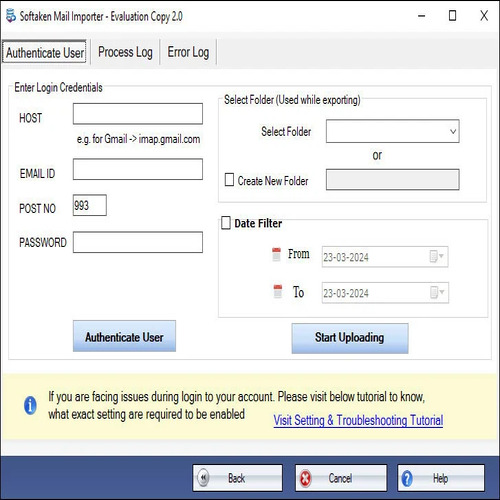
Softaken Mail Importer makes it easy to move local email data into IMAP-based accounts without any problems. It can handle several mailbox formats including PST, EML, MSG, and MBOX, which makes it easier to keep track of data from many places in one spot. The process is simple: files are added, previewed, and then imported into the chosen IMAP account after the correct authentication is done. It makes sure that everything is completely accurate by retaining the email content, including attachments, headers, and formatting elements.
The design is simple so that the process can be finished fast and without any problems. It also has bulk import, which lets you move more than one file at a time. The tool is made to work reliably and make sure that no data is lost during the transfer. It works well on Windows and works with all the main IMAP services. You could try out the features with a trial version, and customer service is always there to help you through the process.
At a glance
Software information
Industries served, licensing and the support Softaken Mail Importer provides.
Industries
- Computer-software
Licensing
- Proprietary
- One-Time Payment
- Free trial
Support
- Live Chat
- 24x7 Support
Capabilities
Softaken Mail Importer features
The full feature set, grouped by module.
Plans
Softaken Mail Importer pricing
Media
Screenshots & video