Key takeaways
- Most creator-focused AI video plans fall around $20 to $50 per month, while professional and business plans can reach $100 to $200+.
- AI video pricing is difficult to compare because platforms use different combinations of credits, finished minutes, model usage, and API billing.
- The real cost depends on more than the subscription price, including retries, video length, resolution, commercial rights, and team seats.
- Goodfirms’ proprietary research found that 88.3% of respondents spent less than 30% as much on AI video production as on professional production.
- 78% of marketers in Goodfirms’ research use AI-generated video for social media and short-form content, where generation volume often matters more than premium resolution.
While researching this topic, I came across a strange gap in the pricing of AI video generators. Almost every AI video generator advertises a monthly number, and almost none of them explain what that number actually buys. One tool charges by the second, another sells credits that mean something different depending on the model you pick, and a third bundles everything into a flat fee until you hit a wall mid-project.
That makes AI video generator pricing much harder to compare than it looks. This piece breaks down what you are actually paying for in 2026 — credit by credit, tier by tier, including the hidden costs that can change the real price of a finished video.
Prefer to skip ahead? Compare AI video generator software on Goodfirms to find the one that fits your budget and use case
AI Video Generator Prices at a Glance
Before getting into the details, here’s how a few widely used AI video generators stack up on price, credits, resolution, and overall pricing model.
|
Tool |
Entry Price |
Credits / Minutes |
Max Resolution |
Pricing Model |
Best For |
|---|---|---|---|---|---|
|
$15/month, or $12/month billed annually |
625 credits |
4K upscaling |
Credits |
Short-form creative and cinematic clips |
|
|
Pika |
$8/month billed annually |
700 credits |
1080p |
Credits |
Fast, effects-driven social clips |
|
$10/month |
~660 credits |
1080p |
Credits |
Realistic motion and camera control |
|
|
$29/month |
600 credits |
1080p |
Credits |
Simple avatar videos on a starter budget |
|
|
HeyGen Pro |
$49/month |
1,000 credits |
4K |
Credits |
Higher volume avatar or training content |
|
$29/month |
Up to 10 minutes |
— |
Credits / Minutes |
Corporate training and internal communication |
Notice how two similarly priced tools here give you very different amounts of usable footage. That's the first clue that a credit means something different on every platform.
Quick Note: Don't compare credits across platforms like they're the same currency, because they're not. The model, resolution, and clip length you pick all change how far your credits go. Kling's listed price is also often a first month discount, so check what it renews at before you budget around it.
That's exactly what the next section clears up, starting with the three ways these platforms actually set their prices.
How AI Video Generator Pricing Actually Works
Many platforms price themselves in one of these three ways, and it is important to know which model you are dealing with and how you should read the number. This also overlaps with what people search for as AI video maker pricing, since both terms get used interchangeably across review sites.
1. Subscription plans with monthly credits
Monthly subscriptions are the most common structure among AI video generator subscription plans. You pay a flat fee and get a set number of credits that refresh automatically every month. Once AI video generator credits are provided this way, comparing platforms gets a lot easier, since different models or resolutions pull different amounts from the same pool.
2. Per-second API pricing
Built for developers connecting a video model into their own product or pipeline. This is where text-to-video pricing gets compared most directly, since you pay based on the exact length of footage generated, sometimes with a different rate for each resolution tier.
3. Free tiers with hard limits
Almost every platform offers something free, but it usually comes with a watermark, a one-time credit grant that does not renew, and no commercial usage rights. That gap between AI video generator free vs paid access mostly comes down to watermark removal and commercial rights.
Generative Video vs AI Avatar Pricing
Not all AI video tools price output the same way. Generative-video platforms and AI avatar tools solve different problems, so their pricing structures are not directly comparable.
Generative-video tools typically charge through credits or usage based on the model, clip duration, and sometimes resolution. Avatar-video platforms are more likely to translate credits into finished video minutes or longer presentation-style output.
|
Pricing factor |
Generative video |
AI avatar video |
|---|---|---|
|
Typical pricing unit |
Credits, seconds, or API usage |
Credits or finished video minutes |
|
Main cost driver |
Model, duration, retries |
Finished video length |
|
Common output |
Short creative clips, ads, B-roll |
Training, explainers, presentations |
|
Cost predictability |
Lower |
Usually higher |
This distinction matters when comparing AI video generator pricing. A one-minute avatar video may be produced as a single project, while one minute of generative footage can require multiple short generations and several retries. As a result, the cheapest-looking plan is not always the cheapest on a per-finished-minute basis.
What You're Actually Paying For
This is where AI video generator pricing gets misleading, because most people only look at the name and price of the plan. The base subscription only buys access, along with a handful of basic features. But there is more to it. Everything below is what actually determines your real monthly spend, and these are the AI video generator hidden costs most comparison articles skip over.
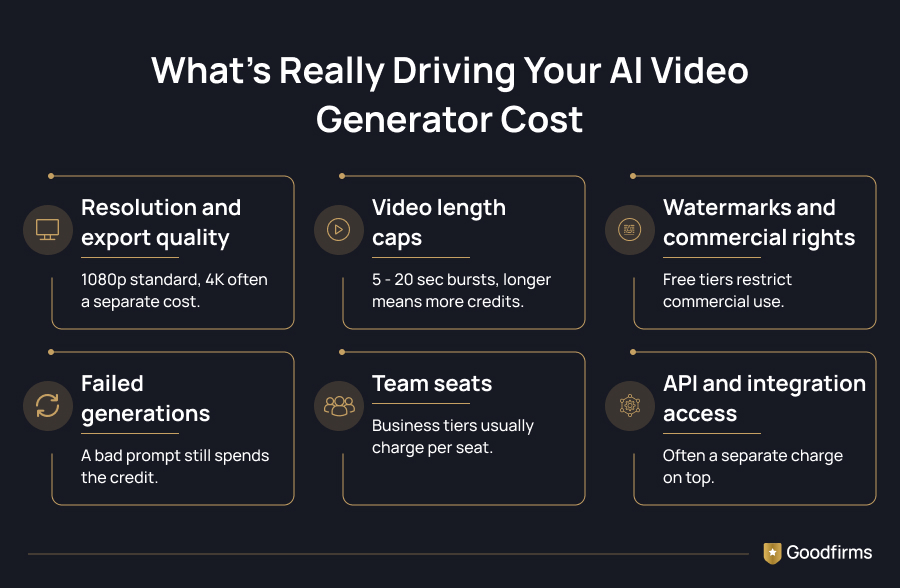
- Resolution and export quality: 1080p is standard on most paid plans, 4K is usually locked to a higher tier or a separate credit cost.
- Video length caps: Most models generate in 5 to 20-second bursts. Anything longer means stitching multiple generations together, which multiplies your credit use.
- Watermarks and commercial rights: Free tiers almost always keep a visible watermark and restrict commercial publishing until you upgrade.
- Failed generations: A prompt that does not land still spends the credit. This is the cost nobody puts on the pricing page.
- Team seats: Business and pro tiers usually charge per seat, so a five-person team does not just pay one flat fee.
- API and integration access: Connecting a model into your existing editing workflow is often a separate charge on top of the base plan.
Goodfirms Research Insight
Goodfirms’ 2026 proprietary research found that AI-generated video received an average quality score of 3.7/5, while 27.8% of respondents identified temporal consistency and flickering as the biggest limitations.
AI video generation costs point to iteration rate as the real cost driver, more than the per-second sticker price itself. The AI video generator cost-per-minute range below shows how wide that gap actually is. Even API pricing comparison backs this up from the developer side, showing that a cheaper per-second model can lose its advantage entirely once retries are factored into the effective cost per finished clip.
|
Cost layer |
What it actually adds |
|---|---|
|
Generation cost |
$13 to $220 per finished minute at the generation layer, depending on model tier |
|
Per-second API rates |
Roughly $0.03 to $0.09 per second on cost-efficient models, higher on premium tiers |
|
Iteration rate |
Primary driver of real cost, more than the per-second price itself |
|
Effective cost after retries |
A cheaper model with more retries can land close to, or above, a pricier model's single-generation cost |
|
Exploration buffer |
Realistic budgeting needs roughly 30% added on top for retries |
Sources: LTX research on AI video generation cost and Atlas Cloud's AI video generation API pricing comparison
Budgeting tip: Leave some of your monthly credit allowance unused for retries and experimentation rather than assuming every generation will be production-ready.
AI Video Generator Pricing Tiers in 2026
Once you put the free tiers, entry plans, and professional tiers side by side, a clear pattern shows up across the market. Having AI video generator plans compared this way also makes it easier to spot the best AI video generator for the price at your specific output volume.
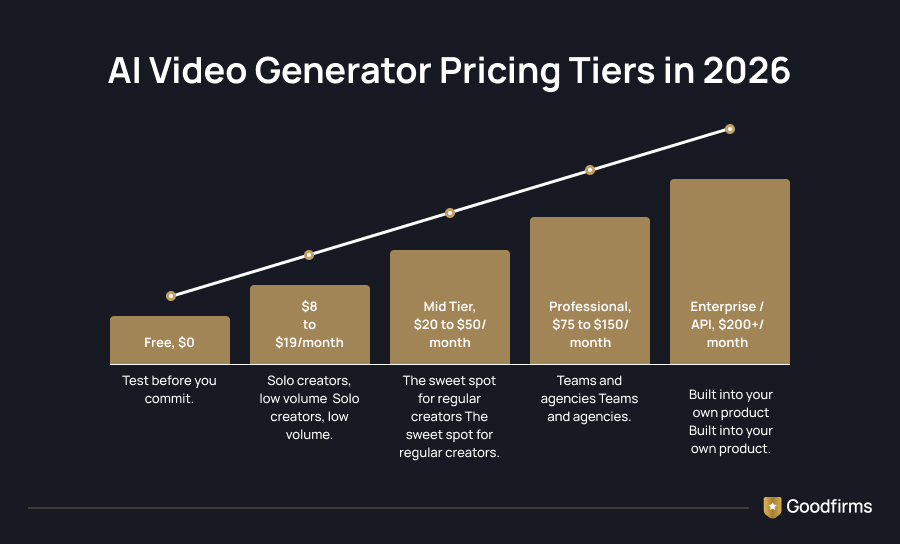
|
Tier |
Price range |
Best suited for |
|---|---|---|
|
Free |
$0 |
Testing quality before committing to a paid plan |
|
Entry |
$8 to $19/month |
Solo creators, faceless content, low-volume posting |
|
Mid tier |
$20 to $50/month |
Regular creators needing 1080p and some 4K access |
|
Professional |
$75 to $150/month |
Teams, agencies, and higher volume production |
|
Enterprise / API |
$200+/month or usage-based |
Businesses building video into their own product |
Sources: Magic Hour's 2026 pricing comparison
Here is what each band actually gets you once you look past the price tag.
- Free ($0): Enough to test output quality and prompt behavior before spending anything. Expect a visible watermark, a one-time credit grant that does not renew, and no commercial rights, so treat it as a preview rather than a working AI video generator cost option.
- Entry ($8 to $19/month): This is usually where AI video generator pricing removes the watermark and unlocks a steady monthly credit refresh. It suits solo creators publishing low volume, faceless, or short-form content, though 4K and priority processing stay out of reach.
- Mid-tier ($20 to $50/month): The sweet spot for regular creators. 1080p becomes standard here, and several platforms open up limited 4K access at this level. The credit pool usually has enough headroom to absorb a normal month of retries without running dry mid-project.
- Professional ($75 to $150/month): Built for teams and agencies producing at higher volume. Per-seat collaboration, full 4K export, and priority rendering typically show up here, and this is also where AI video generator subscription plans start pricing in real production workflows rather than casual use.
- Enterprise / API ($200+/month or usage-based): For businesses embedding video generation directly into their own product or pipeline. Pricing shifts from flat monthly tiers to usage-based or custom terms, and this is where per-second API pricing usually replaces the credit model entirely.
Avatar and character talking tools follow a separate pricing plan, since they are charged by minutes of finished video rather than generation credits, which is worth knowing if your use case is training or internal communication content rather than cinematic clips. Once you know which plan fits your budget, browsing AI avatar generator options makes the shortlist easier.
AI Video Generator Pricing by Use Case
The tier you should be looking at depends heavily on what you are actually making, since AI video generator pricing in 2026 shifts a lot based on output type. A pricing plan that works well for short social clips can fall apart fast for a brand campaign, and the reverse is also true.
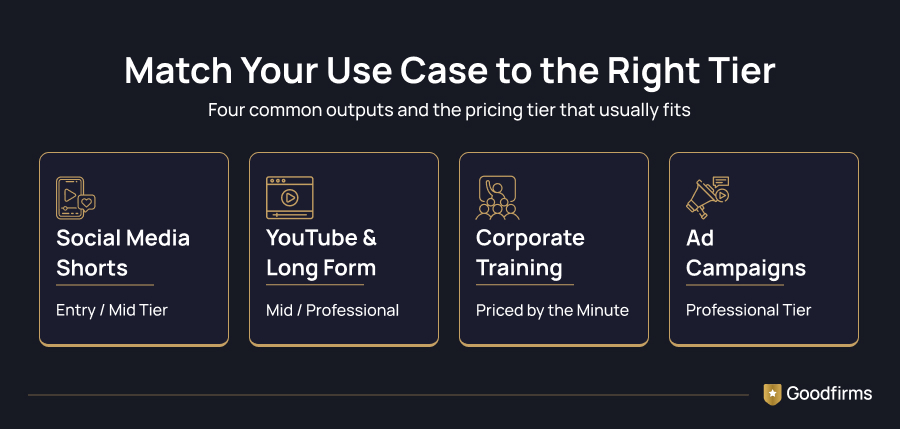
1. Social media shorts and reels
Short-form content usually needs high volume rather than top-tier quality, since platforms compress video heavily anyway. An entry or mid-tier plan with unlimited or high credit generations at 1080p is usually enough, and 4K rarely adds value here.
Goodfirms Research Insight
Goodfirms’ proprietary research found that 78% of marketers use AI-generated video for social media and short-form content, making it the most common AI-video use case among respondents.
2. YouTube and long-form content
Longer videos need more stitched generations, which burns through credits faster and pushes the AI video generator cost per minute higher than short-form work. Mid to professional tier plans make more sense once you are publishing weekly, since the higher credit pool absorbs retries without forcing a mid-month upgrade.
3. Corporate training and internal communication
This is where avatar-based tools take over from generation-based ones. These usually fall outside standard AI video generator subscription plans since pricing is based on finished minutes rather than credits, so a plan built around 10 to 30 minutes of monthly output covers most training and onboarding use cases.
4. Ad campaigns and brand content
Paid campaigns usually justify the higher tiers, since 4K export, no watermark, and commercial rights are non-negotiable at this stage. Budget for the professional tier and treat the extra AI video production cost as part of your overall campaign spend rather than a standalone software expense. For campaigns that need strategy alongside execution, digital marketing companies often bring video into a bigger plan rather than treating it as a standalone spend.
AI Video Generation vs Professional Video Production Cost
AI tools solve the cost problem for short, high-volume content, but they do not fully replace a production team once a project needs original footage, real actors, or brand-specific storytelling. This is really an AI video generation cost comparison at its core, and it depends on what the finished video needs to do.
Goodfirms Research
Goodfirms’ 2026 proprietary research found a substantial cost difference between AI-generated and professionally produced video. 88.3% of respondents said AI production costs less than 30% as much as professional video production, while 47.1% put AI production costs below 10% of professional production costs.
|
Factor |
AI Video Generation |
Professional Production |
|---|---|---|
|
Cost per finished video |
Roughly $1 to $20 per clip at volume |
Typically $1,000 and up per project |
|
Turnaround |
Minutes to a few hours per clip |
Days to weeks, depending on the scope |
|
Creative control |
Limited to prompt and model capability |
Full control over casting, script, and direction |
|
Best fit |
Social clips, drafts, high-volume content |
Brand campaigns, hero videos, storytelling |
Our own video production cost comparison breaks down exactly where the AI video production cost crossover point sits, based on primary research across both categories. AI generation wins on cost per clip at volume, while professional production still wins wherever quality control and creative direction matter more than speed.
How to Choose the Right Plan for Your Budget
Once you have your use case mapped out, choosing between AI video generator plans compared side by side gets much simpler.
- Start with your monthly output volume before comparing prices. A plan that looks cheap can run out of credits in two weeks at your actual usage.
- Confirm whether 1080p covers your use case or if you genuinely need 4K, since that single feature moves you up a full tier on most platforms.
- Budget for retries. Add 20 to 30 percent to whatever credit estimate the pricing page suggests.
- Check commercial usage rights before you publish anything from a free or entry tier.
- If your team needs more than a couple of seats, run the per-seat math before assuming the advertised price applies to you.
- Weigh the cheapest AI video generator against what it actually excludes, since a lower sticker price rarely tells the full story.
For broader production needs beyond a single AI tool, video-making software covers editing and production platforms that pair well with AI-generated footage.
When to Bring In a Production Team Instead
AI tools are built for speed and volume, not for every kind of video. A few signals usually mean it is time to look beyond a subscription.
|
Signal |
Why it matters |
|---|---|
|
Live actors or real locations needed |
AI generation still cannot fully replace this |
|
Multi-scene continuity or a story arc |
Stitching AI clips gets expensive and inconsistent fast |
|
Consistent brand presence across campaigns |
A production team keeps casting, tone, and pacing aligned |
|
High-stakes launch or hero campaign content |
Mistakes are costly to redo, so a proven crew reduces risk on a tight timeline |
|
Synced dialogue or voiceover with real performers |
AI-generated lip sync and voice pairing still look off in close-ups |
|
Licensed or original music and sound design |
Most AI video tools do not include clear audio for commercial use |
None of this means AI tools become useless once a project hits this stage. Most teams keep using them for drafts, previews, or the high-volume content around a campaign, while handing the core brand assets to a production team. If you are at that point, video production companies handle both strategy and execution, not just the video piece.
Common AI Video Generator Pricing Mistakes to Avoid
A few patterns show up again and again once creators and teams actually start comparing AI video generator pricing, and most of them come from reading the pricing page too quickly.
- Judging a plan by the sticker price alone. A $19 plan with generous credits and no watermark often beats a $9 plan that nickel-and-dimes you on exports and resolution.
- Forgetting that failed generations still cost credits. A prompt that comes out wrong still pulls from your monthly pool, and this is one of the AI video generator's hidden costs most people miss until the bill grows.
- Comparing monthly pricing against annual pricing. Most platforms show the lower annual rate by default, which makes month-to-month plans look more expensive than they are meant to be compared against.
- Ignoring per-seat costs on team plans. A price that looks reasonable for one person can double or triple once you add a few teammates to the same workspace.
- Assuming commercial rights are automatic. Free and entry tiers frequently restrict what you can do with the finished video, so check this before you publish anything tied to a client or a campaign.
- Not accounting for resolution jumps. Moving from 1080p to 4K is rarely a small price difference. On several platforms, it is the single biggest jump between tiers.
The Bottom Line on AI Video Generator Pricing
AI video generator pricing in 2026 is not complicated once you know what to check. The monthly number on the plan page is the starting point, not the full answer. Resolution, video length, watermark removal, retries, and commercial rights all sit underneath that number and decide what your real AI video generator cost looks like per finished video. Compare tools on that basis, not on the plan name, and the decision gets a lot easier.
FAQs - AI Video Generator Pricing
1. How much does an AI video generator cost per month?
Most active creators spend between $20 and $50 a month for a mid-tier plan with 1080p output and limited 4K access. Entry plans start around $8 to $19 and cover basic watermark-free generation at lower volume. Professional or team tiers run $75 and up, and that range is where 4K, priority processing, and larger credit pools start to show up. Businesses building video generation into their own product usually skip AI video generator subscription plans entirely and move to usage-based API pricing instead.
2. What is the cheapest AI video generator with no watermark?
Watermark removal usually starts at the first paid tier on most platforms, typically in the $8 to $15 range, rather than on any free plan. Free tiers are built to let you test output quality, not to produce anything you can actually publish, so budgeting for at least the entry paid tier is realistic if you plan to post regularly. The exact price varies by platform, so it is worth checking whether that entry tier also caps your resolution or video length before assuming it covers your workflow.
3. Do AI video generators charge extra for 4K exports?
Yes, on most platforms, 4K is gated to a mid or higher tier rather than included at the entry price point. This is usually the single biggest jump in the AI video generator pricing ladder, since higher resolution generations consume noticeably more credits than standard 1080p output. If your content is mainly for social platforms that compress video anyway, it is worth checking whether you actually need 4K before paying for the tier that unlocks it.
4. Is there a free AI video generator with commercial usage rights?
Rarely. Free tiers are built for testing and almost always restrict commercial publishing until you move to a paid plan. This is really the core of the AI video generator free vs paid debate, since the free version and the paid version are built for two different jobs. If commercial use is the goal from day one, it makes more sense to start directly on the lowest-paid tier rather than treating the free plan as a real production option.
5. How does per-second API pricing compare to a subscription plan?
API pricing suits developers building video generation into their own product, since you pay exactly for what you generate without a monthly seat or plan structure sitting on top. This is also where text-to-video pricing gets discussed most, since developers usually compare providers second by second rather than by monthly tier. Subscription plans work better for regular content creation, where a monthly credit pool is easier to plan around and budget for. API pricing fits technical integration work, while subscription plans fit ongoing creative and marketing use.