archVi
Deployment
Overview
About archVi
archVi Application Features
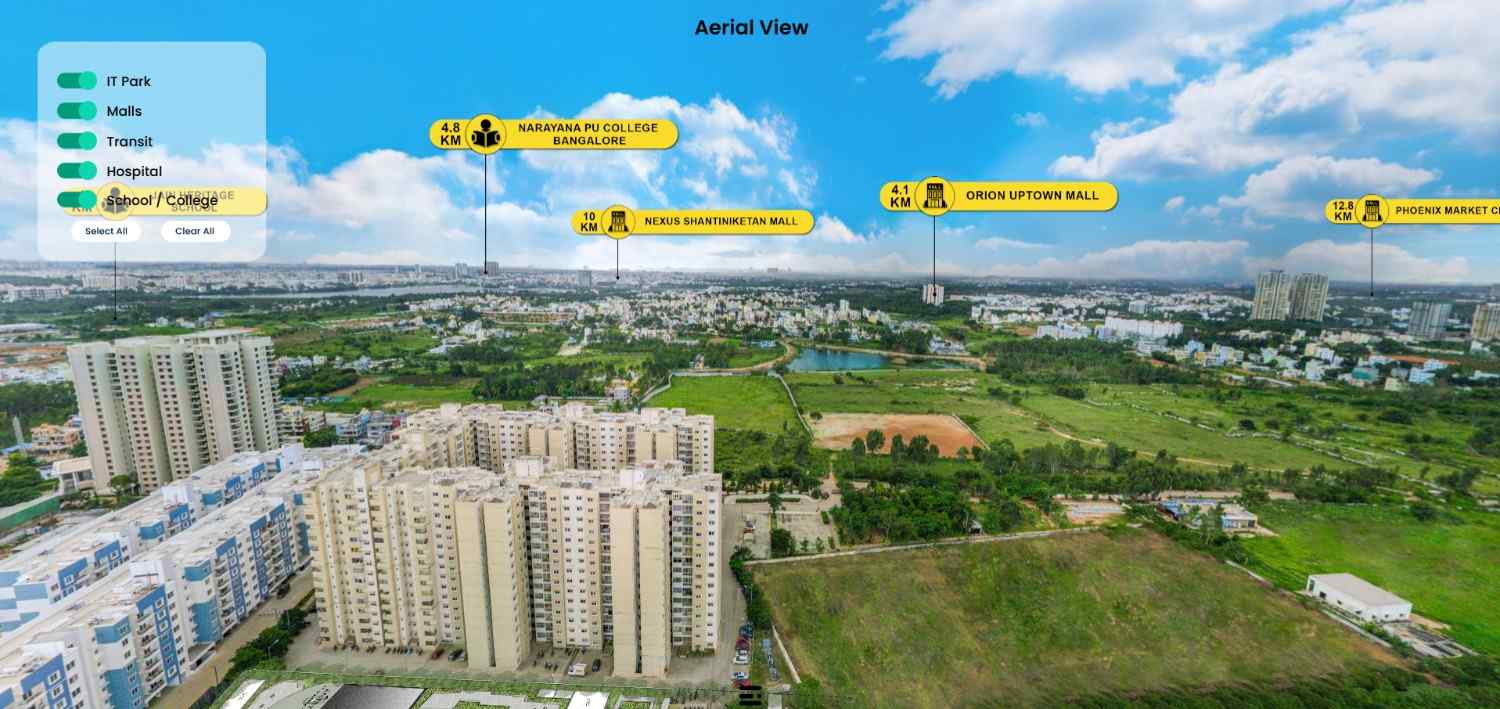
Aerial View: Experience a 360° view of properties and their surroundings, with clear callouts for nearby amenities like schools, hospitals, tech parks, and malls, enhancing location awareness.
Interactive Walkthrough: Explore properties immersively with virtual tours of exteriors, interiors, and amenities. View building facades, landscaped exteriors, detailed 2D/3D floor plans, and indoor/outdoor amenities like gyms, theaters, pools, and play zones.
Tower & Unit Selection: Choose from multiple towers and view specific units, floors, and orientations. Check availability, dimensions, and apartment types (2BHK, 3BHK, 4BHK) for easy selection.
Unit Comparison Tool: Compare selected units side-by-side to review detailed specifications, layout, and amenities, ensuring well-informed decisions.
Gallery & Master Plan: Centralized Marketing Assets: Access brochures, images, videos, and testimonials in one place. The Master Plan provides a bird’s-eye view of unit
At a glance
Software information
Industries served, licensing and the support archVi provides.
Industries
- Real-estate
Licensing
- Proprietary
- One-Time Payment
- Free version
Support
- Live Chat
- Phone
- 24x7 Support
Training
- Webinar
- In-person
- Documentation
Capabilities
archVi features
The full feature set, grouped by module.
Plans
archVi pricing
Media
Screenshots & video