Tutorial AI
Deployment
Best for
Data Protection & Security Compliance
Overview
About Tutorial AI
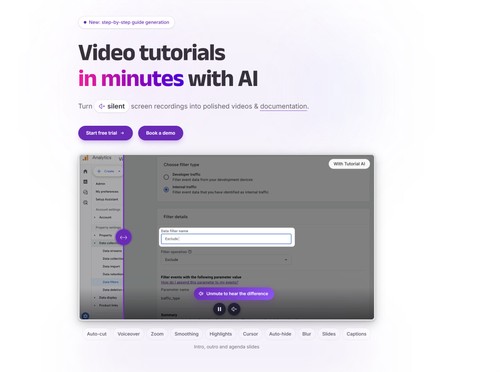
Tutorial AI helps teams explain how software works through tutorial videos and step-by-step guides.
Record a workflow or upload an existing screen recording. You can explain the steps as you go or record silently and let Tutorial AI generate a narration script. Edit the wording like a document, choose an AI voice, and use zoom effects, highlights and captions to help viewers follow each action.
The same recording can become a written guide with screenshots for a help centre or internal knowledge base. Translation tools support narration, captions and documentation in 74 languages, with video timing adjusted to match the translated speech.
Customer support, onboarding and training teams can use Tutorial AI to document everyday processes, answer recurring questions and keep instructions current without rebuilding each tutorial from scratch.
At a glance
Software information
Industries served, licensing and the support Tutorial AI provides.
Industries
- Information-technology-services
- Information-services
- Education-management
- Professional-training
- Financial-services
- Health-wellness-fitness
Licensing
- Proprietary
- Monthly Payment
- Annual Subscription
- Quote Based
- One-Time Payment
- Free trial
Support
- Live Chat
- 24x7 Support
Training
- Documentation
- Webinar
- In-person
Knowledge Base
Capabilities
Tutorial AI features
The full feature set, grouped by module.
Screen Recording
- Video Capture
- Recording Timer
- Subtitle Editing
- Video Editing
- Video Effects
- Webcam Recording
- AI Features
- Export & Social Sharing
- Area Selection
- Audio Mixer
- Game Recording
Plans
Tutorial AI pricing
Media
Screenshots & video