Are your developers building secure mobile apps?
Instead of being judgemental about this issue, let’s get the facts straight from the horse’s mouth.
According to a recent survey by Guardsquare of 500 app developers, 91% believe they have launched super secure mobile apps.
However, despite the developers' wide-eyed optimism, the survey highlights that the incidents of app tampering, including modifying, cloning, and reverse-engineering apps, have gone up significantly.
In fact, 88% of app developers admit they have had first-hand experience of their applications being tampered with, as they tend to roll out at least 10 unique mobile applications yearly.
But then, mobile app security issues shouldn’t surprise you, as developers haven’t taken best practices seriously.
No, Seriously!
For instance, the same survey found that 67% of developers feel that using OS (iOS and Android) is sufficient to ensure secure mobile apps. But then, that’s not the case. A multi-layered approach is crucial to ensure secure mobile apps; relying on OS-level protection alone is insufficient.

So, with app developers' lackadaisical approach to best practices, mobile app security issues must be the order of the day.
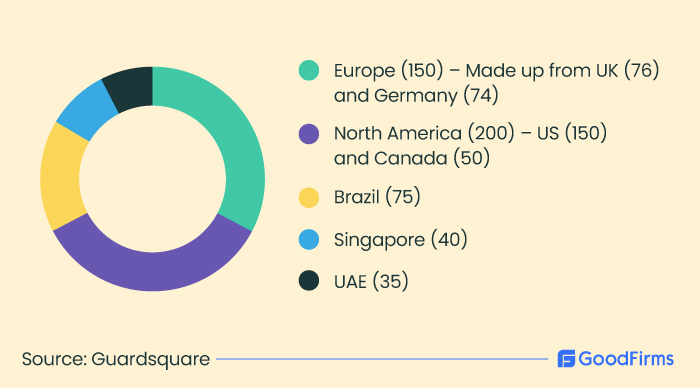
500 developers were selected from the following markets for this survey.
So, circling back to the question? Are developers building secure mobile apps?
The answer is loud and clear: Nope.
How Inadequate Mobile App Security Could Wreak Havoc Among Users
As mentioned, mobile applications face massive cyberattacks and data theft.
To understand the extent to which the security of mobile apps is affected, let’s look at some stats:
- Over 75% of published apps have at least one security vulnerability.
- Business apps will likely leak 3x times more login credentials (personal and corporate) than the average app.
- 1 in 4 applications suffers from at least one high-risk security flaw.
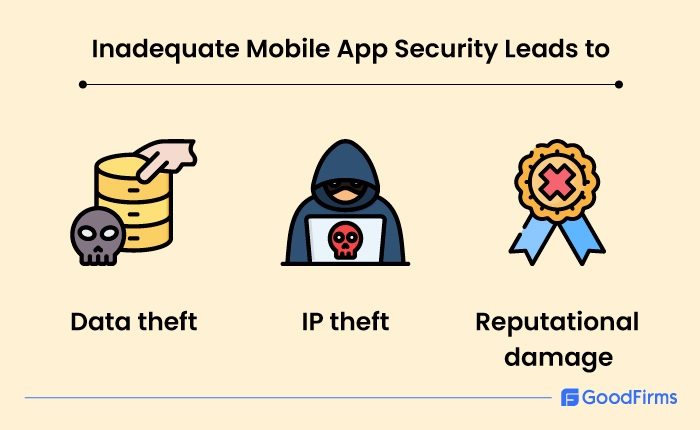
Inadequate Mobile App Security Leads to:
Data theft: Inadequate mobile app security can lead to the loss of sensitive data, including client information and login passwords. For instance, in a banking app, a hacker could take control of the user data, including credit card and debit card details, to carry out a transaction without the user’s knowledge.
IP theft: Mobile apps are built on codes. Hackers steal the source code to develop fake apps and then tempt users to download the fake version with malware.
Reputational damage: When a mobile app is hacked, the customer data goes public, damaging the brand’s reputation and destroying the customer’s faith in the brand.
Bottomline: Mobile application security should be taken seriously right from the coding stage. Businesses should aim to detect and prevent mobile application attacks in real-time, before, during, and later in development. If not, they are turning a molehill into a mountain, as corrective measures in the latter stages of development and deployment could cost 640X more.
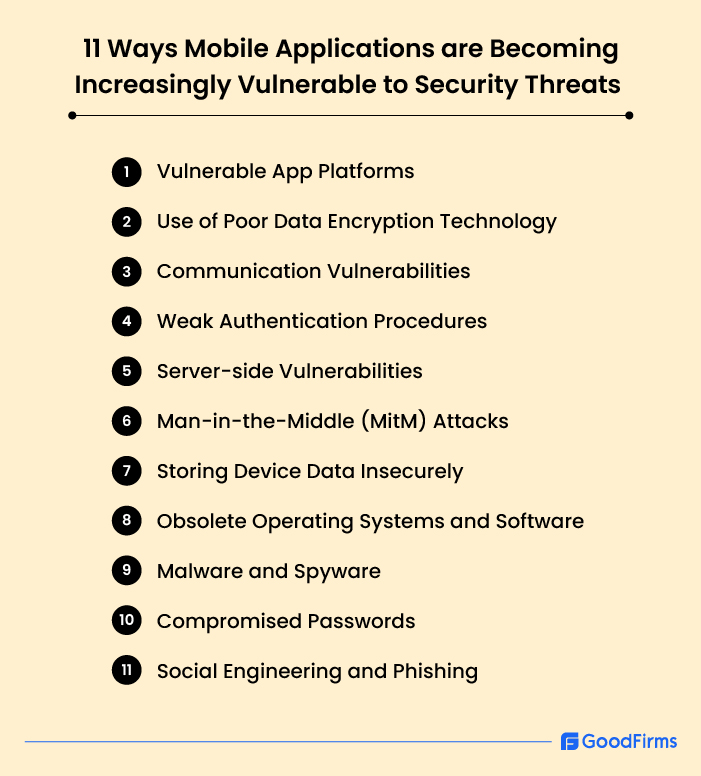
11 Ways Mobile Applications are Becoming Increasingly Vulnerable to Security Threats
Mobile app security is under constant threat because of the following factors:
1. Vulnerable App Platforms
Apple Store and Google Play Store have crafted stringent app security measures to ensure secure application development. Despite these, hackers have found various ways and means to exploit the vulnerabilities of both these platforms. For instance, the app store may have published legitimate-looking apps that contain malware. Also, there could be apps that request unnecessary information to access users’ sensitive data and apps that don’t use proper encryption for data transmission, making it easier for hackers to access sensitive data. Hackers even download legitimate apps and, before republishing them, inject them with malware, and so on.
2. Use of Poor Data Encryption Technology
If data stored in mobile apps is encrypted using poor encryption technology or proper key management is not used, attackers can decrypt it and gain access to sensitive data.
3. Communication Vulnerabilities
Mobile app data is transmitted through a client-server approach, which might involve the device’s carrier network. So, if the user’s device network uses unprotected Wi-Fi, it can be exploited via proxy servers or routers.
4. Weak Authentication Procedures
Online authentication procedures are weak (or standard) and sometimes skipped in mobile apps. A skilled hacker can easily bypass a weak or standard identification process and access sensitive information using a bogus identity, thereby increasing the vulnerability of mobile apps compared to standard web apps.
5. Server-side Vulnerabilities
Almost all mobile app data, whether business data, financial data, personal data, authentication data, and so on, is stored on the server (remote storage), which the application can use to function. This means any communication that takes place between the app and the user takes place through the server. So, if the server is vulnerable, your application is in danger.
6. Man-in-the-Middle (MitM) Attacks
As mentioned, apps depend on server data to communicate with the user. Hackers can intercept, divert, or alter the communication if the app doesn’t use proper encryption for data transmission from the server. Hackers can steal sensitive user data such as login credentials and credit/debit card information if the apps fail to implement SSL/TLS encryption.
7. Storing Device Data Insecurely
In addition to remote storage, which stores data on servers, mobile applications store various kinds of data in local storage on local devices. These data include cookies, text files, SD Card storage, Cache, SQL databases, and more. If this data is not properly encrypted, hackers can easily access it.
8. Obsolete Operating Systems and Software
As cyber-attacks and malware become more sophisticated, obsolete software won’t help much. Software updates come with security patches, so your operating systems and software must be up to speed. If not, it’s considered a mobile security vulnerability.
9. Malware and Spyware
Turns out, Android devices are 47 times more vulnerable to malware than iOS devices.
The main reason is that Android devices support more third-party stores than iOS. In other words, Android users can download third-party mobile apps, not just apps, from the Google Play Store. One out of four people think it’s safe to download a third-party app as long as it doesn’t request corporate data.
Android developers should realize that the liberty offered to Android users to download third-party apps could backfire. Once the malicious app is downloaded, it could corrupt other apps, even those downloaded from legit sources.
10. Compromised Passwords
Since the world has become digital, every mundane operation requires a password. Whether you are ordering stuff from Amazon, using net banking, or simply logging into your emails, you can’t access anything without passwords.
But then, this is where things could go wrong. Considering that everything requires a password to operate and that coming up with so many different passwords would be a big headache, people have started using a shortcut: they use the same password across multiple accounts.
Result: One account compromised? All accounts are compromised. Plain and simple.
If a software developer in your organization uses a compromised password, a hacker can easily deploy malicious links to users who have installed the app.
11. Social Engineering and Phishing
Social engineering or phishing attacks happen when hackers (disguised as a reputed company) send fake emails, malicious ads, or text messages to people to access their passwords or private information.
Since the recipients won’t disclose their passwords or personal details that easily, these hackers trick them by asking them to reset them, do something similar, or update the details on an expired credit card.
The worst part: About 39% of the respondents believed it was smart to reply to these attacks. Nearly 59% do not know how to separate a regular email from a phishing email.
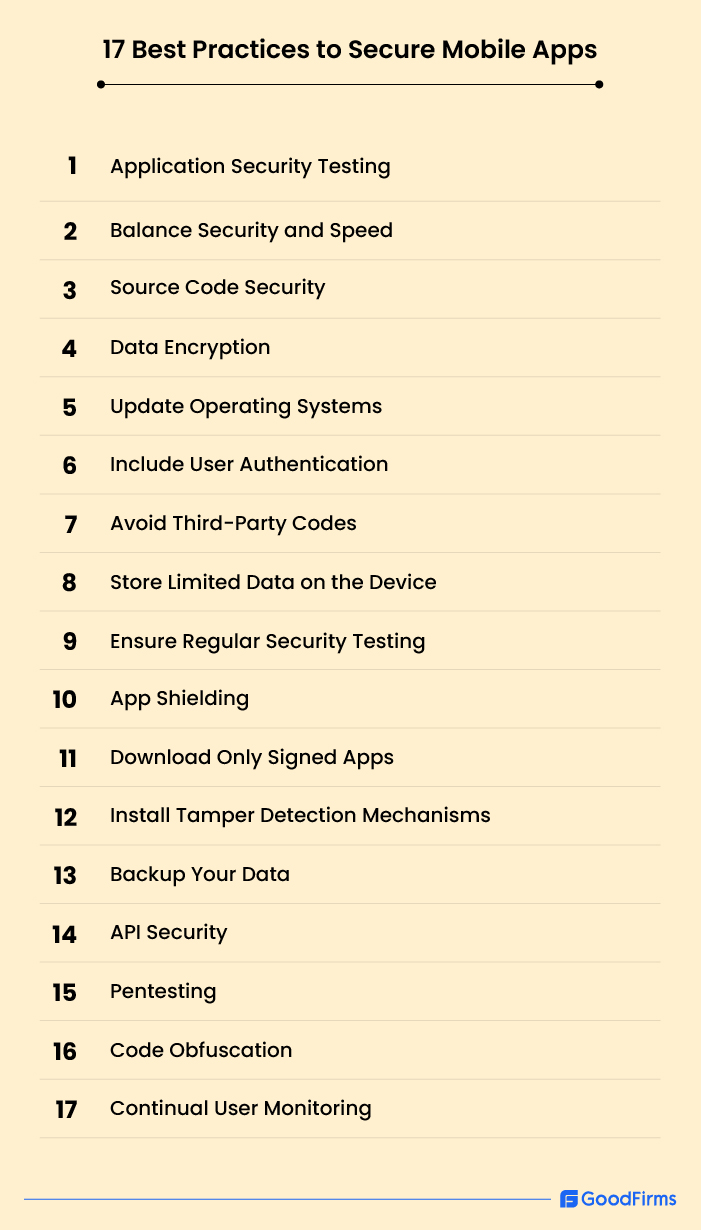
17 Best Practices to Secure Mobile Apps
I have researched enough and revealed all the major mobile app security threats that could put your app out of business forever. What should your next move be to keep your app secure before and after development?
Here’s how you build secure mobile apps:
1. Application Security Testing
If you are developing an app in-house or with a team of developers, application security testing needs to be conducted continuously.
To give you context, application security testing for mobile apps is about testing apps for any flaws before they are rolled out. The idea is to release an app that’s secure to use.
However, according to a study of 600 IT Security Professionals from the Ponemon Institute, businesses prioritize speed over mobile app security, and only 20% of the respondents were confident about detecting application vulnerabilities when released.
2. Balance Security and Speed
Mobile application developers are inevitably on their toes, constantly developing apps or adding new features to their apps. The consequence is that security issues become secondary.
To balance security and speed, app development companies must leverage mobile app security testing tools and best practices to mitigate the risks associated with unprotected mobile apps.
Many companies never test their apps as it’s considered a burden on their budgets.
3. Source Code Security
The source code comprises all the APIs, OAuth tokens, passwords, and PII (personally identifiable information) that must be kept secret from prying eyes.
If the source code is not kept secure, hackers can copy, clone, and even disseminate the information.
You can secure the source code by laying down rules for handling and protecting code. Moreover, you can use Static Application Security Testing (SAST) to find security flaws and also encrypt data that is in transit and at rest. Also, implement Data Loss Prevention (DLP) solutions for endpoint security.
4. Data Encryption
Data encryption is crucial for mobile app security. It converts data into code to prevent unauthorized access. All sensitive data that are at rest and in transit should be encrypted. The data might include the user’s device data - personal information, bank details - business data, and other confidential information.
5. Update Operating Systems
If you wish to combat new mobile threats, ensure that your software is updated continually. This is one of the easiest ways to ensure in-house mobile application security, or if you have an app development team, it’s their job to support your applications with the latest versions of Android and iOS.
As mentioned, the updates come with security patches that help seal the security gaps and protect sensitive data.
6. Include User Authentication
Having login credentials in your apps offers an additional layer of security to users. It would prevent unauthorized access to user’s payment information, such as billing addresses and other confidential data.
You can further cement this security layer with multi-factor authentication, single sign-on, 2FA, and more.
Here’s a brief about each of these three methods:
Multi-Factor Authentication (MFA):
This authentication method requires users to provide two or more verification methods to log in. One method could be passwords, the second could be security tokens or code, and the third could be fingerprints. Even if a password is compromised, the attacker won’t be able to access data unless he provides a second or third verification factor to gain access, making it harder for hackers to enter the system.
Single Sign-On (SSO):
With SSO, users log in to multiple but related applications and services just once, using one set of credentials. By restricting the number of times users can log in, SSO minimizes the risk of using weak or repeated passwords across different services.
Two-Factor Authentication (2FA): As part of MFA in 2FA, you may need your password and a phone or email ID where the one-time code could be sent. So, even if the password is stolen, the attacker will need the code sent on the phone or email ID to hack the system.
Applications can use these authentication measures to reduce the risk of unauthorized access and protect users’ sensitive data, such as personal and financial details.
7. Avoid Third-Party Codes
All apps use similar codes, regardless of which App Store they belong to. Knowing that most of the codes look alike, app developers tend to lift/steal codes from third-party sources.
Some of these pre-written codes are even available for free. But you can’t assume these third-party sources are safe. Hackers tend to use these platforms to inject malicious code into the software. So, if you are simply lifting codes from open-source platforms, you could unknowingly invite trouble.
8. Store Limited Data on the Device
Keeping limited data on the user’s device prevents data theft if the device is stolen or compromised.
So, app developers should enforce data retention limits to ensure users store sensitive data on servers rather than in local storage.
9. Ensure Regular Security Testing
Regular testing should be a crucial part of your mobile app security strategy. Keep testing your application for vulnerabilities and fix them beforehand before it goes out of hand.
Mobile app security testing tools could help in this regard, and manual testing could also be conducted to identify potential security threats.
10. App Shielding
As the name implies, app shielding protects Android and iOS mobile apps from tampering and reverse-engineering attempts, among many other attacks. Through code obfuscation it makes it hard for the attackers to understand the application’s logic, thwarting their attempts to inject malware.
A common type of app shielding is runtime application self-protection (RASP). RASP keeps a constant watch on the applications' inputs and outputs, thereby assisting developers in tracking vulnerabilities. More importantly, RASP applications are good at thwarting vulnerabilities already deployed.
11. Download Only Signed Apps
The apps you install on your device should come from trusted sources, like the official app stores. Signed apps are generally safer as they are authenticated by the app stores.
12. Install Tamper Detection Mechanisms
Implementing tamper detection mechanisms right from the start can help prevent attacks. These mechanisms can easily detect if code has been tampered with, and an appropriate response can be figured out immediately, such as the app not starting up, completely wiping off or hiding sensitive data, or even notifying administrators about the tamper.
13. Backup Your Data
When you back up your data continually, it becomes easier to recover lost data quickly.
However, test your recovery processes to ensure your backups are working fine, or else you are in for a cruel reality.
14. API Security
APIs are your application's cornerstones, meaning they need to be secure. Leverage API gateways with key features that prevent DoS and injection attacks to ensure that your APIs are insulated from malicious attacks and malware.
15. Pentesting
Pentesting, or penetration testing, involves conducting simulation attacks against your app to identify weak spots. Your own team attacks the app as if they were hackers themselves, and they can break through security barriers. The issues found during pen testing can be addressed quickly.
16. Code Obfuscation
Obfuscation is another word for complexity. So, code obfuscation means making the code so complex and difficult that hackers won’t understand it.
Programming codes are generally obfuscated to protect intellectual property or trade secrets and to thwart an attacker from reverse engineering a software program.
Developers can encrypt some or all of the mobile code; that’s one method. Other methods include stripping off the revealing metadata or adding meaningless code to an app script. A great tool called an obfuscator can help convert source code into workable program code, which would be difficult to read and understand so malicious parties cannot break into it.
17. Continual User Monitoring
A stringent mobile app security audit of your app and a continual user monitoring system helps keep a tab on the data that has been accessed and changed.
Add a Security Information and Event Management System (SIEM), such as IBM QRadar, LogRythm, and more, to help analyze real-time logs and alerts.
It guards against data abuse and attacks, even by malicious company insiders.
Wrapping Up
Despite the significant threat issues crowding the mobile app landscape, developers have the wrong notion that their apps are secure. The worst part is that many app developers are unaware that multi-layer security is required to protect their apps. Depending only on your operating system to defend your app against malicious attacks is a stupid decision. A multi-layered approach requires continuous security testing, strong encryption, continual updates, and robust authentication methods to mitigate data theft, IP theft, reputational damage, and more risks. Businesses must prioritize mobile app security throughout the development lifecycle to avoid costly correction measures later.