Key takeaways
- Open-source digital signage tools vary in licensing, hardware compatibility, and content management features.
- Anthias, Xibo, Concerto, GarlicSignage, and PiSignage serve different signage needs, from Raspberry Pi displays to multi-screen setups.
- Check content scheduling, remote screen management, offline playback, and media format support before choosing a tool.
- Free software can still involve costs for hardware, hosting, maintenance, and technical support.
- Verify the latest license, release history, and device compatibility before installing any tool.
If you have the slightest doubt about whether you can run digital signage without paying for expensive software? You can. There are several free and open-source tools that let you display promotions, menus, announcements, and other content on digital screens.
But not every tool offers the same features. Some work best with Raspberry Pi devices, while others support content scheduling and management across multiple screens.
In this blog, we compare seven free and open-source digital signage software tools. We considered their licensing, development activity, device compatibility, content management features, customization options, and hosting requirements to help you find the right fit.
The right digital signage software can make managing your screens much easier. Visit Goodfirms’ digital signage software directory to compare solutions, explore their features, and find one that matches your business needs.
Non-Negotiable Features to Look for in Open-Source Digital Signage Software Before You Buy One
Not all open-source digital signage tools offer the same capabilities. Before choosing one, check if it has the features you need to run your displays without unnecessary workarounds.
1. Content Management
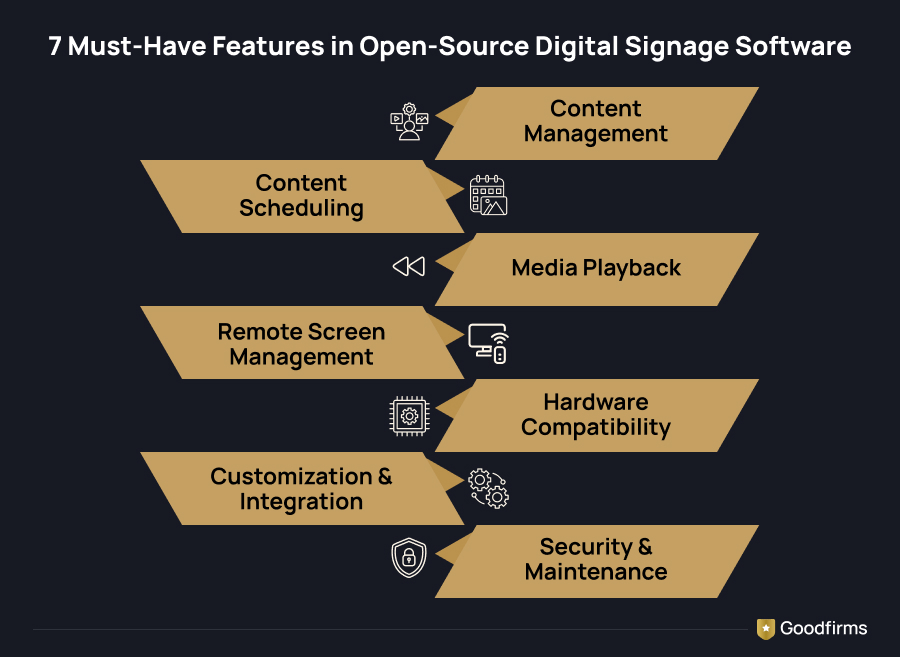
You should be able to upload, organize, and update images, videos, and other media without manually changing files on every screen. A good content management system makes routine updates easier.
2. Content Scheduling
Look for scheduling options that let you decide what appears on screen and when. This is useful for rotating promotions, updating menus, or displaying announcements at specific times.
3. Media Playback Support
Check which file formats the software supports, including images, videos, and web content. Also, confirm that it can play your content smoothly on the hardware you plan to use.
4. Remote Screen Management
If you manage multiple displays, you should be able to update content and monitor screens remotely. Without this feature, even a small change can mean extra work at each location.
5. Hardware and Operating System Compatibility
Some tools are designed for Raspberry Pi devices, while others support a wider range of hardware and operating systems. Check compatibility before installation to avoid unexpected costs or setup issues.
6. Customization and Integration
Open-source software can offer more flexibility, but the level of customization varies. Check whether you can connect external data sources or integrate the tool with your existing systems.
7. Hosting, Security, and Maintenance
Find out if the software requires self-hosting, a dedicated server, or a cloud-based setup. Check how updates are handled, what security controls are available, and how much technical maintenance you will need to manage yourself.
Top 7 Free and Open Source Digital Signage Software Tools
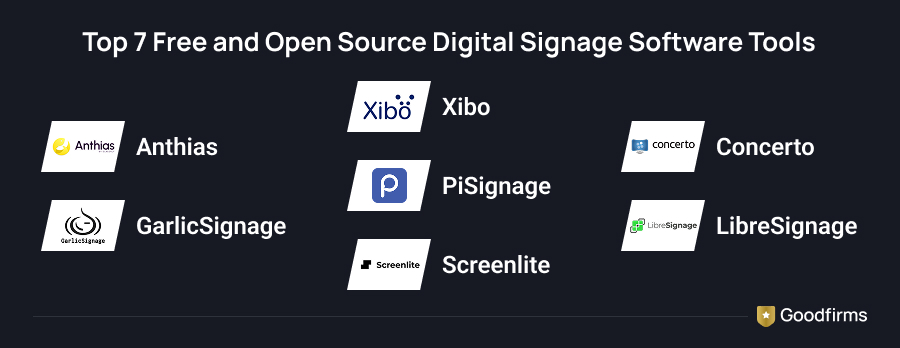
Here is the list of the top 7 free and open source digital signage software. Their capabilities, maintenance status, and licensing arrangements differ. Check the current documentation before using any tool in a production environment.
Comparative Analysis
|
Software |
Main purpose |
Best suited for |
What to check |
|
Anthias |
Self-hosted signage player and management interface |
Raspberry Pi and PC displays |
Supported hardware and video performance |
|
Xibo |
Digital signage CMS and player ecosystem |
Multi-screen installations |
Player licences and commercial features |
|
Concerto |
Web-based signage and content feeds |
Schools, offices, and community displays |
Hosting and administration requirements |
|
GarlicSignage |
Open-source CMS and media player stack |
Self-hosted, multi-platform setups |
Player compatibility and deployment needs |
|
PiSignage |
Signage management platform |
Raspberry Pi installations |
Server and player licensing |
|
LibreSignage |
Open-source signage project |
Technical users exploring self-hosted systems |
Current maintenance and compatibility |
|
Screenlite |
Digital signage project |
Users evaluating lightweight signage setups |
Latest release, licence, and supported devices |
Note: A free plan does not automatically make software open source. PiSignage also has a commercial offering, so review the specific server and player components you intend to use. LibreSignage and Screenlite should remain in the final list only if their current repositories and documentation meet your publication criteria.
Let's look at the tools in more detail.
1. Anthias
Features
- Free and open-source software
- Support for Raspberry Pi and compatible PCs
- Image, video, and web-page playback
- Content scheduling
- Web-based management interface
- REST API for automation
Anthias is an open-source digital signage platform formerly known as Screenly OSE. It allows users to turn compatible Raspberry Pi devices or PCs into digital displays and manage their content through a web interface.
Users can upload images and videos or display web pages. Content can be scheduled so that specific assets appear during selected periods. The platform also offers an API for teams that want to automate content updates.
Anthias is a good option for schools, small businesses, community spaces, and technical teams that want to reuse existing hardware. It is self-hosted, so users retain control over their installation and do not need a cloud subscription to run the software.
One limitation is that each installation needs to be managed and maintained. Organizations with large networks should assess their remote management requirements before choosing Anthias over a centralized CMS.
2. Xibo
Features
- Open-source content management system
- Layout editor and widgets
- Content scheduling
- Media and playlist management
- Multiple player options
- Support for multi-screen deployments
Xibo is a digital signage platform built around a content management system (CMS). It helps users create layouts, arrange media, schedule playlists, and distribute content to connected displays.
The platform supports a range of content formats and provides tools for arranging different types of content within a screen layout. Its open-source CMS is available under the GNU Affero General Public License (AGPL), making it an option for organizations that want to host and manage their own signage infrastructure.
Xibo can be useful for retail stores, educational institutions, offices, and businesses operating displays across several locations. Its ecosystem also includes commercial features and player options, so users should not assume every component is available without a fee.
3. Concerto
Features
- Web-based content management
- Scheduled content feeds
- Custom screen templates
- Image, video, and embedded content support
- User permissions and content moderation
- Self-hosted deployment
Concerto is an open-source digital signage system designed to display content through customizable screen templates and content feeds. Users can submit text, images, videos, and other supported materials for display. Administrators can also configure moderation rules to control which content appears on screens.
The platform is useful for organizations that need to share announcements and information rather than run only promotional advertisements. Schools, universities, offices, and community spaces can use it to display notices, event details, and updates.
Concerto supports scheduled content, allowing users to set date ranges for particular items. Its templates can also be customized to match the requirements of different screens.
The software requires a suitable hosting environment and some technical administration. Organizations should review the latest installation instructions and current release before using it for a large deployment.
4. GarlicSignage
Features
- Open-source CMS and media player
- Self-hosted deployment
- SMIL-based content scheduling
- Support for Linux, Windows, macOS, and Android players
- Multi-zone layouts
- Local media caching and offline playback
GarlicSignage is an open-source digital signage solution built around two main components: Garlic-Hub, which manages content and devices, and Garlic-Player, which plays scheduled media. The components use the SMIL standard to define how content is arranged and displayed.
Users can manage playlists, organize media, create screen layouts, and control connected players. The system can be hosted on infrastructure the organization manages, reducing dependence on a vendor-operated cloud service.
One advantage of GarlicSignage is its use of an open standard for communication between the management system and the player. This can provide more flexibility when working with compatible playback systems.
The platform is worth considering for technical teams that want a self-hosted setup without per-device software fees. However, users still need suitable hardware, hosting, and technical knowledge to install and maintain the system.
5. PiSignage
Features
- Raspberry Pi-based signage options
- Content and playlist scheduling
- Remote screen management
- Support for multiple displays
- Image and video playback
- Free and paid usage options
PiSignage is a digital signage platform designed for managing displays through compatible media players, including Raspberry Pi-based devices. It allows users to organize content, prepare playlists, and schedule what appears on their screens.
The platform can suit small businesses that need digital menus, promotional displays, or information screens. Remote management features can also reduce the need to update each display manually.
PiSignage offers a free option for small deployments alongside paid options for larger installations. Its licensing should be checked carefully, especially if you are looking for a completely open-source system. The server, player, and management services may have different terms.
For a small signage setup, PiSignage is worth comparing with Anthias. Consider the cost of additional screens and the features available in the specific plan you intend to use.
6. LibreSignage
Features to evaluate
- Open-source digital signage project
- Content management and display functionality
- Self-hosted deployment potential
- Customization through source code
LibreSignage is another project to investigate when comparing open-source digital signage systems. For users who prefer to manage their own infrastructure, projects like this can offer an alternative to commercial platforms.
Before choosing LibreSignage, review its current repository, installation instructions, licence, and release history. These checks matter because an open-source project can remain available online even when development has slowed or its software no longer works with current systems.
Also, confirm which operating systems and display devices it supports. If the project meets your requirements, test it on a non-production device before connecting it to business-critical screens.
LibreSignage should be included in the published list only after its current maintenance and compatibility have been confirmed.
7. Screenlite
Features to evaluate
- Digital signage software project
- Potential for self-managed installations
- Customization depending on the available source code
- Hardware and operating-system compatibility to be verified
Screenlite is another candidate to consider when researching open-source digital signage software. As with other community-developed projects, its suitability depends on the current state of the code, documentation, and supported devices.
Before recommending it to readers, verify that the project is still maintained and that its installation process works with supported hardware. Check whether it includes both content management and playback or requires additional software to distribute content to screens.
This distinction is important. A media player may be able to display content but still require a separate CMS to manage multiple screens, schedule playlists, and send remote updates.
If Screenlite's current release meets these requirements, it could be considered for users looking for a lightweight alternative. If its maintenance status is unclear, replace it with a better-maintained project rather than recommending it without qualification.
How to Choose the Right Digital Signage Software
The right digital signage software depends on your hardware, the number of screens you manage, and the features you need. Here are a few options to consider based on your requirements.
- For Raspberry Pi and PC displays: Anthias is worth considering if you want a free, self-hosted digital signage solution.
- For managing multiple screens: Xibo offers content management and scheduling features. Check the licensing and costs associated with the player options before choosing it.
- For announcements and content feeds: Concerto may suit schools, offices, and community spaces that need to share updates across displays.
- For a self-hosted CMS and player setup: GarlicSignage is an option to explore if you prefer an open-source approach.
- For Raspberry Pi signage management: Compare PiSignage with other platforms, paying attention to its current plans, licensing, and available features.
Before making a decision, check that the software supports your hardware and content formats. Look at scheduling, remote screen management, offline playback, and how updates are handled. These details can make a big difference once your displays are running.
Also, remember that open-source does not always mean zero cost. Hardware, hosting, installation, maintenance, and technical support can add to your expenses.
Goodfirms can help you explore software development companies that offer relevant technical expertise. Compare their services, client reviews, and experience to find a partner who can help you implement or customize a digital signage system.
FAQs - Free & Open Source Digital Signage Tools
What is free and open-source digital signage software?
Free and open-source digital signage software lets users run signage systems without paying a software license fee while providing access to the source code under its license terms. Anthias, Xibo, Concerto, and GarlicSignage are examples worth exploring. Users may still need to pay for hardware, hosting, maintenance, or support.
Is open-source digital signage software completely free?
Not always in terms of total operating cost. Open-source software may be free to download and use, but self-hosting requires suitable hardware or server infrastructure. Organizations may also need to pay for technical support, maintenance, and player hardware. Commercial tools can offer free plans with limits on the number of screens or features.
Which open-source digital signage software is best for Raspberry Pi?
Anthias is worth considering for Raspberry Pi-based digital signage. It supports images, videos, and web pages through a web-based management interface. PiSignage is another option, although its licensing and free-use terms should be checked. Compare hardware compatibility, scheduling features, remote management, and maintenance requirements before selecting a platform.
Can digital signage software work without an internet connection?
Some digital signage software can continue playing locally stored or cached content when the internet connection is unavailable. However, cloud management, remote updates, and live web content may stop working until the connection returns. Offline support depends on the product and player configuration. Test the system under disconnected conditions before using it for displays that must remain operational.
What is the difference between a digital signage CMS and a media player?
A content management system lets users create layouts, organize media, schedule playlists, and manage displays. A media player is the software or device that renders the content on a screen.
Ready to Put Your Digital Signage on Display?
The best way to choose digital signage software is to test it against your actual needs. Start with one display, try the features you plan to use, and see how easily you can update content and manage playback. A small trial can reveal limitations that a feature list might miss.
If you need help customizing a solution or building a setup for your business, explore software development companies on Goodfirms. Compare their expertise and client reviews to find a partner who understands your requirements.
The goal is simple: choose a solution that works for your setup today and can grow with you tomorrow.