Upload The File
Deployment
Best for
Data Protection & Security Compliance
Overview
About Upload The File
FEATURES
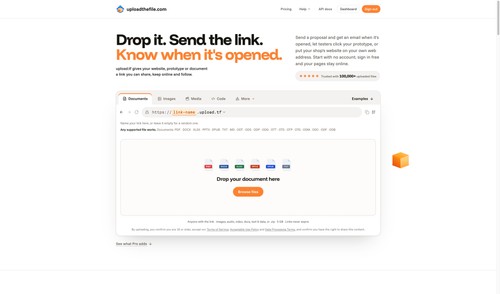
• Drag a file in from your desktop or downloads, paste a screenshot, or pick a file.
• The link is copied the moment the upload finishes, ready to paste into chat or email.
• Works without an account. Sign in on uploadthefile.com for bigger files and links that last longer; the panel uses that sign-in automatically.
• PDFs, images, video, audio, web pages, documents and more open in the browser for the people you share with.
• Your recent links stay in the panel, one click to copy again.
• The panel stays open while you browse, so an upload keeps going when you switch tabs.
At a glance
Software information
Industries served, licensing and the support Upload The File provides.
Industries
- Online-publishing
- Individual-family-services
- Information-technology-services
Licensing
- Proprietary
- Monthly Payment
- Annual Subscription
- Free version
Support
- 24x7 Support
Training
- In-person
- Documentation
Knowledge Base
Capabilities
Upload The File features
The full feature set, grouped by module.
Plans
Upload The File pricing
- QR codes
- Chat with your PDFs
- Click analytics
- Bulk tools & CSV export
- File size 20 MB
- Storage 50 MB
- Custom links 4 links
- Password protection
- Email capture
- Remove all upload.tf branding
- File size 250 MB
- Storage 500 MB
- Custom links 100 links
- Links never expires
- 3 team seats
- Priority support
- API for managing your content
- Pay-as-you-go overage
- File size 1 GB
- Storage 15 GB
- Unlimited Custom links
- Links never expires
- 20 team seats
- Host your users sites
- Users dashboard & reports
- Account manager & SLA
- SSO & audit logs
- API for managing your users sites
- File size 5 GB
- Storage 2 TB
- Unlimited Custom links
Media
Screenshots & video