Key takeaways
- Checkout. liquid is fully retired — Basic/Advanced stores have until August 26, 2026 to migrate remaining customizations, or Shopify removes them automatically.
- Most day-to-day checkout customization doesn't need Shopify Plus — branding, custom fields, and payment/shipping ordering all work through installed apps on any plan.
- Four things stay locked regardless of plan tier: checkout page sequence, arbitrary JavaScript, card data access, and the order-submission step — these are architectural limits, not pricing restrictions.
- Custom logic is the real cost driver — tiered discounts, B2B pricing, and conditional payment rules require a Shopify Function (real development work), which is where merchants typically need to hire a developer.
- Silent failures are the biggest deadline risk — tracking pixels and analytics scripts stop working quietly after the cutoff, often going unnoticed until reporting numbers no longer match actual sales.
Checkout. liquid is gone. Shopify Checkout Extensibility replaced it — safer, sandboxed, and the only supported way to customize checkout in 2026.
The deadlines are non-negotiable. Shopify Plus stores already hit their upgrade deadline on August 28, 2025; Whereas, non-Plus stores have until August 26, 2026 before Shopify auto-removes anything left unmigrated.
For eCommerce development companies, this means rethinking how Shopify checkout projects get built or customized and prioritized in 2026.
As per Baymard Institute’s Report, almost seven in ten shoppers abandon their carts before checkout finishes — which is exactly why getting checkout strategy right, before the deadline passes, matters so much.
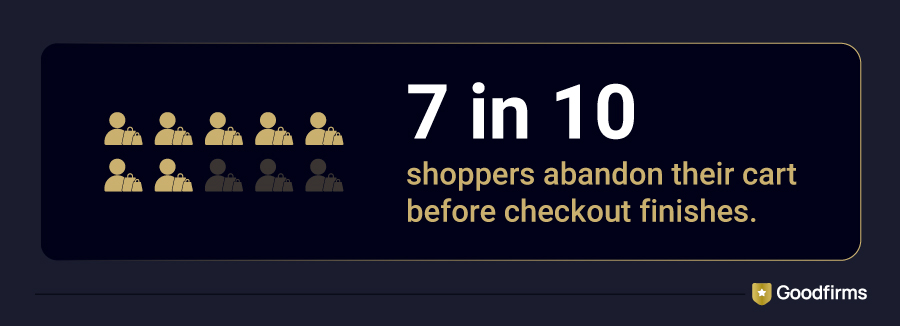
A missing script or disappearing customization on your store’s checkout page can quietly erode conversions long before anyone notices, and by then, the damage is already done.
Need expert help? Browse trusted Shopify development companies ranked by real client reviews on Goodfirms.
This guide breaks down what you can and can't customize with Shopify checkout extensions in 2026 — across Basic, Advanced, and Plus plans.
The Transition from Checkout.liquid to Shopify Checkout Extensibility
For years, customizing Shopify checkout meant editing checkout.liquid — a template file that lets developers drop raw HTML, CSS, and JavaScript straight into the checkout pages. It worked, in the sense that duct tape works. Every theme update risked breaking it. Every third-party script added another point of failure. And because it ran unsandboxed code next to payment fields, it became a growing liability under PCI DSS v4's tightened security rules.
Shopify's answer was Checkout Extensibility: a structured, app-based framework built around three components.
Checkout UI Extensions place approved components — banners, custom fields, upsell offers, trust badges — into fixed "extension points" throughout checkout, rather than letting code run anywhere in the page.
Shopify Functions handle the server-side logic: custom discounts, shipping rules, payment method behavior, and cart validation.
The Branding API controls the visual layer — colors, fonts, corner radius, logo placement — and every extension automatically inherits it, so you're not re-styling the same components twice.
As Shopify founder Tobi Lütke put it in a recent podcast about platform design, good abstractions "bring the floor up" — and Checkout Extensibility is exactly that, raising the baseline checkout experience for every merchant.
Why Did Shopify Replace Checkout.Liquid With Checkout Extensibility?
To know the answer to this question, it becomes significant to understand first what checkout.liquid really was. It was a page that handles live card details, and it let anyone paste in a script. One bad edit could take checkout down for every shopper at once. This happened often enough that Shopify's own help page calls checkout extensions “more secure, upgrade-safe, and customized using apps” — three words that explain the whole reason.
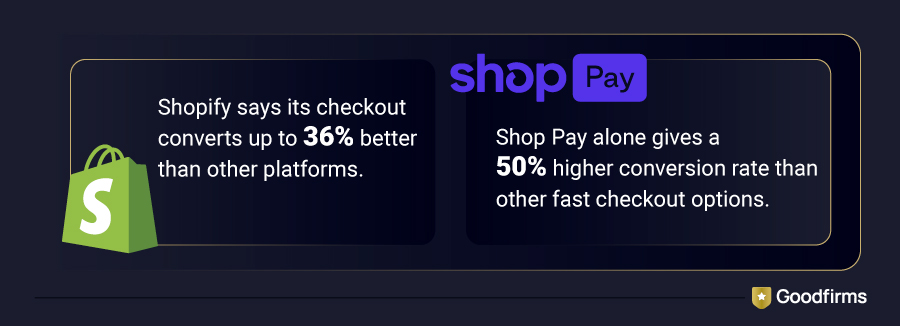
The safe bubble turns a store-wide outage into a small, contained problem. One extension acting up doesn't bring the whole page down. That extra stability shows up in the numbers, too.
 Source: shopify.com
None of this is Shopify being fussy about design for no reason. Checkout is the one page online where a slow load or a broken script costs real money, in real time, for thousands of stores at the same time. The rules exist because keeping checkout stable for everyone matters more than letting one store build a fully custom payment page.
What You Can Actually Customize in 2026
Here's where that flexibility actually shows up, plan by plan.
Custom Fields at Checkout
Available on any plan, through an installed Checkout UI Extension. gift messages, delivery instructions, business tax IDs, alternate phone numbers for COD orders — all of it fits into approved field types (text, dropdown, checkbox, date). What you're doing is choosing an app or building one that inserts into a defined slot, not editing the checkout template directly.
Payment and Shipping Method Order
Shopify's own “Payment Customization API” lets you rename, reorder, or conditionally hide payment methods based on cart value, shipping destination, customer tags, or product collections. You could offer Klarna only to EU shoppers, hide cash-on-delivery once the cart crosses a certain threshold, or push Shop Pay to the top of the list. A couple of hard limits sit underneath this flexibility: Shop Pay only supports hiding gift cards, not reordering, and you can't rename a payment method that displays a logo instead of text, like Klarna or PayPal.
Upsells Inside Checkout
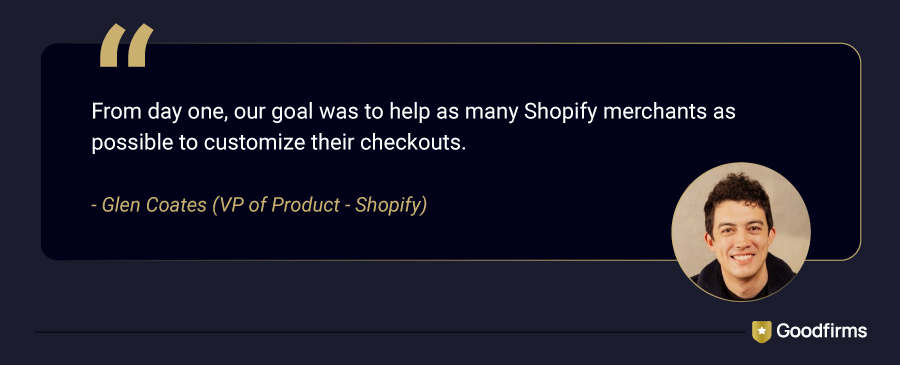
This is where the revenue case gets obvious. Post-purchase and in-checkout upsell extensions surface relevant add-ons, subscriptions, or bundle offers at the exact moment a buyer is already committed to paying. Apps like Checkout Blocks (built by Shopify itself) cover this natively on Plus stores. Shopify's own VP of Product, Glen Coates, put the reasoning behind that acquisition plainly:
Several third-party apps extend similar functionality to Standard and Advanced plans, though the deepest logic — conditional upsells based on cart contents — still leans on Shopify Plus.
Branding Without Touching Code
Every merchant gets the basics — logo, colors, fonts, and button styling through the checkout editor. But finer control, like favicon swaps and custom corner radius, needs the Branding API — and that's where an eCommerce developer comes in to make checkout truly match your brand.
Discount and Shipping Logic
This is where Shopify Functions do the heavy lifting, and it's genuinely powerful. Tiered discounts ("spend $100, get $20 off"), free-shipping thresholds, weight- or region-based shipping rates, cart validation rules that block certain product combinations — all buildable. The catch is that Functions require actual development work (JavaScript or Rust, tested through Shopify CLI), so this tier of customization is where most merchants either hire an app developer or lean on a pre-built app that already wraps a Function around common use cases.
That's most of what merchants ask for. What's off the table is a short, hard list — and it doesn't move by plan tier.
What You Can't Customize in 2026
This is the list that surprises people who remember the checkout.liquid era, because none of it is a plan restriction — it's a permanent architectural boundary.
Restructuring the Checkout Flow
Information, Shipping, Payment — that sequence, and the placement of the order summary, is fixed. You can theme it. You cannot rearrange it or collapse it into a fully custom single-page layout outside of Shopify's own one-page checkout option.
Injecting Arbitrary JavaScript
UI Extensions run inside a sandbox with a deliberately restricted API surface. No jQuery, no direct DOM access, no third-party script tags dropped in wherever you'd like. This is the trade-off for the security checkout.liquid never had.
Modifying Card Data
Payment fields render inside an isolated iframe that Shopify controls entirely. No extension, custom or otherwise, can read, intercept, or modify what a customer types into a card field. That boundary exists for PCI compliance and isn't going anywhere.
Hijacking the Place Order Action
Extensions can hook into pre-cart events, but nothing runs custom logic that intercepts the actual order submission.
Call this the sandbox rule, because it's the one idea that explains almost every "why can't I just..." question a merchant will ask about checkout in 2026: if it touches payment security or the core purchase flow, Shopify extensions don’t allow, and no plan tier provides that flexibility.
Those limits stay the same no matter which plan you're on. What does change by plan is how much you can build within them — and that's worth laying out side by side.
Shopify Checkout Extensibility by Plan: Basic, Advanced, and Plus Compared
Here's how checkout customization splits across plans:
|
Capability |
Basic / Advanced |
Shopify Plus |
|
Branding controls (logo, colors, fonts, buttons) |
Yes |
Yes |
|
Approved Checkout UI Extensions (custom fields, banners, upsells) |
Yes |
Yes |
|
Payment & shipping customization apps |
Yes |
Yes |
|
Information, Shipping, and Payment page customization |
No |
Yes |
|
Draft-order checkout customization |
No |
Yes |
|
Conditional B2B pricing |
No |
Yes |
|
Review-requirement rules on high-value orders |
No |
Yes |
|
Custom Shopify Functions built from scratch |
No |
Yes |
|
Multi-condition discount stacking |
No |
Yes |
|
Thank-you and order-status page customization |
Yes |
Yes |
|
Package Cost |
$39-$399/month |
$2,300/month |
For anything past basic branding and off-the-shelf apps, the next question is who builds it.
How a Shopify Development Company Handles Your Migration
Migrating to Checkout Extensibility isn't just swapping one script for an app — it means rebuilding your checkout logic inside a completely different architecture. That's exactly the kind of project where an experienced Shopify development company earns its fee.
Here's where they typically add the most value:
- A proper audit first. Every script, tracking pixel, and custom field currently running gets mapped to its Extensibility equivalent before any code changes. This is where in-house attempts usually slip — it's easy to miss a customization that's been quietly running since 2022 that nobody remembers building.
- Real development work where it's needed. Tiered discounts, conditional payment hiding, and B2B pricing rules all require a Shopify Function, built in JavaScript or Rust and tested through Shopify CLI. A team that's done this before knows how to build it right the first time.
- Testing that actually catches edge cases. A Function that works fine on a $50 test cart can behave completely differently once real customers stack a discount code, a subscription item, and a B2B price list together. Experienced teams test these combinations before launch, not after a customer complains.
- A staged rollout instead of one risky go-live. Information, Shipping, and Payment customizations go live first, followed by Thank You and Order Status pages — reducing the chance of a full checkout outage.
- Ongoing maintenance built in. Checkout code isn't a "set it and forget it" project. Shopify keeps shipping new Checkout Extensibility APIs, and a partner already familiar with your setup can keep things running smoothly instead of you relearning it from scratch every time something changes.
When evaluating a development partner, look for:
- Verified Shopify Plus or Checkout Extensibility project history — not just general Shopify experience
- A live portfolio showing at least one custom Function or UI Extension actually in production
- Transparent pricing for the maintenance work that follows launch
- Client reviews that specifically mention checkout, discount logic, or Functions work — not just general storefront builds
- A clear answer on who owns testing before go-live: you, or them
Goodfirms' list of Shopify development companies is filtered by verified client reviews, you can check for the details that actually predict a good Checkout Extensibility partner
Once you know who should build it, the next question follows naturally: what will it actually cost you?
Shopify Checkout Extensions Migration Cost in 2026
It depends heavily on how much customization you're carrying over, but here's a realistic breakdown based on 2026 market rates:
|
Migration Scope |
Typical Cost |
What's Included |
|
Basic branding + off-the-shelf apps |
$0–$99/month |
Checkout editor styling, pre-built customization apps, no custom code. |
|
Single Checkout UI Extension |
$2,000–$10,000+ |
A custom field, banner, or upsell block built and tested for production. |
|
Shopify Function (discount, shipping, or payment logic) |
$1,500–$10,000 |
Custom server-side logic, tested through Shopify CLI. |
|
Shopify Scripts → Functions migration |
$4,000–$12,000 |
Rebuilding legacy Script-based discount or shipping rules before the June 30, 2026 sunset. |
|
Full Plus checkout rebuild (multiple extensions + Functions) |
$15,000–$75,000+ |
Complete migration across Information, Shipping, Payment, and post-purchase pages. |
On top of development costs, Shopify Plus itself starts at roughly $2,300–$2,500/month, and that's required for anything beyond app-based customization on Information, Shipping, and Payment pages.
Key Insight: Shopify development agencies listed on Goodfirms with verified Shopify Plus project history report similar ranges, with pricing generally scaling with the number of Functions required rather than flat per-store rates.
A few things that push the cost up:
- Migrating Shopify Scripts, since anything running discount or shipping logic there has to be rebuilt as a Function before the deadline, not just copied over
- Multiple extensions working together — say, a custom field, a conditional payment rule, and an upsell block, since each one needs its own testing pass
- Markets or multi-region stores, where pixel configurations and compliance requirements need to be verified per region, not once for the whole store
A few things that keep the cost down:
- Sticking to app-based customization wherever it covers the need, instead of defaulting to custom code
- Bundling the audit, build, and testing into one engagement with a single developer or agency, rather than paying separately for each phase
The real number for your store depends on how many customizations you're carrying over from checkout.liquid and how much of that logic actually needs a Function versus an app. That's usually the first thing a development partner scopes before quoting a number.
A few questions come up at this point — answered directly below.
FAQs About Shopify Checkout Extensions
Do I need Shopify Plus to customize checkout?
No, for branding, basic fields, and app-based payment/shipping rules — all of that works on Basic and Advanced plans through installed apps. Yes, for anything that needs a custom Shopify Function: tiered discount logic, B2B pricing rules, cart validation, or draft-order checkout customization. The dividing line isn't how complex your storefront looks — it's whether the logic runs server-side. If an app already covers it, Plus isn't required.
Is checkout.liquid completely gone?
For the Information, Shipping, and Payment pages, yes — checkout.liquid stopped working there in August 2024, and any store still running it had those customizations auto-migrated or removed. The Thank You and Order Status pages are the last holdouts, and they follow on August 26, 2026, for non-Plus stores (Plus stores already hit this deadline on August 28, 2025).
Can an app fully replace what I used to do with checkout.liquid?
Usually yes for the things most merchants actually did with checkout.liquid: tracking pixel installs, branding tweaks, and custom fields. Apps now cover these natively through approved extension points. Where apps fall short is custom logic — conditional discounts, region-specific payment hiding, or cart validation rules — which needs a Shopify Function. That's development work, not app configuration, and it's the main reason merchants hire a developer at all.
What breaks first if I ignore the August 2026 deadline?
Tracking pixels and Additional Scripts break first, and quietly. Orders still process normally, so nothing looks wrong on the surface — but your ad platforms and analytics stop receiving data. Most merchants don't notice until a weekly report shows a conversion cliff that doesn't match actual sales, by which point days or weeks of attribution data are already gone.
Can I use Shopify checkout extensions on a non-Plus plan?
Yes — branding controls, custom fields via installed apps, and app-based payment and shipping customizations are all available on Basic and Advanced plans. Custom Shopify Functions, B2B pricing logic, and full customization of the Information, Shipping, and Payment pages require Shopify Plus at $2,300/month. If your needs sit within what apps cover, you do not need Plus to get meaningful checkout customization.
The line between "app can do this" and "you need a Function" is narrower than most merchants assume — most day-to-day requests (fields, branding, payment order, upsells) never require custom development at all. Knowing which side of that line your specific customizations fall on is what turns a vague migration project into a scoped, budgetable one.
Conclusion: Act on Shopify Checkout Extensions Before the Deadline Hits
Shopify checkout extensions give merchants more room to customize in 2026 than most assume, while keeping payment security locked down tighter than checkout. liquid ever managed. Basic, Advanced, and Plus stores each get a different slice of that flexibility, but every plan benefits from knowing exactly where the line sits before the August 26, 2026, deadline hits.
If your store still has customizations riding on checkout. liquid, the next step is an audit, not a guess. Map what's running, match it to a UI Extension or Function, and test it properly before Shopify migrates it for you on its own schedule. And if that's more than your team can take on alone, comparing vetted app development companies specializing in Shopify Checkout Extensions on Goodfirms is a faster starting point than searching cold.