Did you know? 70% of health apps are abandoned within the first 100 days of use.
This number indicates that even when healthcare companies develop technology with good intentions, its user experience often fails to keep pace.
When digital health tools aren’t intuitive, inclusive, or aligned with real workflows, adoption tanks. This post explores how thoughtful design can change that.
We will walk you through the healthcare web design trends, the challenges, the practices, and some real tools to keep up with expectations.
Emerging Trends in Healthcare UX Design
The latest UX innovations are making healthcare systems smarter, faster, and easier to navigate for everyone involved. Here are the trends you must know.
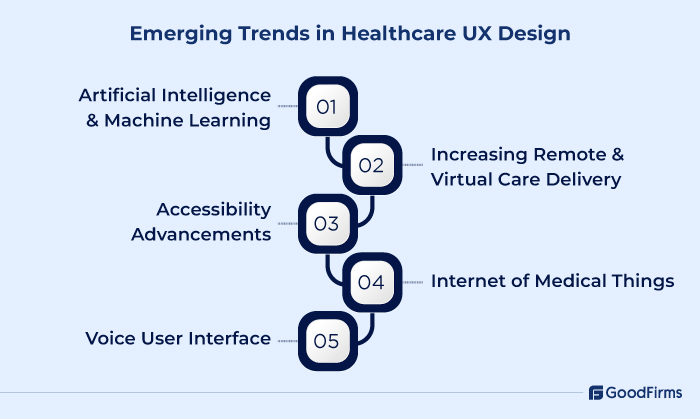
1. AI & ML
AI is quietly transforming how patients and clinicians interact with healthcare systems and much of that progress comes from solutions built by the top AI development companies. From predictive triage chatbots to radiology tools that pre-highlight anomalies before a doctor even opens the scan, AI is slipping into workflows rather than demanding new ones.
The biggest UX win? Reducing cognitive load.
A doctor shouldn’t dig through 50 notes to find the one sentence that matters. A patient shouldn’t wonder whether a symptom is worth mentioning to a healthcare professional. AI can summarize and guide. However, for AI to work effectively in healthcare UX, it must be able to explain itself. Any suggestion or alert must have a valid reason, and that should be transparent.
Google’s Med-PaLM and tools like Nabla Copilot are great examples. They don’t pretend to be doctors. They support doctors by drafting, sorting, or predicting, while leaving decisions to the human.
Good UX in healthcare technology isn’t about making systems smarter. It’s about making interactions calmer, clearer, and more confident for both sides. Find the top AI healthcare development companies that can help you make your healthcare technology smarter.
2. Increasing Remote and Virtual Care Delivery
Healthcare isn’t confined to buildings anymore. Remote monitoring and virtual visits are turning patients’ homes into care hubs.
Patients with chronic conditions now wear devices that track vitals in real time. Blood pressure cuffs, pulse oximeters, or ECG patches feed data directly to clinicians. Alerts only pop up when something truly needs attention. Virtual appointments also need thoughtful UX. Platforms can automate intake and symptom assessment, allowing physicians to focus on other tasks.
The key UX lesson? Trust and clarity. Patients need to feel confident that their health is monitored and that help is just a tap or a call away. The best remote care interfaces disappear into the background, letting the focus stay on care and not technology.
3. Accessibility Advancements
Healthcare products are finally shifting from “usable for most” to usable for everyone. Accessibility is no longer just about meeting WCAG checklists. It’s about designing for people who may be stressed, aging, visually impaired, low-literate, neurodivergent, or simply not tech-savvy.
Real progress is happening. Clinics are redesigning their appointment scheduling flow with plain-language summaries and voice-over support after discovering that older patients were abandoning mid-way due to medical jargon. Also, the new mobile app has scalable text, high-contrast modes, and pharmacy instructions written at a sixth-grade reading level, saw a higher usage ratio among seniors.
Accessibility also goes beyond vision or mobility. Cognitive accessibility is becoming a major focus. Interfaces that support step-by-step guidance, progressive disclosure, and simple language make complex tasks like consent or insurance verification far less intimidating.
A good interface must adapt automatically based on user preferences, like large touch targets for shaky hands, captions without asking, and voice alternatives when hands are busy.
4. IoMT
Smart inhalers, glucose monitors, wearable ECG patches, connected pill dispensers — all of these fall under IoMT.
Patients won’t use tracking devices if the apps are confusing. And how would clinicians trust data if dashboards are cluttered or lack clear alerts? A connected device is only as valuable as the clarity of its notifications, data summaries, and handoff points.
The best IoMT UX follows three rules: show trend, not just numbers; make context obvious. Treat alerts like conversations, not alarms. Apple Watch does this well. It encourages action without panic. On the provider side, platforms like Dexcom create timestamped insights that can be easily shared with doctors via their app.
5. Voice User Interface
Voice tech in healthcare isn’t about asking Alexa to book your appointment. It’s becoming a genuine assistive tool, especially in moments when hands or attention are already occupied.
But the real UX challenge isn’t speech recognition, but it’s context recognition. Healthcare voice systems must understand who is speaking, what environment they are in, and how urgent the request is.
For example, surgeons use voice commands to access medical images mid-procedure without compromising sterility. Nurses can log vitals verbally while moving between patients.
 |
A good UX design encourages people to adopt new healthcare technology instead of feeling overwhelmed by it. Adoption ensures that patient care stays consistent and this happens when tools fit naturally into their daily routines. We test our designs and gather feedback from nurses, home care workers and families to see where they struggle most. Their insights have led to important upgrades & addition of features such as moving a button, improving contrast or reordering alerts so responses are quicker during emergencies. Technology has to support people in their normal flow of work. That is where true adoption starts. - Kyle Sobko CEO of SonderCare |
Challenges UX Designers Face in Healthcare
Designing for healthcare isn’t like designing a banking app or an e-commerce flow. The stakes are higher and the rules are stricter. Here are the biggest challenges they face.
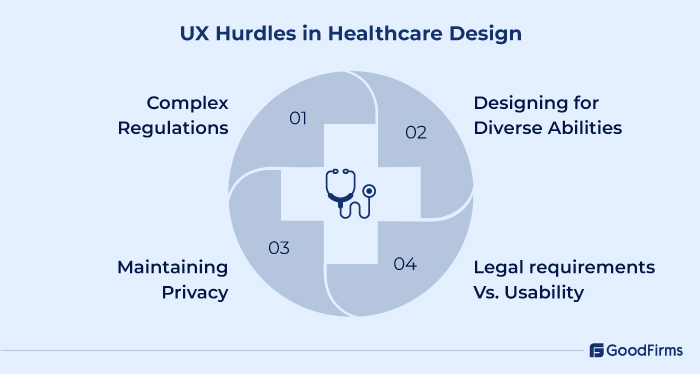
1. Navigating Regulations Without Killing Simplicity
Compliance is non-negotiable in healthcare. Every feature must be traceable back to standards like HIPAA, GDPR, FDA SaMD guidance, or IEC 62366. But converting the legal language to design is the hardest part. Rules like “maintain data integrity” or “ensure informed consent” sound clear on paper, but difficult to turn into a screen flow.
The challenge is translating regulations into logical, friction-free interactions. Designers can’t just add a checkbox that says “I agree” and be done. They must educate, collect permission, and protect data, all without making users feel overwhelmed. Additionally, if the consent form is too lengthy, users are likely to disregard it. One that’s too short might not cover all the legal checkboxes.
2. Balancing Accessibility and Trust for Diverse Users
Healthcare UX is diverse. It could include seniors with shaky hands, visually impaired users relying on assistive tech, low-literacy patients, immigrants navigating care in a second language, and everything else you can imagine. Any good design fails instantly when even one of these groups can’t use it.
Health is an emotional matter, and patients already feel vulnerable when interacting with medical systems. So if the design is complex, it will make things worse. Find a user experience design companies that understand your requirement completely.
3. Designing for Privacy Without Creating Fear
Healthcare data is the most sensitive data that most people will ever share. Users are rightfully skeptical when apps ask for symptoms, mental health history, fertility data, or biometrics. If the interface feels even slightly intrusive or vague, users might lose trust instantly.
The biggest challenge is communicating exactly what and why the information is collected and who will see it. Good UX handles privacy like a transparent conversation. When users understand the exchange, they participate willingly. If they don't, then the whole purpose of having this will be nullified.
4. Usability vs. Legal Safeguards
There’s an ongoing battle in every healthcare product team: Legal says add more disclaimers. Designers want a clutter-free design. Both are right on their end. A simple button like “Submit Diagnosis” becomes “Submit and confirm that this information is accurate to the best of your knowledge and will be reviewed by a licensed provider before action is taken.” It is legally airtight but a UX disaster.
If you dump legal requirements in big blocks of text, it will disrupt the design. Instead, a checkbox with legal reassurance after a clear, human explanation works better.
UX Design as a Cost-Reducer in Healthcare
In medtech and health software, every minute wasted, every error made, and every support call raised has an associated cost. Smart UX cuts those out.
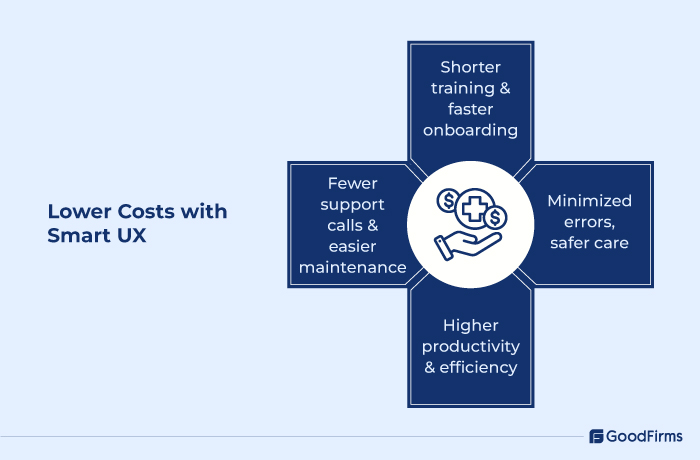
1. Lower Training & Onboarding Overhead
Good designs are easy to learn and understand, which shortens the learning curve. Designers can minimize training time if new users naturally pick up the interface.
In hospitals, long training hours cost a lot, as it keep the staff away from work that needs attention without fail. If UX causes fewer support tickets or hand-holding, those costs come down.
2. Preventing Costly Errors
Errors have no scope in healthcare. It can harm patients, trigger compliance investigations, or lead to lawsuits. UX must guide users, catch anomalies, and force confirmation in critical steps to prevent mistakes. Each prevented error is a saved rework. And in worst-case scenarios, you avoid litigation or rehospitalization. That’s pure cost avoidance.
3. Boosting Productivity & Efficiency
Better UX means fewer clicks and screens. When you have thousands of entries to do, every 30 seconds saved per patient adds up to hours saved. Simple and clear UX speeds up the process and significantly boosts staff productivity.
4. Reducing Support, Maintenance & Retraining
Intuitive UX, contextual help, interactive walkthroughs, and tooltips reduce reliance on support teams. If your helpdesk is flooded with tickets related to design, then the design is definitely not user-friendly as it should be.
Also, well-designed systems are easier to maintain and extend. If new features or updates flow into the existing structure rather than requiring an entire rewrite. The future development costs shrink.
Key Elements of UX in Healthcare: Making Life Easier for Users
Here’s what makes UX truly effective in healthcare.
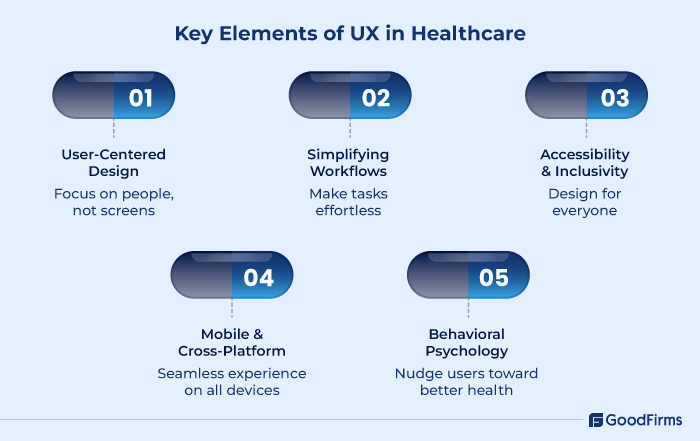
1. User-Centered Design: Start with People, Not Screens
To build the best healthcare product, you need to understand the role and use case of patients, doctors, nurses, and caregivers. How they work, what frustrates them, and what will make their day smoother.
For example, a medication tracking app designed with input from patients and pharmacists can reduce errors simply by anticipating where users might slip up. Like confusing dosage times or pill names. The design should be around real habits and needs.
2. Simplifying Complex Workflows
A well-designed system must highlight the most critical info first. Small design tweaks like grouping related fields or providing clear next steps can save hours every week. Removing unnecessary steps simplifies the process, making it easier for users to understand and use.
3. Accessibility and Inclusivity
Healthcare apps and devices serve a wide range of people. Seniors, visually impaired patients, people with limited literacy, and non-native speakers. All need to interact with the same system.
Good UX doesn’t assume everyone is the same. It offers scalable text, clear contrast, voice options, and multilingual support. A telehealth platform that speaks a patient’s language and adapts to their abilities feels welcoming and easy to use. It’s not about ticking boxes; it’s about making care reachable for everyone.
4. Mobile and Cross-Platform Usability
Patients track their vitals on wearables, doctors check labs on tablets, and care teams update records on phones. UX must move with them.
A fitness or health monitoring app must sync effortlessly between a wearable and a phone to ensure users always have the correct data at the right time. The experience should feel the same regardless of the device, as consistency is essential to building trust.
5. Behavioral Psychology
Behavioral psychology helps nudge users toward better health. Reminders, progress trackers, positive feedback, and small rewards make a big difference.
Take a diabetes app, for instance. If it appreciates users for logging meals or sticking to a glucose check, users are more likely to keep engaging. The designer must understand human behavior. Then the compliance feels intuitive and not forced.
Best Practices for Healthcare UX Design
Healthcare UX comes with its own bunch of rules. So what works for other industries does not work here. Here are some core practices you should be familiar with.
1. Enable Quick Interpretation of Data and Support Deep Exploration
Medical systems carry massive volumes of data. Users will need access to lab results, vitals over time, imaging, etc., in real time, and that too fast.
Present high-level indicators (trends, flags, critical thresholds) first; let users drill into underlying data as needed.
Utilize visualization techniques such as sparklines, color coding, anomaly highlighting, and trend shading to illustrate changes over time.
Avoid dumping raw data tables into the front view. Instead, embed progressive disclosure so users aren’t overwhelmed but can request more detail.
Ensure that visual metaphors align with medical standards. For example, red-green conventions, safe/unsafe zones, or reference baselines (norm ranges) help clinicians and patients interpret easily.
2. Deliver Information So All Types of Users Can Understand It
You will have clinicians, patients, and caregivers with varying levels of health literacy, tech comfort, and stress. UX must bridge that gap.
So use simple language and avoid medical jargon whenever possible. If you must include technical terms, include inline definitions or tooltips.
Structure content so that essential meaning comes first, then context, then caveats. This is sometimes called an “inverted pyramid” style in health communications.
Use visual aids like icons, color cues, and consistent design patterns to reinforce meaning.
Adapt content to user roles: what a nurse needs to see is different from what a patient needs to see. A role-based content model ensures data privacy and nullifies data breaches.
Support audio narration, visual text, and even simple video or animations when explaining steps, especially in patient-facing tools.
3. Conduct Real-User Research and Usability Testing — Under Real Conditions
True usability is learnt when actual users interact under real (or realistic) constraints and not from wireframes and assumptions.
Usability testing is mandated under the FDA’s human factors guidelines. Tests must include actual users, realistic tasks, and environmental conditions.
Maintain a diverse user base while testing. Users with different levels of experience and abilities. This helps catch edge cases.
Keep tests short, focused, and context-aware. Keep sessions short, around 15 to 30 minutes, so that the staff’s work is not impacted.
Simulate real-world pressures like interruptions, multitasking, noise, and time constraints. Collect qualitative observations and metrics where users hesitate, ask, or backtrack.
Tools, Platforms, & Resources for Healthcare UI UX Design
Choosing the right tools and platforms is just as important as the design itself. They help bring structure, validation, and safety into the creative process. Here are some that genuinely make a difference in healthcare UX work.
1. Tools That Bring Ideas to Life
For early concepts, Figma is the go-to. It allows designers, clinicians, and product teams to collaborate in real time. Collaboration is essential when feedback loops involve individuals who are busy with patient care. The shared libraries help maintain visual consistency across apps, portals, and MedTech interfaces.
Sketch and Adobe XD remain useful for creating quick wireframes and exploring low-fidelity designs. They make it easy to experiment with layouts before diving into color, hierarchy, and clinical logic.
2. Tools That Test Real Human Behavior
To make your design perfect, tools like UserTesting or Lookback enable you to observe how real users interact with a product. You can see exactly where they pause, hesitate, or misread something. That’s where real insights come from.
For mobile health apps, UXCam helps analyze gestures, taps, and patterns without intrusive observation. It’s often used to catch subtle UX flaws that could easily get overlooked in traditional usability testing.
And when it comes to accessibility, Stark has become a must-have. It checks color contrast, font legibility, and compliance with WCAG standards. It is crucial that your design works for everyone, from seniors with low vision to users with cognitive disabilities.
3. Resources That Keep You Informed
Frameworks like ISO 62366 and FDA Human Factors guidelines help teams validate design decisions. Meanwhile, resources like The Center for Health Design and UX.Healthcare shares case studies, research papers, and event archives that reveal what’s actually working in the field.
Even open-source collections on GitHub provide ready-to-use visual patterns and components made specifically for health contexts. They save time, but more importantly, they build familiarity with established symbols and workflows.
When Good Design Becomes Good Care
Healthcare design is all about removing friction and not just making the design simpler. A good design shows care, safety, and trust. When a nurse can record vitals without pausing mid-shift, or when an elderly patient can refill medication without calling for help, that’s UX quietly doing its job.
The next wave of innovation in healthcare won’t come from adding more technology. It’ll come from making existing tools work better for humans. Every click, color, and confirmation screen is a chance to make care easier, faster, and kinder.
If you’re building or improving a healthcare product, start with the small design choices that make people’s lives simpler. That’s where adoption begins, and that’s where healthcare truly transforms.
Frequently Asked Questions (FAQs)
Q1: What is healthcare UX and why is it important?
Healthcare User Experience refers to designing interfaces, workflows, and interactions in medical devices, apps, and systems with the end-user (patients, clinicians, caregivers) at the center. It’s important because good UX can reduce errors, improve adoption, enhance patient satisfaction, lower costs, and ultimately lead to better health outcomes.
Q2: How does UX design improve cost efficiency in medtech?
UX reduces costs by speeding up training, reducing error-related incidents, increasing tool adoption, curbing maintenance & support overhead, and extending a product’s useful lifespan. Each of those touches an operational cost line, so the savings pile up.
Q3: What are the biggest challenges UX designers face in healthcare?
The biggest challenges UX designers face are strict regulations and compliance demands, trust & data privacy, balancing usability with legal requirements, ensuring interfaces are accessible to diverse users (different age groups, tech comfort levels, and individuals with disabilities), and simplifying complex workflows without compromising necessary detail.
Q4: What are the best practices for designing healthcare UX?
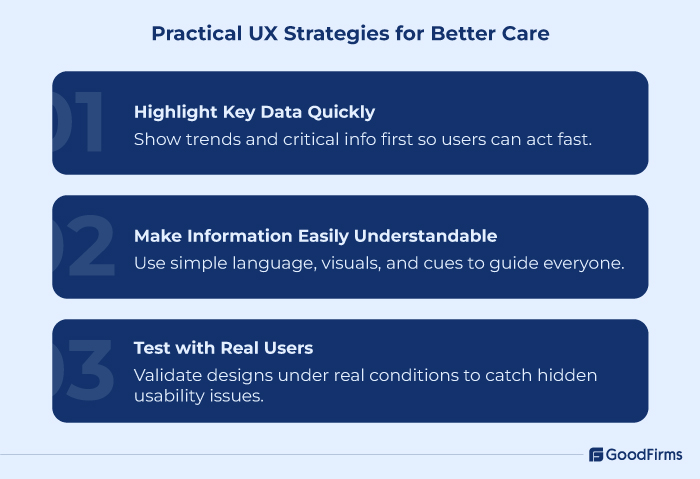
Some best practices in healthcare UX are: enabling quick interpretation of data, making sure the info is understandable by everyone, and doing usability testing with real users in realistic environments.
Q5: What tools or platforms help with healthcare UX design?
There are tools for prototyping and collaboration (Figma, Sketch, XD), usability testing (UserTesting, Lookback, UXCam), accessibility checking (WCAG tools, Stark), plus domain-specific resources like regulatory guidelines (FDA human factors, ISO 62366), design systems component libraries, and open-source UI kits.
Q6: How does accessibility affect UX and patient outcomes?
Accessibility ensures people with vision, hearing, cognitive, or mobility limitations can use healthcare systems without frustration or error. It improves trust, lowers abandonment rates, increases usage, and in many cases helps meet legal requirements. Better accessibility often correlates with better outcomes because more people can engage with the tools properly.
Q7: What future trends should healthcare UX designers watch for?
Some of the key trends in the healthcare UX design are: IoMT (Internet of Medical Things) and wearables getting tighter UX integration, AI/ML powering predictive and explainable design, voice & gesture interfaces, remote care, increased demand for inclusive designs, and more rigorous interplay between UX and compliance.