48% of consumers visit several business websites before buying a product or subscribing to a service online, and 75% of consumers judge a company’s credibility by its website design.
This means it’s not only enough for small businesses to have a website; it also needs to be highly user-friendly.
This is the reason why small businesses partner with professional web design companies to get a website that is not only aesthetically pleasing but also user-friendly and ranks high in search engines.
As a small business owner, you need to remember that not having a website means missing out on many sales opportunities. However, if you have a website, but it is poorly designed, it can damage your business’s online reputation.
If you are perplexed and unsure about how to design a website for search engines and users both, here is a checklist of the 8 most crucial web design tips that can help your small business gain traction via your website in this competitive business world.
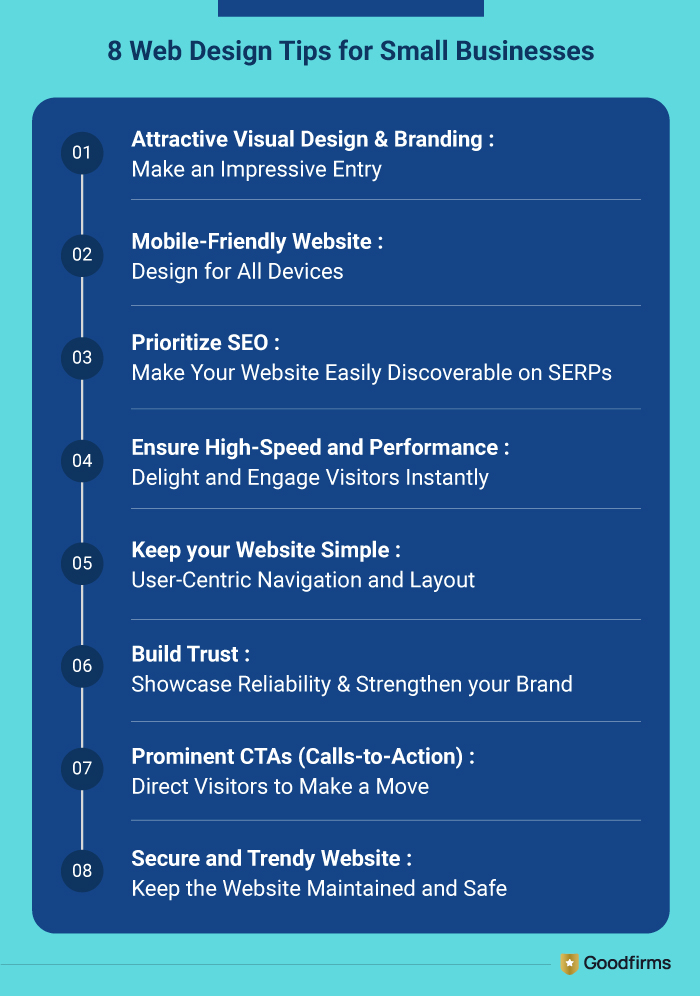
Let’s have a look at these 8 web design tips for small businesses in detail.
#1 Attractive Visual Design & Branding: Make an Impressive Entry
For small businesses, their website is a powerful communication tool that has the potential to make or break sales. Compelling visual design & branding help small businesses to build trust and differentiate themselves from their competitors. Just like individuals, websites are also judged by their first impressions.
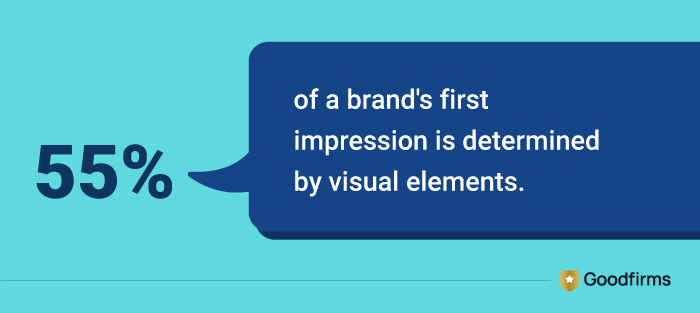
(Source: Public Words)
In this era of Instagram reels, people are losing their attention span with each passing day, and therefore, keeping them engaged has become much more challenging than before. Below are some practical tips that, if followed, can help you form a strong first impression through your business website and keep audiences engaged for a longer time.
Consistent Branding Across Platforms
Use the same color palette in logo design, and fonts across all your online platforms, like website, mobile app, social media pages, etc, as that would create a uniform, professional, and trustworthy environment for your visitors.
Make Smart Choices in Colors
Colors trigger moods & emotions, which eventually impact buying decisions. For example, red creates urgency, white represents peace & harmony, and blue conveys trust. Select colors strategically depending on your target audience.
Select Easy-to-Read Fonts
Fonts have a significant impact on visitors' perceptions. Properly sized fonts that are easy to read can interest visitors and motivate them to go through the content of your website. On the contrary, unclear fonts can drive your visitors away.
Use Professionally Designed Graphics and Images
Hire the best graphic design company to help you with professional graphics and images for your website, as that can help you enhance the credibility of your website and improve visitors’ engagement.
Ensure Enough Whitespace and Clutterless Layout
Enough whitespace between text and graphics results in a clutterless layout, which enhances readability and draws the attention of the visitors towards key elements. A clean layout also has a psychological impact on visitors and keeps them hooked to the website for a long time.
 |
A design that seems perfect to you might not give the same vibes to your users. So, plan a quick user testing before you launch it to know which elements gain attention, and which ones get ignored. |
#2 Mobile-Friendly Website: Design for All Devices
Having a mobile-friendly website that is responsive to every device available currently is not at all optional; it is mandatory. A responsive website is one that adjusts its content and layout to fit any screen size, from large monitors to small screens. Small businesses wanting to thrive online should make sure that their website is responsive to every device available, as you never know from which device your visitors are browsing your website.
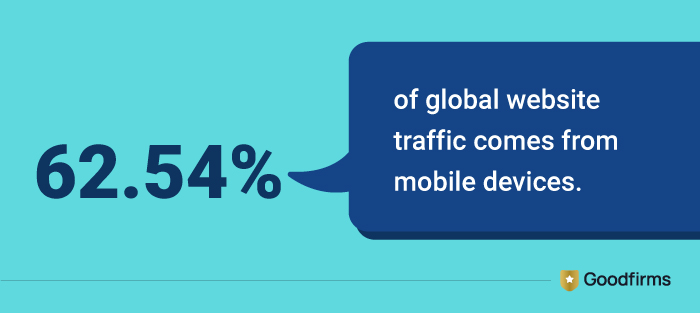
(Source: Statista)
As per Google’s mobile-first indexing, the websites that load quickly and function seamlessly on multiple smartphones and tablets are likely to rank higher in SERPs. You can also go through these 8 Ways Your SEO Strategy Benefits From A Responsive Web Design to know more about this subject. Ensuring your website is mobile-friendly is integral to reducing bounce rates and increasing conversions. Here are the best practices that you can follow to design a mobile-friendly website.
Responsive Layout
A responsive layout ensures that all the elements of your website, like images, buttons, text blocks, etc., are displayed correctly on any screen size. The text is readable, the buttons are clickable, and the images adapt to the screen size.
Scalable Buttons and Links
Buttons and links should be spaced and sized appropriately for easy tapping on mobile screens. Hover effects in the navigation menu should be avoided as these elements don’t work on touchscreen devices.
Simplified Navigation
Complex navigations don’t work on small-screen devices, as users need to spend a lot of time scrolling and searching for the link or information they are looking for. In that case, it is always better to streamline the menu using hamburger icons or collapsible sections.
|
The most important information, like CTAs and value propositions, should be placed above the fold so that it is instantly visible to mobile users without scrolling. Mobile users are quick to leave if they don’t find information instantly. |
#3 Prioritize SEO: Make Your Website Easily Discoverable on SERPs
There are several small business owners who think that SEO should be considered after the website is designed. However, on the contrary, a website should be designed with SEO in mind. A search engine-friendly website helps you to drive more visitors to your website and increase the chances of boosting your conversion rate.
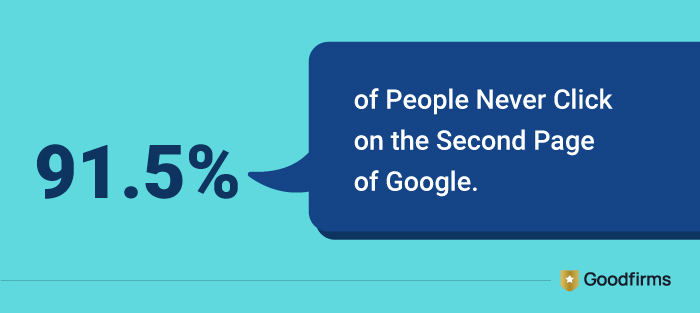
(Source: Young Urban Project)
In this competitive business world, if your website is not easily discoverable on search engine result pages, you may miss out on several sales opportunities, which can hinder the growth of your small business. Hence, you need to ensure that the following SEO practices are followed while designing a small business website.
Meta Title & Description
Ensure that every page of your small business website includes a compelling meta title and description that includes your main target keywords. This will help you gain better click-through rates and drive relevant traffic to your website.
Image ALT Tags
Adding descriptive ALT texts to images can make them easily found in search engines through relevant keywords. This also helps users to understand content when internet connectivity is slow and images fail to load.
Heading Tags (H1, H2, H3)
Structure your content with headings (H1, H2) and subheadings (H3) that include keywords that are relevant and critical to your small business. This helps search engines and users both to understand your page hierarchy.
Contextual Keywords Placement
Contextual keywords placement within your website content is important to keep your users engaged and simultaneously gain higher search engine rankings. Incorporate keywords you are focusing on within your content naturally for lucrative outcomes.
Internal Linking
Linking web pages internally is integral to guiding visitors to the information they are seeking. Also, search engines prioritize websites with naturally interlinked keywords as they improve user experience and distribute “link equity.”
|
Target keywords that your customers actually use, and make sure to place your primary keyword in the first 100 words to help search engines understand and rank your website seamlessly. |
#4 Ensure High-Speed and Performance: Delight and Engage Visitors Instantly
Currently in the age of 5G, website speed isn’t merely a nice-to-have attribute; it's a must-have attribute. If a website takes more than 2 seconds to load, your future customers get frustrated and move to your competitors’ website, and you lose sales opportunities.
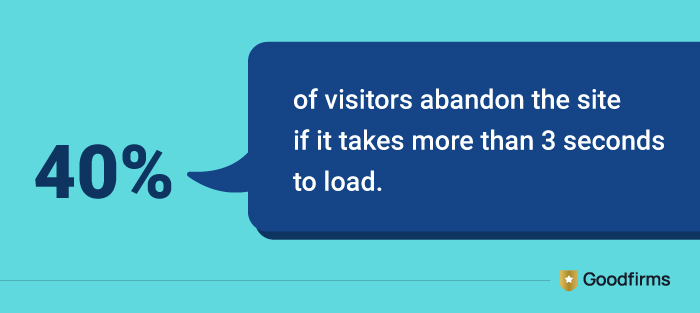
(Source: Kissmetrics)
Besides that, Google considers website loading speed to be one of the most prominent ranking factors. Therefore, a quick-loading website not only improves user experience and reduces bounce rates but also helps achieve a high ranking in search engines.
But what should be done to ensure high-speed and performance of a small business website? Below are some necessary steps to follow while designing a fast-loading website.
Optimize and Compress Images
Large image files cause web pages to load slowly, and therefore, the first step you need to take is to use tools like TinyPNG or ShortPixel to reduce image size without losing quality. Optimized and compressed images enable users to browse the website with speed on any device.
Select Reliable Hosting
Reliable hosting ensures fast speeds, strong security, and high uptime, impacting user experiences, search engine rankings, and ultimately improving revenue generation. Keep your website seamlessly accessible and protect your data by selecting a reliable web hosting company.
Apply Browser Caching
Applying browser caching refers to instructing a website visitor’s browser to store copies of its static files, like CSS & javascript codes, and images. This enables returning visitors to load your website quickly, as certain parts of the website are already stored in their devices.
Leverage Content Delivery Network (CDN)
A content delivery network consists of a group of servers that store content like images, videos, and code to deliver it to website visitors more quickly and efficiently.
|
Before adding any design feature to your website, ask yourself a question: “Will this slow down your website?” If yes, avoid adding it or find out its alternatives to maintain quality with speed and performance. |
#5 Keep your Website Simple: User-Centric Navigation and Layout
A website can only be successful in retaining visitors if its layout is simple and easy to navigate. A user should be able to find what they are looking for with a single click or tap. A user-centric website for small businesses means guiding customers intuitively through essential information to seamless goal conversions.
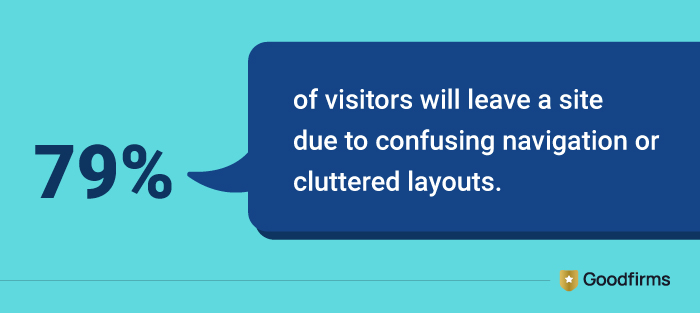
(Source: Hostinger)
A clear and intuitive navigation and structure of a website has the potential to keep visitors engaged, reduce bounce rates, and enable search engine crawlers to comprehend your website’s hierarchy. Here’s how you can ensure that you build a website that is intuitive, has a user-friendly layout, and provides an effortless browsing experience to your visitors.
Minimal Menu Bar
Keep the main menu bar to a minimum with not more than 5-7 links. Too many links can confuse visitors and increase bounce rate.
Use Logical Terms
While designing the menu bar, use logical terms or labels of the menu. The terms you link should match the content on the landing page.
Implement Breadcrumbs
Implementing breadcrumbs on every page makes it easy for visitors to move and forth your website easily. It also adds SEO value as it clarifies your website structure in front of your visitors.
Place Navigation at Familiar Spots
The navigation menu is usually placed on the top or left-hand side of the website. You can place the navigation at spots where users most expect them to be.
|
Make sure that your navigation menu is intuitive and simple enough for users to reach key pages within three clicks. This will keep users engaged and increase conversions. |
#6 Build Trust: Showcase Reliability & Strengthen your Brand
In this digital age, building trust without meeting face-to-face is critical to building lifelong relationships with your customers. Your website needs to display elements that depict the fact that dealing with your business is safe and profitable for customers.
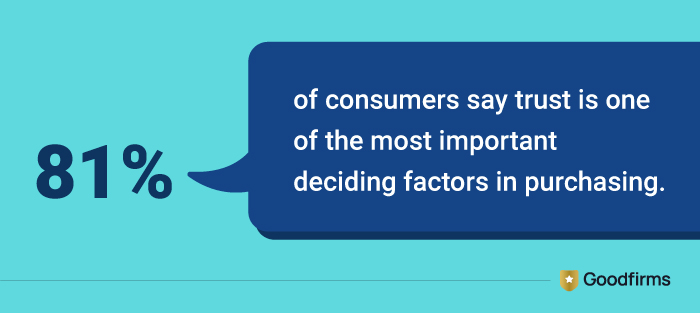
(Source: Customer Data Platform Institute)
When website visitors encounter elements that build trust, like client testimonials, quality certifications, and clear contact information, they are likely to move to the next level with your business. Here are some website elements that should be taken care of to build trust and establish the credibility of your business.
Customer Testimonials and Reviews
Highlighting authentic feedback by delighted customers on important web pages like the homepage, product, or services page can help you gain the trust of your visitors. Also, customer testimonials and reviews can boost search engine rankings.
Certifications & Awards
Displaying certifications & awards pertaining to your industry, like ISO certifications, AWS certifications, etc, enables you to win credibility and provide strong trust signals to your visitors.
Security Features
A website having SSL certifications and a systematically listed privacy policy gives confidence to visitors that their data is protected.
Clear Contact Information
Your business’s contact information, like phone number, physical location, and email address, should be clearly displayed for visitors to gain more information about your company and at the same time, be assured about your genuineness.
|
Add a 30-60 second client testimonial video above the fold, as that would establish more credibility than a paragraph of text. Visitors are likely to trust user-generated video more than a paragraph of text written by your team. |
#7 Prominent CTAs (Calls-to-Action): Direct Visitors to Make a Move
A website’s main purpose is not only to attract visitors but also to maximize conversions. Calls-to-action refer to buttons and links that prompt visitors to contact your business, sign up for a newsletter, or make a purchase.
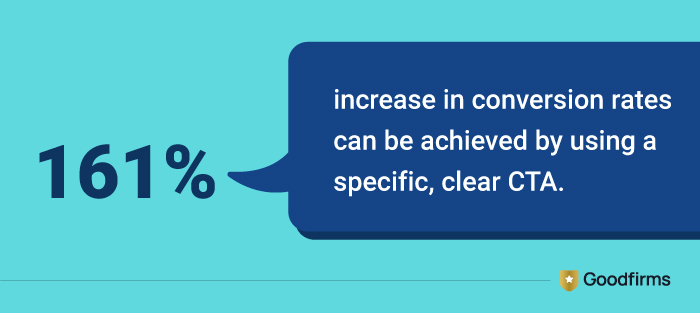
(Source: Wisernotify)
Calls to action are integral to a website as they have the potential to convert casual visitors to loyal customers and therefore should be attractive in appearance. Below are some design tips that can help you ensure that your visitors click through calls to action on your website.
Use Contrasting Colors
CTAs need to be visually appealing, and therefore, using bold buttons and contrasting colors that make them stand out is important.
Write Fresh and Catchy Content
Content that creates urgency or encourages users to click the button should be used for call-to-action buttons. For example, “Get 50% Off Now”, “Limited Stock”, “Offer Expires Soon.”
Position Strategically
A call to action placed anywhere on the website cannot benefit the business. Place it strategically at the end of the pages, or in the navigation bar (if relevant), to get the required outcomes.
Keep Limited CTAs
Too many buttons or links in the form of a call-to-action can make them ineffective. Keep the number of CTAs limited to attract visitors.
Mobile-Friendly CTAs
Make sure that CTA buttons or links on your website are properly sized and spaced well to give a responsive look on multiple devices, like smartphones and tablets.
|
Conduct A/B testing for CTAs and analyze their colors, content, and placement to know the attributes that drive maximum clicks and conversions. Repeat this process regularly for better results. |
#8 Secure and Trendy Website: Keep the Website Maintained and Safe
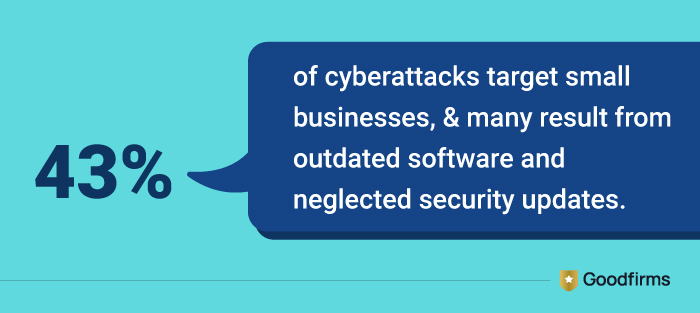
Launching an attractive website is just not enough. Maintaining it regularly and ensuring that it is safe to browse for visitors is equally crucial. Follow the required security measures to ensure your website runs seamlessly, protects itself from malware, and maintains a positive user experience. Using outdated themes, plugins, and software can not only make your website insecure but also keep your visitors disinterested.
(Source: Verizon)
Implementing the latest trends in web design is important to display a fresh look for your website in front of users and keep them engaged. These are the 9 Important Findings From Goodfirms’ Web Design Research for Small Businesses. These findings, if considered, can help you regularly maintain a fast-loading, secure website offering excellent user experiences that ultimately benefit your business. Besides that, below are some steps to follow to keep your website secure and updated with the current trends.
Update CMS, Plugins, and Themes
To maintain a secure and high-performing website, it is essential to update the CMS, plugins, and themes. Obsolete software can make your website prone to security risks, performance slowdowns, and compatibility issues.
Implement Automated Backups
You can protect your website’s content and data by implementing automated backup facilities. Schedule regular backups to make sure that all important files, databases, and configurations are securely saved without manual efforts.
Apply Firewalls and Security Plugins
Empower your website with reliable firewalls and security plugins. These tools can continuously monitor your incoming traffic, block potential threats, and detect suspicious activities. This helps in safeguarding your website data and makes it more secure.
Monitor Website Performance and Uptime
Consistently monitoring website performance and uptime after designing and launching your website is important to provide a reliable and seamless browsing experience to your visitors. By applying website security monitoring tools and services, you can detect technical issues and solve them before your website experiences downtime.
Secure your Website with Secure Socket Layer (SSL)
It is essential to install an SSL certificate and enable HTTPS to protect the data exchanged between your website and its visitors. Sensitive information like personal details, login credentials, or payment data remains secure from unauthorized access and hackers.
|
Keep a check on inactive and outdated plugins on a regular basis and remove them as they are likely to deteriorate the performance of your website and drive away your visitors. |
So, these were the 8 most important web design tips every small business should know. But there are some common mistakes that small businesses usually make when it comes to web design, which should be avoided. Let’s have a look at them.
Common Web Design Mistakes to Avoid
- Using too many colors and different font families can confuse users.
- Embedding low-quality images can give your website an unprofessional look.
- Overloading pages with numerous pop-ups and animations can distract users.
- Cluttering pages with too many images and text can slow down website loading speed.
- Applying tiny fonts or buttons can frustrate visitors and drive them away.
- Not testing forms and other interactive content on the website can cause missing leads.
- Links leading to 404 errors and dead ends on the website can increase bounce rates.
- Ignoring mobile speed optimization can drive away mobile users.
- Overloading content with keywords can trigger search engines to penalize.
- Avoiding website updates for a long period of time.
Conversion-Centric Web Design: Unlock Growth Opportunities for Small Businesses
Finally, all the aforementioned web design tips for small businesses aim to achieve a single goal, and that is improving sales. Conversion-centric web design is more than just aesthetic looks. It is all about how you make visitors feel as soon as they land on your website. Planning strategically, keeping business goals in mind, and choosing the best UI/UX design company is the only way to get a website built that helps you attract visitors, convert them into customers, and retain them forever.
FAQs
How Much Can a Small Business Website Design Cost?
A small business website design service can cost you from US$2000 to US$5000, depending on your website size and features. The price also depends on whether you DIY using easy-to-use web design tools or hire a professional team of web designers for the task.
Is it Better to build a Website for a Small Business on my own or hire a Web Design Company?
It is always better to hire a professional web design company with years of experience to gain better results. But if your budget is low and you have a simple web design project to complete, DIY would be the perfect choice for you.
What Makes a Small Business Website an Ideal One?
Secure hosting, SSL certifications, quick loading, social media integration, clear contact information, mobile responsiveness, and prominent CTAs make a small business website ideal. Most importantly, it should be search engine-friendly.
Is SEO Important for a Small Business Website?
Yes, certainly. A small business website can rank on top of SERPs through relevant keywords and gain better click-through rates. This helps small businesses to increase visitors on their website and increase their chances of conversions and revenue generation.
Why Do I Need Professional Web Design Services for my Small Business?
A professional website design company would ensure that your website is designed seamlessly, keeping the latest trends in mind, and is search-engine-friendly to help you grow your business.