QAM Hub
Deployment
Overview
About QAM Hub
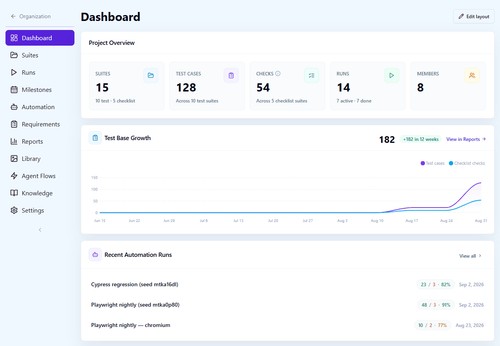
QAM Hub is an AI-first test management system for manual and automated QA teams. It provides one structured workspace for managing test cases, test suites, checklists, test runs, requirements, defects, automation results, dashboards, and reports.
Teams can create and organize test cases with templates, custom fields, tags, version history, and requirements traceability. Manual testing is supported with test runs, tester assignments, screenshots, comments, and execution statuses, while Playwright and Cypress integrations bring automated results into the same workspace alongside manual coverage.
QAM Hub also brings AI into everyday QA workflows. Teams can generate test cases and checklists with AI, analyze test cases for duplicates or quality issues, and use AI-assisted features while keeping QA engineers in control of the final results.
The platform integrates with Jira, GitHub, GitLab, Linear, Asana, Redmine, and Trello, and supports Google SSO, REST API access, and MCP for AI agent
At a glance
Software information
Industries served, licensing and the support QAM Hub provides.
Industries
- Information-technology-services
Licensing
- Proprietary
- Monthly Payment
- Annual Subscription
- Free trial
Support
- Support daysMondayTuesdayWednesdayThursdayFridaySupport time09:00 to 18:00 (EET)
Training
- Documentation
Capabilities
QAM Hub features
The full feature set, grouped by module.
Plans
QAM Hub pricing
Works with
Integrations
QAM Hub connects with the tools your team already uses.
Media
Screenshots & video