Digital platforms evolve fast, and the way teams create and manage content is evolving with them. To keep up with the increased demand, content teams need faster workflows, easier integrations, and the ability to publish across multiple channels without relying on developer help.
However, as their tools age, they become harder to maintain, harder to secure, and harder for editors to work with. Such legacy CMS platforms might’ve served their purpose for years, but the way teams build and manage digital experiences has changed a lot. Content teams often battle with outdated systems, slowing down their work.
Moving to a modern CMS can completely change how your content is structured, delivered, and managed across an entire organization. It can improve several aspects of content management, like strengthening editorial autonomy and reducing long-term maintenance work. Most importantly, it helps eliminate the growing tech debt and lays a solid foundation for future development.
That said, we know from experience that migrating from a legacy setup is not always a straightforward task. Content structures evolve, URL maps change, and search equity must be protected. To succeed, you need a plan, and in this article, we’ll walk you through the best practices for updating legacy systems to modern CMS platforms.
Let’s get started!
Why Move from a Legacy Setup?
Legacy CMS platforms were built to accommodate the teams working in the past, not today. For most organizations, migration to a modern CMS removes obstacles that stop your teams from delivering the best quality work fast and efficiently.
As teams start, you push the system’s boundary; its age starts to show, with the first sign usually being friction. Publishing takes longer than it should, and even simple updates require developer help.
Integration challenges come next. Modern tools like analytics suites expect flexible APIs, but legacy CMS systems often aren’t designed for these kinds of connections. That usually means a workaround that costs a lot of time and money.
On the editorial side, outdated interfaces can seriously affect your productivity. An old CMS can turn into a blocker when content teams have problems even previewing changes before publishing.
Maintenance is another factor companies can’t overlook. Older platforms tend to carry security risks, plugin conflicts that add to their technical debt. Over time, patching and extending a legacy system can become more expensive than replacing it.
Finally, multi-channel publishing pushes many companies to rethink their stack. Serving content across websites, apps, internal tools, and new channels demands flexibility that older systems weren’t designed for.
If this has been your experience, consider: is your current setup worth the drawbacks it comes with? The next best thing you might do for your organization is plan a migration to a new platform.
Common Legacy Migration Mistakes
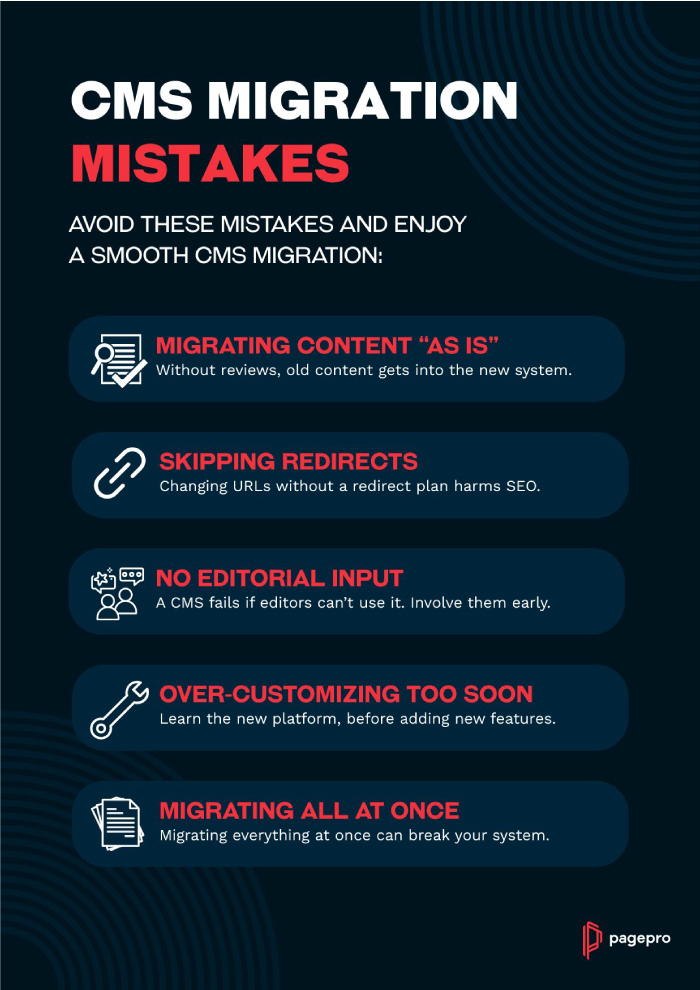
Since it’s a very complicated process, mistakes are very common during CMS modernizations. A well-prepared development team can avoid the worst of them, though even then, an unexpected problem with content or site mapping can arise. Nonetheless, the most egregious missteps are easy to avoid, once you know how to spot them. These are the patterns that tend to cause the most trouble in our experience:
Migrating Content “As Is”
Moving everything without reviewing relevance or structure only brings old problems into a new system. It’s a chance to clean and modernize your content, which can be a great solution to persisting SEO problems.
Skipping Redirect Planning
Search engines don’t forgive broken links, and URL changes during CMS updates might be inevitable. For your site’s health, always make sure to carefully research your new redirects before moving anything. Redirect maps, sitemap updates, and metadata checks protect existing traffic and guide users away from potential dead ends.
Leaving Editorial Teams Out of the Process
A CMS succeeds only if the people who use it daily are satisfied with the result. They might not have the technical expertise of seasoned developers, but involving editors early will create workflows that support publishing instead of making it harder.
Over-Customizing Before Learning the System
Going from a legacy CMS to a modern platform can be a huge change, especially in terms of new tools and options becoming available to you. However, before you implement them all at once, you should take the time to get familiar with the new system. Customizing too soon can increase complexity and maintenance with no real benefits.
Attempting a “Big-Bang” Rebuild
Replacing everything at once can save you time. It can also lead to missing pages and broken URLs, not to mention technical issues with no clear or documented cause. As a result, all that extra time will be spent on fixing the issues that would not exist if the CMS migration were done stage by stage.
How to Plan CMS Migration
Before choosing any platform or moving a single page, it's important to understand what you have, what you need, and what’s no longer serving you. Take as much time as necessary to consider your upgrade strategy, and don’t be afraid to reach out to specialists if the process is too overwhelming. Here is how our team plans legacy system migrations:
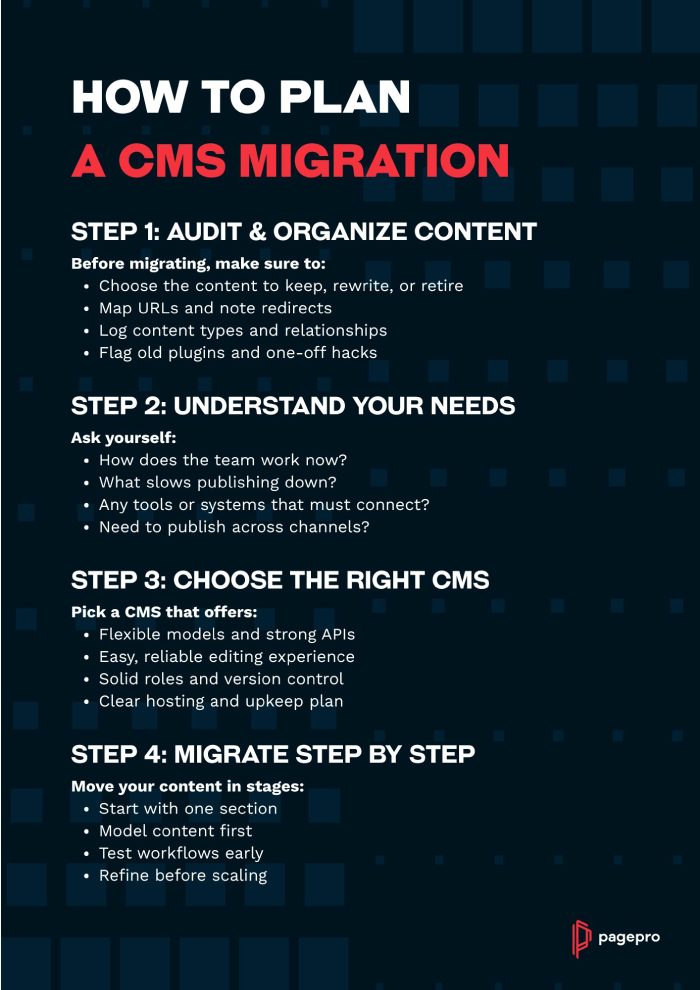
Step 1: Audit and Organize Content
The goal of CMS migration is to enter the new system with clean, structured content instead of transferring legacy issues. That’s why you should start with a review of your current setup and content library.
Your key tasks are to:
- Identify content to keep, rewrite, or retire
- Document existing content types and relationships
- Map URLs and note where redirects will be needed
- Flag outdated formats, plugins, and custom features
Step 2: Understand Team and Business Needs
Although moving to a modern CMS is meant to improve your site's technical efficiency, consider your team’s comfort too. The new system should support their day-to-day routine to the best of its ability.
Ask yourself the following questions:
- How do editors currently work?
- What slows them down?
- Which existing tools and systems need to be integrated with the new CMS?
- Do you need multi-channel publishing (web, mobile, internal apps)?
- How much flexibility do you need for future content models and workflows?
Step 3: Select the Right CMS Approach
Once you know your requirements, picking the right platform will be much easier. Depending on what your team needs, you might land on a traditional CMS, a hybrid setup, or a fully headless approach.
When choosing a new platform, see if it has:
- Flexible content modeling
- API support and integration options
- Intuitive editing experience
- Strong governance (roles, permissions, versioning)
- Clear hosting and maintenance path
Step 4: Plan a Phased Rollout
It might be tempting to get the migration over with as soon as possible. However, a phased approach might be slower, but it will help you adapt to a new system and reduce the risks of site-breaking bugs or lost SEO.
A successful CMS update should :
- Begin with a single content area or section
- Build content models first
- Test editorial workflows early
- Adjust based on real usage before expanding
Best Practices for Legacy CMS Migration
A CMS upgrade succeeds not because everything is moved quickly, but because the foundation is set correctly and teams stay confident throughout the transition. Once a direction is chosen, the work shifts from planning to execution, and this is where discipline matters most.
Start Small
The safest way to begin is with a small pilot instead of jumping into a full rebuild. Pick one section or one content type and move it end-to-end. This gives real feedback early: how well the new content model works, how editors feel about the interface, and whether templates behave as expected. It's much easier to refine a model at this stage than after hundreds of pages have been migrated.
Build a Scalable Content Model
Before writing scripts or moving data, define how your content should work in the new custom CMS. This means rethinking information architecture, not just copying what existed before. Map content types, relationships, and reusable components so editors have flexibility without chaos. A solid content model prevents recreating legacy limitations in a shiny new system.
Create a Pipeline Before Content Migration
Once the structure is ready, focus on how content will move into the new system. Resist the urge to copy and paste your way through migration. Develop scripts, mapping tools, and automated checks wherever possible. Automation protects accuracy, reduces manual cleanup, and makes it possible to re-run the process if requirements change mid-project.
Pay Attention to URLs and Search Equity
URLs and redirects are one area you absolutely don’t want to overlook. A modern CMS might offer better performance and editing experience, but broken links or lost metadata can undermine hard-earned search visibility. Create a redirect plan, track URL changes, and verify metadata and image tags carry over correctly. It’s not glamorous work, but it protects traffic and credibility.
Involve Editors in Testing
Throughout the process, keep a staging and preview environment active and make sure editors can test real content. Developers confirm whether the build works; editors confirm whether daily publishing can happen smoothly. Bringing editors into testing early also reduces anxiety and builds confidence in the new system.
Document as You Go
Finally, document decisions as you go. Even simple notes on naming conventions, component use, and workflow changes save time during onboarding. A CMS migration isn’t just a technical event; it’s a shift in how content gets produced. When editors feel supported and understand the “why” behind changes, adoption is smoother and the new system becomes a genuine improvement, not just a new tool to learn.
Post CMS Migration Support
Your modernization has been done successfully, all the pages are live and working. Congratulations! The work is not done just yet, though. The first weeks after launch are when habits form and any small friction points quickly surface. Treat this period as an extension of the project rather than a hand-off.
For starters, give editors room to get comfortable. They might’ve received training during the development, but new questions can appear once they start using it on a day-to-day basis. Short guidance sessions, recorded walk-throughs, and internal FAQ will make it easier for them to understand new tools better.
Your documentation should grow as users gain more experience with the platform. People are bound to find smarter ways to work, so pay attention and note them down. Over time, this becomes an internal playbook that will help new contributors keep content creation consistent.
Finally, keep communication open between editors and the technical team. If possible, establish a support window with your devs, where questions can be answered quickly and small refinements can be shipped fast. It will show teams they’re supported and prevent minor issues from becoming frustrations.
Our Experience: Migrating the UK’s Top Medical Platform to Sanity
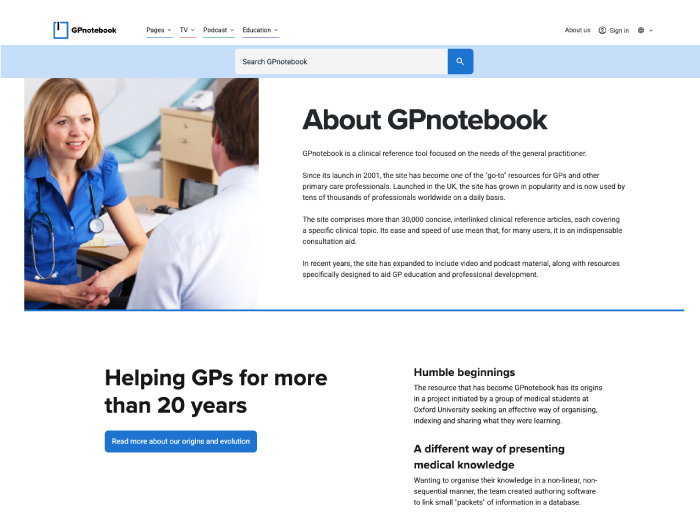
GPnotebook by OmniaMed is a clinical-reference platform with tens of thousands of tightly-interlinked pages faced increasing strain from a custom legacy CMS. Content updates required developer involvement, which slowed down publishing and directed funds meant for innovation towards maintenance. As the platform expanded globally and launched new sub-brands, the old system struggled to support multilingual content and role-based editorial workflows.
To move forward, we helped the team migrate to a modern architecture built around Sanity and a Next.js front end. Our process began with a structured discovery phase. We mapped out content requirements, publishing workflows, and legacy features before translating them into working content models. Next, we began a phased rollout, allowing the new system to develop together with active content operations.
The result was a platform that can handle a large content library and let editors publish independently, manage localization, and support multiple content formats in one place. Moving from a legacy system and new structured workflows unlocked faster content delivery and created a foundation for long-term growth without short-term patching.
Conclusion
Legacy systems can slowly drag your business down for years, without anyone realizing. It starts out with small inconveniences, like cumbersome publishing or small update issues, but with time, it can turn into a big enough problem to affect your operations. At some point, the cost of staying put outweighs the effort of moving forward.
If you think your current platform has reached its limit, now it’s the best time to rethink its foundation. Instead of clinging to an inefficient system, consider how much of an improvement a new CMS could be.
Successful migration to a new content management system is a step towards a new future for your site, where you don’t need a dev team for each small change. So long as you work in manageable steps, and treat editor experience as seriously as performance and architecture, the new CMS will improve your team's efficiency and satisfaction.