Key takeaways
- AI prototypes replace requirement docs — stakeholders click through working flows instead of reading static specs.
- Mistakes get caught earlier — flaws surface during prototype review, not after design or development has begun.
- Every role benefits — analysts, PMs, presales, architects, and developers all gain clarity and speed.
- Feedback cycles shrink from weeks to hours — revisions happen in real time instead of through drawn-out review rounds.
- Good prompts drive good prototypes — specific, scenario-driven input matters more than the AI tool itself.
The Problem With Traditional Requirements Gathering
Anyone who has ever worked with software development companies has experienced the problem: defining requirements takes a lot of time.
It usually starts with a business analyst talking to a client or stakeholder. They ask many questions, such as: What should the product do? What problems should it solve? What screens are needed? What should happen if something goes wrong? As a result, the business analyst takes all of these answers and turns them into a requirements file.
Next, the document goes to a UI/UX designer, who creates wireframes and later custom designs.
Even though the design is ready at this point, another challenge begins.
The team reviews the designs and suggests changes. Then the client reviews them and often comes back with new questions or ideas. And that’s rather logical because it's hard to understand how a real product will work by looking at static screens. A mockup can't show how a user moves through a flow or what happens after clicking a button. When the feedback comes from different participants of the process, many revisions take place, and the cycle repeats. As a result, before a web developer or app developer starts writing code, weeks or even months can be spent trying to agree on what the final product should look like.
In 2026, there's a much more effective way, namely AI prototype, which we’ll review in our article.
Check out the Top IT Services Companies delivering AI-generated prototypes today.
What Changed: AI-Generated Clickable Prototypes
AI-generated clickable prototypes have made a significant impact on the software development process. Let’s view a new workflow in more detail.
After a business analyst gathers the essential business requirements, they can now feed those requirements into an AI tool designed to generate interfaces and front-end code, which is an approach popularized by top vibe coding companies building entire interactive flows from plain-language prompts. Now, the team doesn’t need to produce a document or a static Figma mockup. The output is a functioning, clickable prototype.
The stakeholder gets an opportunity to click buttons that respond, use forms that validate, and see screens that transition into one another. It’s easier for them to analyze the experience and offer improvements. In this case, the stakeholder doesn't need to read a fifty-page requirements specification. They don't need to translate paragraphs of text into a mental model of the product. The AI has already done that translation for them. And the stakeholder can interact with the result directly.
This is a fundamentally different kind of artifact than a requirements document or even a traditional wireframe. It behaves like an early version of the product itself. And it’s a considerable benefit. However, the clickable AI prototypes have even more benefits. Let’s see them below.
Why This Matters More Than It Sounds
At first, AI-generated prototypes may seem like just another way to save time. And, no doubt, it really is so! But their real value goes far beyond speed. It allows us to improve the entire product development process.
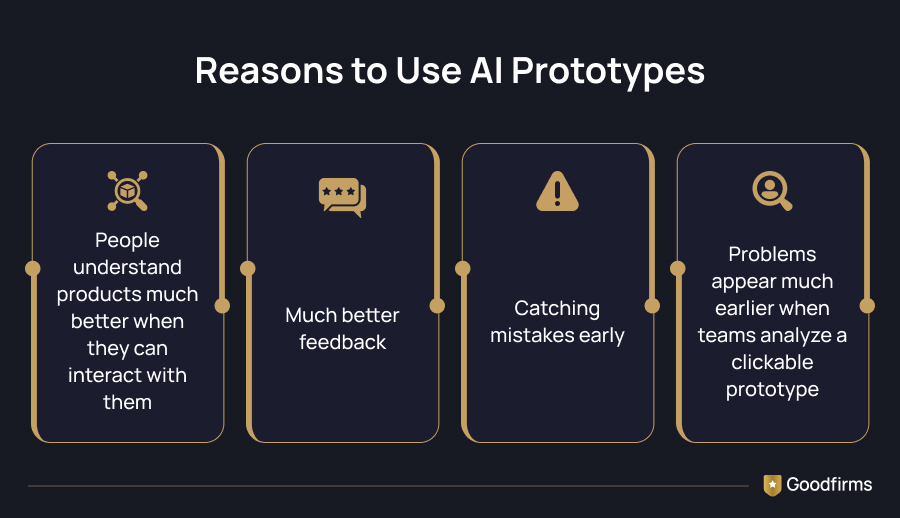
The biggest advantage is that people understand products much better when they can interact with them. Reading a long requirements document forces everyone to imagine how the product will look and work. On the contrary, a clickable prototype removes the guesswork. Stakeholders can click through the user journey, test different scenarios, and instantly see whether everything makes sense and works well.
Consequently, this also leads to much better feedback. A client can point to a specific screen or step and explain exactly what feels confusing or unnecessary. As a result, the conversation becomes much more productive because everyone is looking at the same thing.
Another major benefit is catching mistakes early. When a software development agency uses a traditional workflow, they often discover missing or misunderstood requirements after designers have finished their work or even after developers have started building the product. Fixing those issues takes a considerable amount of time and money.
Problems appear much earlier when teams analyze a clickable prototype. They can adjust the flow, add missing functionality, or rethink an interaction before development begins. Making changes at this stage is fast, inexpensive, and far less stressful than rebuilding features later.
That's why partnering with artificial intelligence companies isn't just a way teams can create prototypes faster. These companies bring the expertise needed to turn abstract ideas into functional, testable models early in the process. It's a beneficial strategy that helps everyone agree on what they're building before significant time and budget are invested.
Who Can Benefit From AI-Generated Prototypes?
Even though AI-generated prototypes are often considered to be a tool for designers, they're useful for almost everyone who is involved in building digital products.
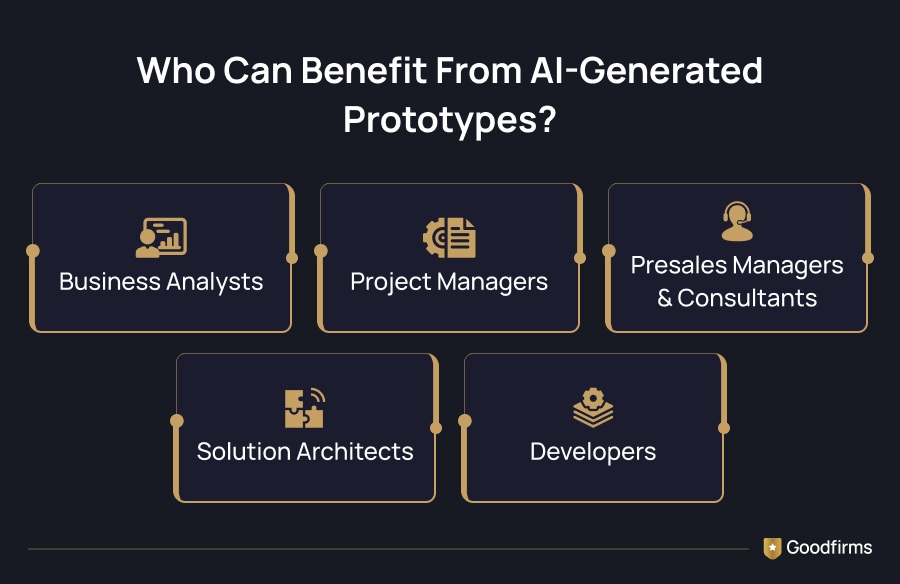
Business analysts probably benefit the most. Their job is to gather requirements and make sure everyone understands what needs to be built in the final result. With AI, they do not need to create long documents. They can quickly turn ideas into a clickable prototype that stakeholders can review and test. This makes discussions much more productive and helps uncover missing requirements early.
Project managers also benefit. When stakeholders can validate ideas faster, projects become more predictable. There are fewer back-and-forth discussions, fewer unexpected changes, and a better chance of staying on schedule.
For presales managers and consultants, clickable prototypes can become a real competitive advantage. Rather than relying only on presentations and proposals, they can show potential clients a working concept of the future product. It helps clients better understand the idea. It also builds confidence before the project even starts.
Solution architects can use prototypes to validate workflows before making important technical decisions. Seeing how users interact with the product often reveals gaps or edge cases that are difficult to spot in a written document.
Even developers benefit from AI-generated prototypes. By the time development begins, the engineering team already has answers to many questions that used to appear during the development process — whether the project is a fast-moving effort handled by MVP development companies or a client-branded engagement managed by white label software development companies. As a result, the team has a much clearer understanding of what needs to be built. Working with the right partner in either case means the prototype already reflects real-world constraints, not just assumptions. That means fewer unexpected situations during development and less time spent clarifying requirements.
Ultimately, anyone responsible for turning an idea into a product can benefit from this approach. The goal of AI-generated prototypes is to make sure everyone shares the same understanding before development begins.
What This Process Looks Like in Real Life
Once we’ve identified that an AI-generated product prototype is very beneficial for many business participants. Let’s take a look at the operational processes that make this idea work effectively.
1. Talk to stakeholders
The first step hasn't changed. Every project still starts with conversations.
A business analyst meets with stakeholders to understand what they want to build. They discuss business goals, users, key features, possible edge cases, and project constraints. You need to understand that no AI tool can replace this part. If the team doesn't understand the problem, the rest of the process won't work, no matter how much effort you put in.
As Dan Gottlieb, the VP Analyst in the Gartner Sales practice, said, “Without the right data foundation and workflow integration, CSOs risk creating agent sprawl, with more digital activity, but little improvement in business impact.”
2. Turn requirements into prompts
Traditionally, the next step would be writing a detailed requirements document. Now, there’s an opportunity to skip this stage.
Instead, the analyst prepares clear prompts for an AI code generator. It’s important to describe the screens, user journeys, form fields, validation rules, and different states the interface should support. The more specific the prompts are, the better results the team will get.
3. Generate a working prototype
Then, the AI automation tool creates a prototype that people can actually click through. In this case, all buttons work, pages are connected, and forms behave as expected. As a result, the analyst can properly demonstrate the main user flows.
Even though it isn't a finished product, it's still much closer to reality than a document or a collection of static mockups.
4. Make changes right away
This is where the process starts to feel very different.
Instead of waiting on a lengthy back-and-forth cycle for updated screens, analysts and stakeholders working with digital design agencies can now move much faster. Agencies that integrate AI into their prototyping workflow can change a prompt, generate another version, and share it with clients almost immediately. If a stakeholder offers some improvements, they can receive the updated versions within minutes — all without breaking the collaborative loop with their design partner.
5. Let stakeholders try it themselves
Presenting slides to stakeholders or explaining how the product is supposed to work is not effective anymore. On the contrary, the development team can share a link to the prototype.
Stakeholders click through the product themselves. They naturally discover questions, missing scenarios, or confusing interactions because they're using it instead of imagining it.
6. Update the prototype based on feedback
When stakeholders' feedback arrives, the team doesn't have to start another long review cycle.
They adjust the prompts, regenerate the affected screens, and share the updated version. In such a way, several rounds of feedback can happen in a single day instead of being spread across weeks.
7. Start design and development with fewer unknowns
Once everyone agrees on the prototype, designers and developers have a much clearer starting point.
As the sides have already discussed the major aspects and the main user flows, far fewer issues may occur once the implementation stage begins.
The Business Impact of AI-Generated Prototypes
At Emapt, we’ve already experienced the value of this approach. Here are several outcomes that our team has tracked.
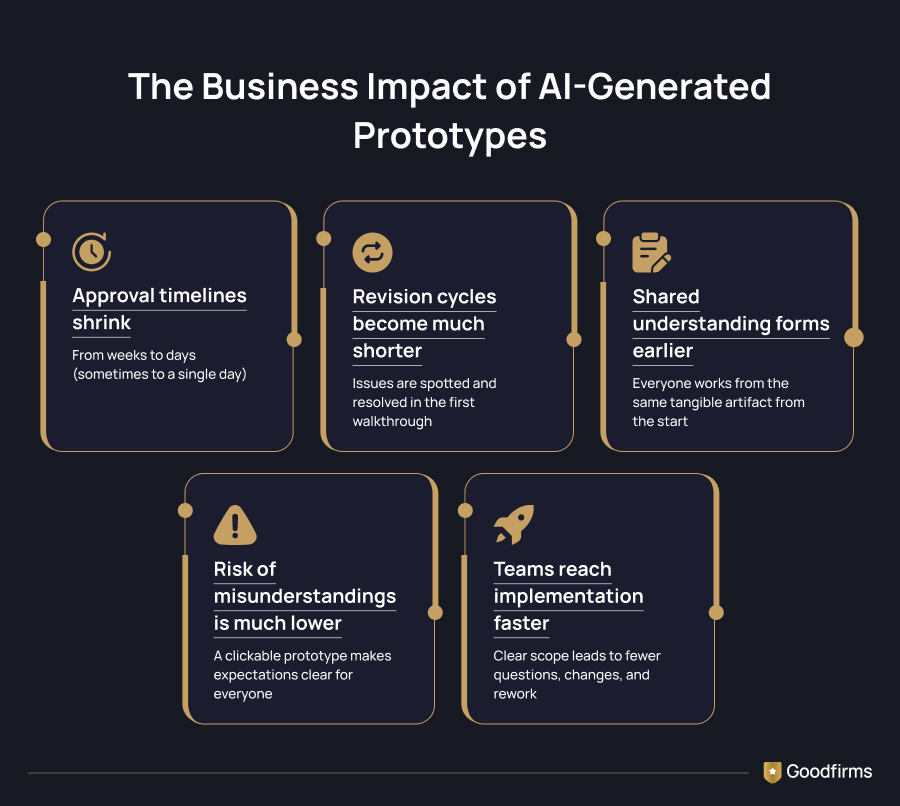
Approval timelines shrink from weeks to days (sometimes to a single day). The processes used to require multiple scheduled review cycles, but now it can be resolved in one focused working session. It deals with the fact that the stakeholder is reacting to something real rather than something they have to interpret.
Revision cycles become much shorter. With the help of companies for AI prompt engineering services, teams do not need to discover misunderstandings weeks later during design reviews. These companies help teams craft the right prompts from the start, so the prototype reflects actual requirements rather than rough guesses. Now, teams can spot them during the very first walkthrough of the prototype. Stakeholders can see what works, what doesn't, and what needs to change right away. As a result, teams avoid the usual cycle of creating designs, collecting feedback, making changes, and repeating the process several times before development even begins.
Shared understanding forms earlier. Every party involved, including the stakeholder, the analyst, and the eventual design and development team, is looking at the same tangible artifact from the very start. On the contrary, they used to have a slightly different mental picture based on their own reading of a document when we had to use a traditional approach.
The risk of misunderstandings is much lower. Written requirements leave room for interpretation, so different people can imagine the same feature in different ways. A clickable prototype makes expectations much clearer. Stakeholders can see exactly how the product is supposed to work, which helps avoid misunderstandings later.
Teams reach implementation faster. When stakeholders have reviewed and approved the prototype, designers and developers have a clear understanding of what needs to be built. That benefits the development process with fewer open questions, fewer last-minute changes, and less time spent reworking features during the early stages of the project.
The underlying theme across all of these outcomes is the same: time. Every hour spent clarifying a misunderstood requirement after the fact is an hour that could have been spent building. AI-generated clickable prototypes move that clarification work to the earliest, cheapest point in the process.
Practical Tips to Succeed with AI-Generated Prototype
Like any new capability, this one can deliver real value only when used thoughtfully. We’ve identified some rules to follow to succeed with the AI tool.
- Keep prompts specific and scenario-driven. Don’t provide vague instructions like "create a dashboard". It’s better to describe the actual user, their goal, and the key actions they need to take. The more concrete the prompt, the more useful the resulting prototype.
- Prototype the critical path first. There’s no need to build every screen immediately. It’s better to focus first on the flows that carry the most risk of misunderstanding or disagreement. Once they are ready, you may expand from there.
- Treat the prototype as disposable. The core objective is to validate direction quickly. The prototype doesn’t need to become production code. Trying to perfect it defeats the purpose of speed.
- Bring stakeholders in early, even with a rough version. A partially finished but interactive prototype often produces more useful feedback than a polished document. It invites genuine exploration rather than passive reading.
- Document decisions as they're made. Even though the prototype replaces much of the traditional specification, it's still worth capturing the key decisions. It’s also critical to rationale that emerges during walkthroughs both for the development team and for future reference.
Final Thoughts
You may remain calm that AI won't replace you. Business analysts, designers, and product teams are still very important in the software engineering process. On the contrary, AI removes a lot of the slow, repetitive work that used to delay projects before development even started.
Now teams don't have to spend weeks reviewing documents and static mockups. They can look at a working prototype, discuss real user flows, and make decisions much earlier. That benefits the development process with better feedback and fewer misunderstandings.
For companies that use an AI development approach, it is already part of the workflow. At Empat, use AI-generated prototypes to validate ideas early, discuss them with stakeholders more effectively, and reduce the amount of rework later in the project. It helps our clients predict what they’ll get even before development begins. It also gives our team a much clearer starting point for design and engineering.
Technology will continue to develop, and new AI tools will keep appearing. But the biggest challenge for businesses is to adapt existing business processes and integrate the new technologies in the most effective way.