Key takeaways
-
A weekly content calendar template helps organize publishing schedules, content formats, deadlines, and team responsibilities.
-
An effective calendar should include eight essential fields, from publishing dates and content topics to assigned owners and status.
-
Tools like Google Sheets, Canva, Airtable, Notion, and Asana simplify content planning, scheduling, and collaboration.
-
DIY planning suits businesses with manageable content needs, while growing teams may benefit from an agency's expertise, resources, and strategic support.
Everyone wants to publish as much content as possible, but are they aware of the fact that publishing content consistently across blogs, social media, email newsletters, and other channels requires more than good ideas?
Without a clear plan, businesses often struggle with missed deadlines, repetitive topics, and last-minute publishing decisions. A weekly content calendar template can help organize these activities and keep everyone on the same page.
According to HubSpot's 2026 State of Marketing report, 35.08% of marketers identified content repurposing across channels as a key marketing trend. This makes coordinated content planning even more important for businesses managing multiple platforms.
But should you create and manage your content calendar yourself or let a marketing agency handle it? Let's explore both approaches, starting with a practical template you can use.
Need professional support to manage your content strategy and publishing schedule? Explore Goodfirms' list of top social media marketing agencies to find experienced partners who can help you plan, create, and manage content across platforms.
Weekly Content Calendar Template
Here is a simple social media content calendar example combined with blog and email publishing activities. It demonstrates how a small marketing team can organize different content formats in one weekly view.
|
Day |
Platform |
Content Format |
Topic/Activity |
Status |
|---|---|---|---|---|
|
Monday |
Website |
Blog Post |
5 Ways to Improve Your Digital Marketing Strategy |
Scheduled |
|
Tuesday |
|
Carousel |
Key insights from the latest blog |
Approved |
|
Wednesday |
|
Short Video |
Behind-the-scenes company update |
In Review |
|
Thursday |
|
Newsletter |
Weekly industry updates and resources |
Draft |
|
Friday |
|
Text + image |
Customer success story |
Scheduled |
|
Saturday |
|
Carousel |
Weekly tips and useful takeaways |
Draft |
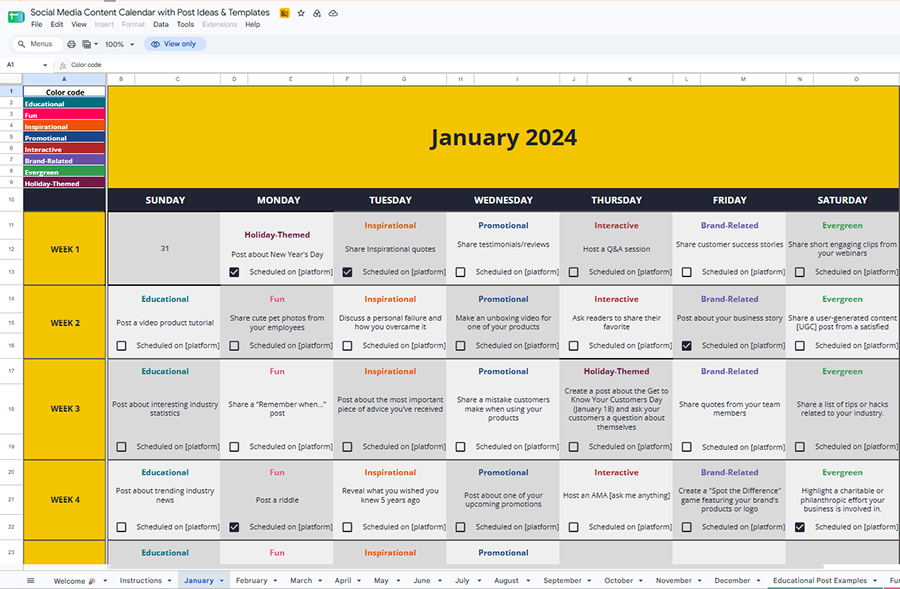
Organizing your content doesn't have to start from scratch. Use this free Google Sheets Content Calendar Template to plan posts, organize content ideas, and manage your publishing schedule.
You can copy this structure into a spreadsheet or project management tool and customize it according to your publishing needs. Each row represents one content activity, making it easier to track progress without searching through multiple documents.
What Should a Weekly Content Calendar Template Include?
A useful content calendar template should make content planning easier, not create another complicated document for your team to maintain. Start with the essential information and add more fields only when your workflow requires them.
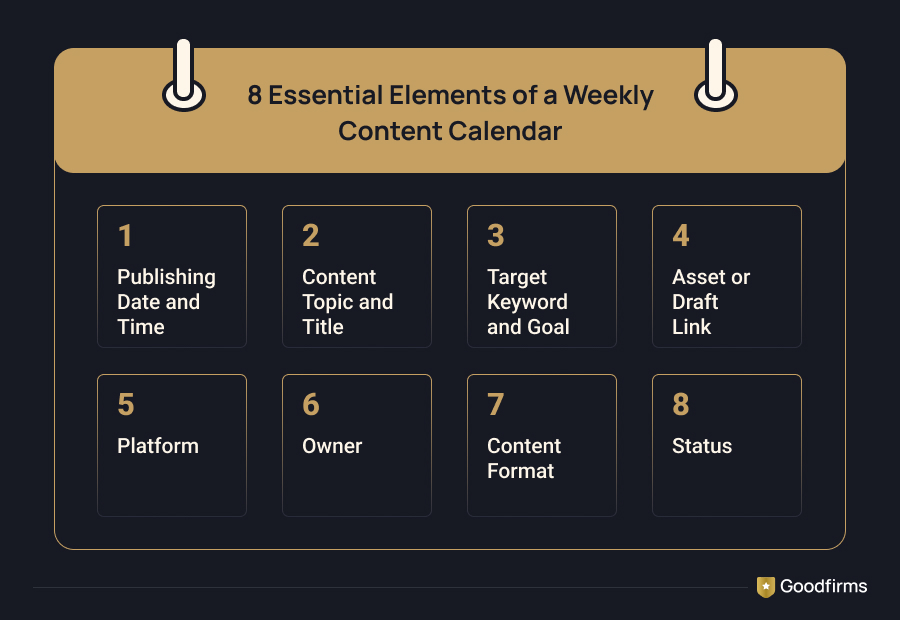
Here are eight fields worth including:
- Publishing date and time: Specify when each content piece should go live.
- Content topic and title: Mention the subject, working headline, or campaign theme.
- Platform or channel: Identify where the content will appear, such as a website, LinkedIn, Instagram, or email newsletter.
- Content format: Specify whether it is a blog post, carousel, short video, infographic, or newsletter.
- Target keyword and content goal: Add the primary keyword for SEO-focused content and define the intended outcome, such as traffic, engagement, or lead generation.
- Asset or draft link: Include links to documents, images, videos, and other resources.
- Owner: Assign the person responsible for writing, designing, reviewing, or publishing the content.
- Status: Track progress using labels such as Draft, In Review, Approved, Scheduled, and Published.
How to Create a Weekly Content Calendar Yourself
A weekly content calendar is a planning document that outlines what content you will create, where it will be published, and when it will go live during a particular week. It helps businesses organize publishing activities, coordinate team responsibilities, and align content with their broader content marketing strategy.
Building a weekly content calendar does not require advanced technical skills or expensive software. You can start with a spreadsheet and gradually improve your planning process as your content requirements grow.
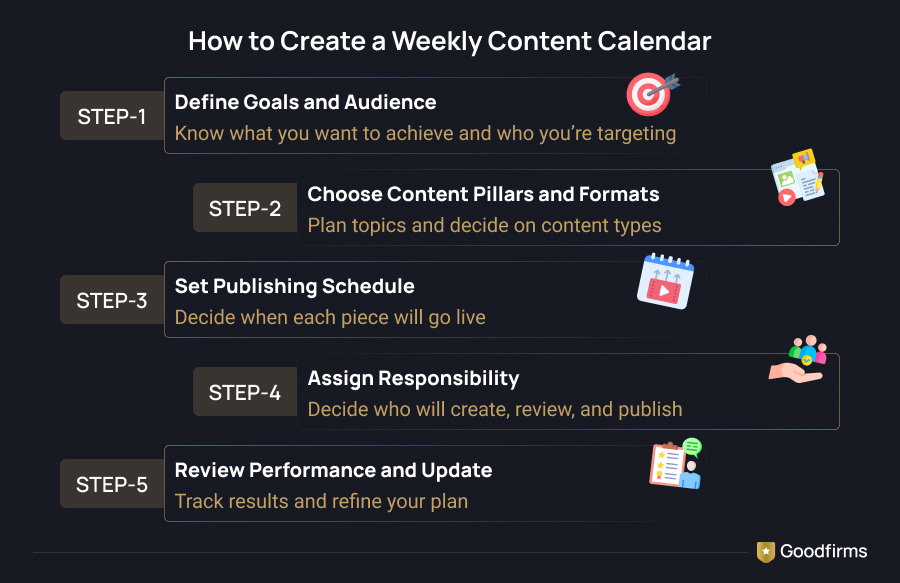
1. Define Your Content Goals and Audience
Start by identifying what you want your content to achieve. Are you trying to increase website traffic, generate leads, improve brand awareness, or engage existing customers?
Your audience also matters. Understand their interests, common challenges, search behavior, and preferred platforms. Creating buyer personas can help you identify the topics, formats, and content marketing strategies that are most relevant to them.
2. Choose Content Pillars and Formats
Content pillars are the main themes around which you create content. For example, a software company might focus on industry insights, product updates, customer success stories, and educational resources.
Once you identify these themes, select suitable formats. You can combine blog posts, social media content, short videos, infographics, and newsletters to keep your publishing schedule varied. A well-defined B2B content marketing strategy also helps businesses select formats based on audience needs and different stages of the buyer journey.
3. Set a Realistic Publishing Schedule
Decide how frequently you can publish without compromising content quality. A small business might publish two blog posts, three social media updates, and one newsletter per week.
Assign specific publishing days and consider the time required for research, writing, designing, and reviewing. You can also use keyword research to identify relevant topics and prioritize content based on search demand and business relevance.
4. Assign Responsibilities and Approval Deadlines
If multiple people are involved, assign an owner to every content piece. Set separate deadlines for drafting, editing, designing, approval, and publishing.
For example, a writer can prepare a LinkedIn post on Monday, a designer can complete their creative on Tuesday, and the marketing manager can approve it before scheduling.
This reduces confusion and prevents content from getting delayed because someone is waiting for feedback.
5. Review Performance and Update the Calendar
Your content calendar should not remain unchanged throughout the month. Review performance regularly to understand which topics generate traffic, engagement, leads, or conversions.
Use analytics tools to identify successful content and areas that need improvement. Update upcoming topics, publishing frequency, and formats based on these findings.
You can also include content refresh dates in your calendar so older blog posts and other important resources receive timely updates.
Which Tools Can You Use to Build a Content Calendar?
The right tool depends on your content volume, team size, budget, and collaboration requirements. Here are five options worth considering.
|
Tool |
Best For |
|---|---|
|
Google Sheets |
Individuals and small teams looking for a simple, shareable content calendar. It supports custom columns, publishing dates, assigned owners, and color-coded status labels. |
|
Teams that prefer visual content planning. Its ready-made social media planner templates help organize weekly layouts, content ideas, and design assets. |
|
|
Teams managing multiple content types and detailed workflows. It offers custom fields, team assignments, filters, and grid and calendar views. |
|
|
Content teams that want to manage ideas, editorial schedules, research notes, and publishing tasks in one workspace using customizable databases and calendar views. |
|
|
Asana or ClickUp |
Teams that need structured content production workflows, including task assignments, deadlines, progress tracking, and collaboration. See these project management tools. |
The best option is not necessarily the one with the most features. Choose a content calendar tool that your team can update regularly without adding unnecessary administrative work.
DIY Content Calendar vs. Agency-Managed Content Calendar: What's Better?
Both approaches can help businesses maintain a consistent publishing schedule, but they differ in the resources, expertise, and level of involvement required.
|
Comparison Factor |
DIY Content Calendar |
Agency-Managed Content Calendar |
|---|---|---|
|
Cost |
Generally lower initial cost |
Requires an agency budget or retainer |
|
Content Strategy |
Managed internally |
Supported by marketing specialists |
|
Content Creation |
Depends on in-house resources |
Access to writers, designers, and strategists |
|
Publishing consistency |
Depends on team availability |
Supported by dedicated workflows |
|
Team Coordination |
Managed internally |
Structured through agency processes |
|
Performance tracking |
Requires in-house analysis |
Can include professional reporting |
|
Scalability |
Limited by internal capacity |
Easier to expand with agreed resources |
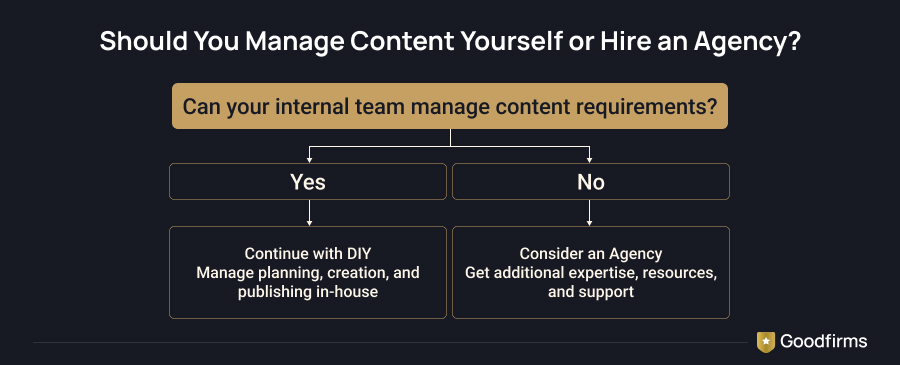
When Should You Continue Managing Your Content In-House?
A DIY content calendar is a practical choice when your business has a small team, a manageable publishing schedule, and enough internal expertise to plan and produce content.
It makes sense when:
- You publish a limited number of content pieces each week.
- Your team understands your audience, products, and brand voice.
- You have the resources to write, design, review, and schedule content.
- Your content requirements do not involve complex approval processes.
- You want direct control over content planning and publishing decisions.
For example, a small business publishing two blogs and a few social media posts each week may not need external support. A simple spreadsheet or Airtable workspace could be sufficient.
When Does Hiring a Content or Social Media Marketing Agency Make Sense?
Your DIY content calendar may stop working when managing content starts taking more time than creating it.
Consider hiring an agency when:
- Your publishing volume increases: Managing several platforms and content formats becomes difficult for a small in-house team.
- You need specialized expertise: Your business requires SEO research, professional copywriting, graphic design, video production, or campaign planning.
- Cross-platform coordination becomes complicated: Creating separate versions of content for different audiences and platforms increases the workload.
- Approvals slow down publishing: Multiple stakeholders, clients, or managers need to review content before it goes live.
- You struggle to measure results: You need professional support to connect content performance with traffic, leads, and business goals.
The decision should not depend only on your budget. Consider the time your team spends managing content, the skills you lack, and the results you expect from your marketing efforts.
What Can a Marketing Agency Bring to Your Content Planning Process?
An agency-managed content calendar offers more than a publishing schedule. It connects content planning with your broader marketing objectives and provides access to people who can manage different stages of production.
Here is what professional support can add:
- Strategic content planning: Agencies research your audience, competitors, industry trends, and keywords to develop relevant content plans.
- Professional content production: Writers, designers, and video specialists work together to create content suited to different platforms.
- Structured workflows: Dedicated teams manage assignments, deadlines, revisions, and approvals to keep publishing activities organized.
- Multi-channel content distribution: Agencies can adapt existing content into platform-specific formats, helping businesses reach audiences across different channels.
- Performance monitoring: They track relevant metrics, evaluate content effectiveness, and use those insights to improve future campaigns.
However, not every business needs a full-service agency. Some may only require help with content strategy, while others need complete content creation and social media management.
If your business has reached a point where internal resources are no longer sufficient, exploring affordable digital marketing companies on Goodfirms can help you compare providers based on their expertise, services, and budget.
FAQs
What Is the Best Free Content Calendar Template?
Google Sheets is a good starting point for a free content calendar template because it allows you to customize columns, assign responsibilities, and track publishing dates. Canva and Notion are other useful options if you prefer visual planning or a more organized workspace.
How Far Ahead Should You Plan a Weekly Content Calendar?
Ideally, plan your main content themes and topics at least two to four weeks ahead. However, review and finalize publishing activities every week. This gives your team enough preparation time while leaving room for trending topics, campaign changes, and audience feedback.
Is a Weekly or Monthly Content Calendar Better?
A weekly content calendar works well for managing immediate publishing tasks, deadlines, and approvals. A monthly calendar provides a broader view of campaigns, seasonal topics, and marketing goals. Businesses can use monthly planning for direction and weekly planning for execution.
Should Small Businesses Hire an Agency for Content Management?
Small businesses do not always need an agency. In-house planning works when content requirements are manageable and the team has the necessary skills. However, an agency can be helpful when businesses need consistent production, specialized expertise, multiple content formats, or professional performance reporting.
Final Words
A content calendar helps businesses maintain consistency, organize publishing activities, and align content with marketing goals. While DIY planning works well for smaller teams, growing content requirements may demand additional expertise and resources.
The right approach depends on your workload, budget, and long-term objectives. If you need professional support to strengthen your content strategy, explore Goodfirms' list of top content marketing agencies to find a partner that aligns with your business needs.